Shortwave is one of the better AI email apps out there. Clean interface, smart inbox, solid AI features. But it has two problems that send a lot of users looking for alternatives.
First, it only works with Gmail. If you use Outlook, Yahoo, or any other email provider, Shortwave isn’t an option. Second, the free plan is heavily limited — you get just 90 days of AI search history, a capped usage quota, and a “Sent with Shortwave” signature on every email you send. Unlocking the full experience starts at $18/month for individuals, and $30/seat/month for teams.
The good news? There are plenty of strong options. We’ve compared the 7 best Shortwave alternatives across every budget and use case — so you can find the right AI email app and make the switch.
TL;DR: The 7 best Shortwave alternatives in 2026:
- Mailmeteor — Best for Gmail users who need more than an email client.
- Superhuman — Best for keyboard-driven speed.
- Spark Mail — Best free option.
- SaneBox — Best for a quieter inbox without switching apps.
- Missive — Best for team email collaboration.
- Hey — Best if you want to rethink email from scratch.
- Unboxd — Best for AI-powered inbox automation.
Here’s what we’ll cover:
- What Shortwave does (and where it falls short)
- The 7 best Shortwave alternatives
- Which Shortwave alternative is right for you?
Sounds good? Then let’s dive in.
What Shortwave Does (And Where It Falls Short)
Shortwave is an AI email client built on top of Gmail — not a replacement for it, but a smarter interface layered over your existing inbox. It was created by the team behind Google Inbox, the much-loved Gmail alternative Google discontinued in 2019. Think of it as Google Inbox, rebuilt with modern AI.
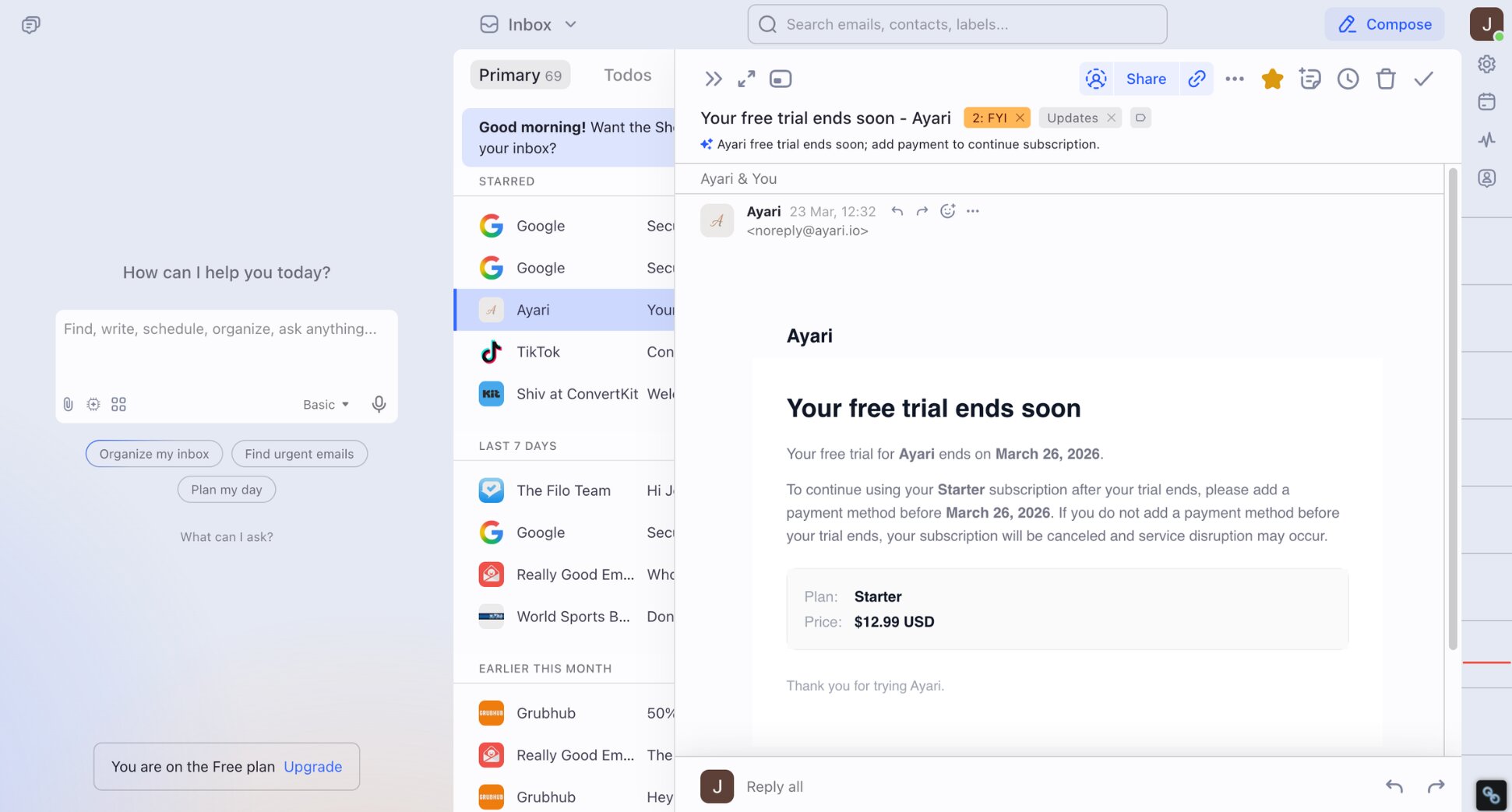
The core idea? Instead of manually triaging every email, Shortwave does the heavy lifting for you. It automatically bundles emails by type (newsletters, receipts, notifications), generates instant thread summaries, lets you search your entire email history in natural language, and drafts replies in your writing style.
For high-volume Gmail users, it can genuinely save hours each week. So why are people looking for alternatives?
A few reasons come up consistently:
- Gmail only. Shortwave doesn’t support Outlook, Yahoo, Apple Mail, or any IMAP provider. If your company runs on Microsoft 365, it simply isn’t an option.
- The free plan is limited. You only get 90 days of AI search history, a capped usage quota, and a “Sent with Shortwave” signature on every email you send.
- It still requires you to process every email yourself. Shortwave makes you faster — but you’re still opening every thread, reading every message, and deciding what to do with it. Other tools do the work for you.
- Paid plans get expensive fast. The Pro plan is $18/month for individuals. Business plans start at $30/seat/month, rising to $120/seat/month for the Max tier.
If any of those are dealbreakers for you, here are the best alternatives ⤵️
The 7 Best Shortwave Alternatives
There are dozens of AI email management tools and apps claiming they can replace Shortwave.
Here’s how we narrowed it down:
- Email provider support — does it work beyond Gmail, or is it just as limited as Shortwave?
- AI features — does it genuinely save time, or is AI just a marketing label?
- Ease of use — can you get value from it on day one without a steep learning curve?
- Privacy — does it handle your email data responsibly?
- Value for money — is the pricing fair for what you actually get?
Here’s how the 7 best Shortwave alternatives compare at a glance:
| Tool | Free plan | Starts at | Best for |
|---|---|---|---|
| Mailmeteor | ✅ | $4.99/month | Gmail outreach + AI features |
| Superhuman | ❌ | $30/month | Keyboard speed |
| Spark Mail | ✅ | €10/month | Free AI email client |
| SaneBox | ❌ | $8.99/month | Quieter inbox without switching apps |
| Missive | ✅ | $18/user/month | Team email collaboration |
| Hey | ❌ | $99/year | Rethinking email from scratch |
| Unboxd | ❌ | $9.99/month | AI-powered inbox automation |
1. Mailmeteor — Best for Gmail Users Who Need More Than an Email Client
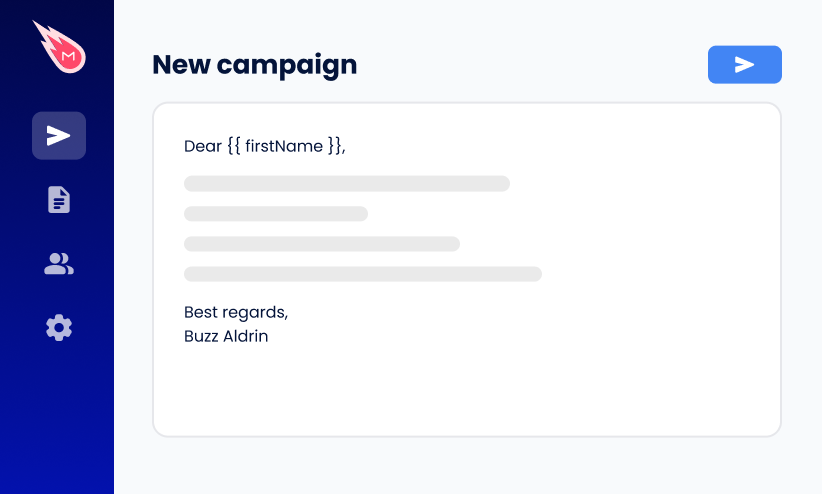
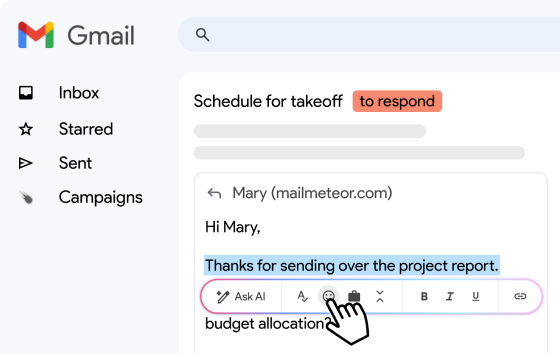
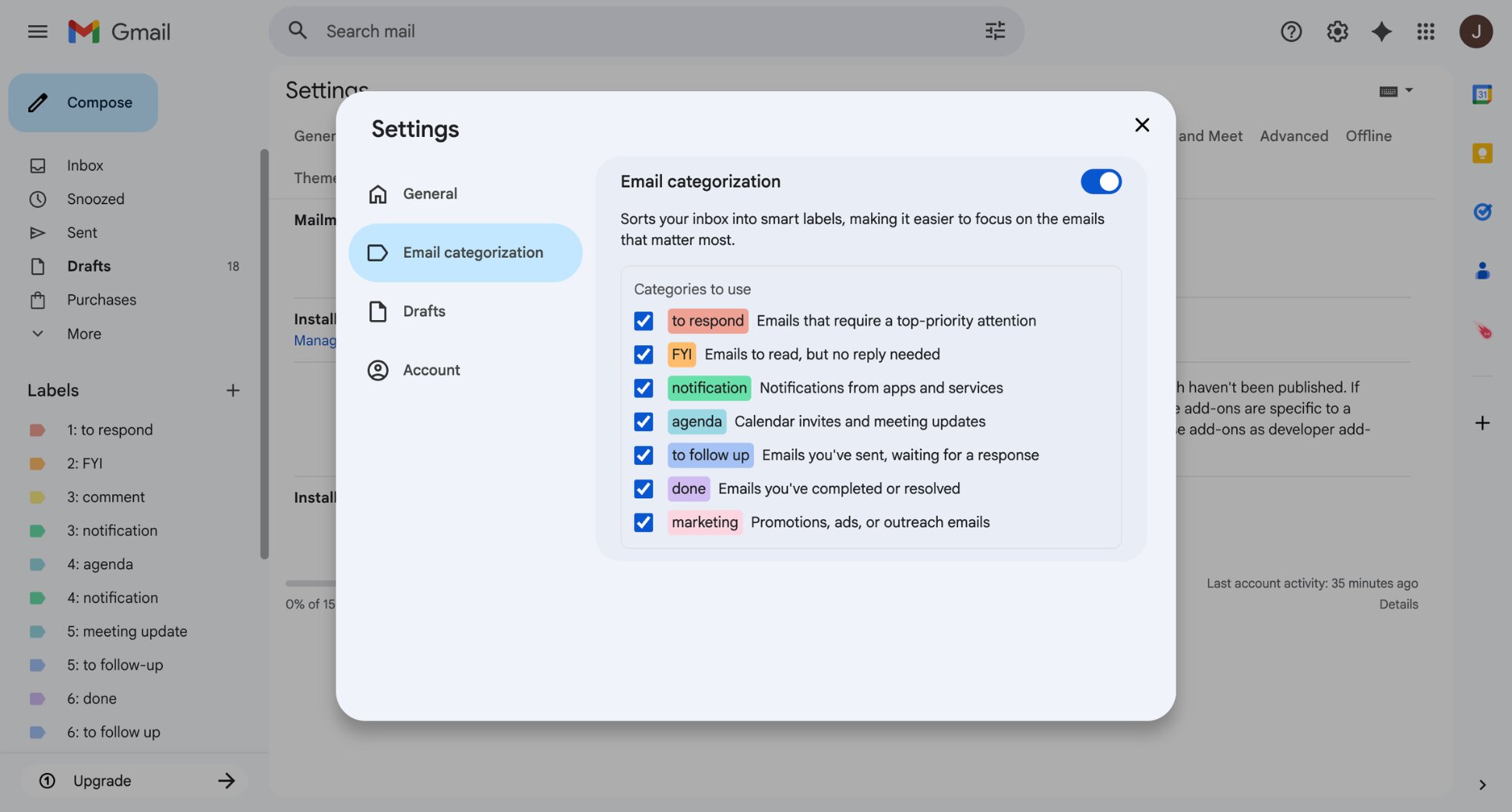
Mailmeteor is an email productivity platform built for Gmail. Where Shortwave helps you manage your inbox, Mailmeteor helps you do more with it. The AI assistant works directly inside Gmail — drafting replies in your voice, summarising long threads, and applying smart labels to keep your inbox organised.
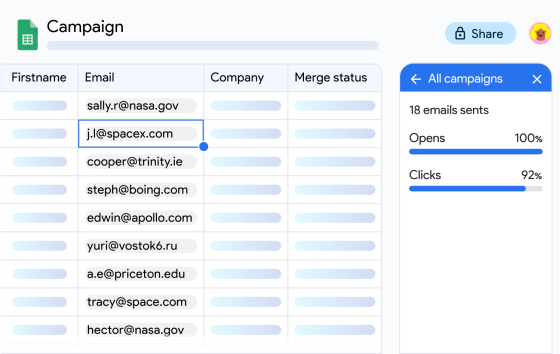
On top of that, you get the full outreach toolkit, including personalized campaigns, open and click tracking, email verification, and automated follow-ups. Unlike Shortwave, Mailmeteor also supports Outlook and Zoho Mail — useful if you work across multiple email clients or plan to switch.
Key features:
- AI email drafting and thread summaries
- Automatic email categorisation inside Gmail
- Real-time open and click tracking
- Mail merge for personalised campaigns at scale
- Automatic follow-ups
Pricing:
- Free plan includes up to 50 emails/day with basic tracking
- Starter from $4.99/month — email tracking, templates, verification
- Premium from $12.99/month — AI auto labels, auto drafts, follow-ups
- Professional from $29.99/month — team analytics, higher limits
Rating: 4.9/5 on Google Workspace Marketplace
Limitation: Mailmeteor is built around outreach and campaigns. If you’re primarily looking for a smarter inbox experience — better sorting, keyboard shortcuts, or a cleaner interface — one of the other tools on this list will be a closer match.
2. Superhuman — Best for Keyboard-Driven Speed
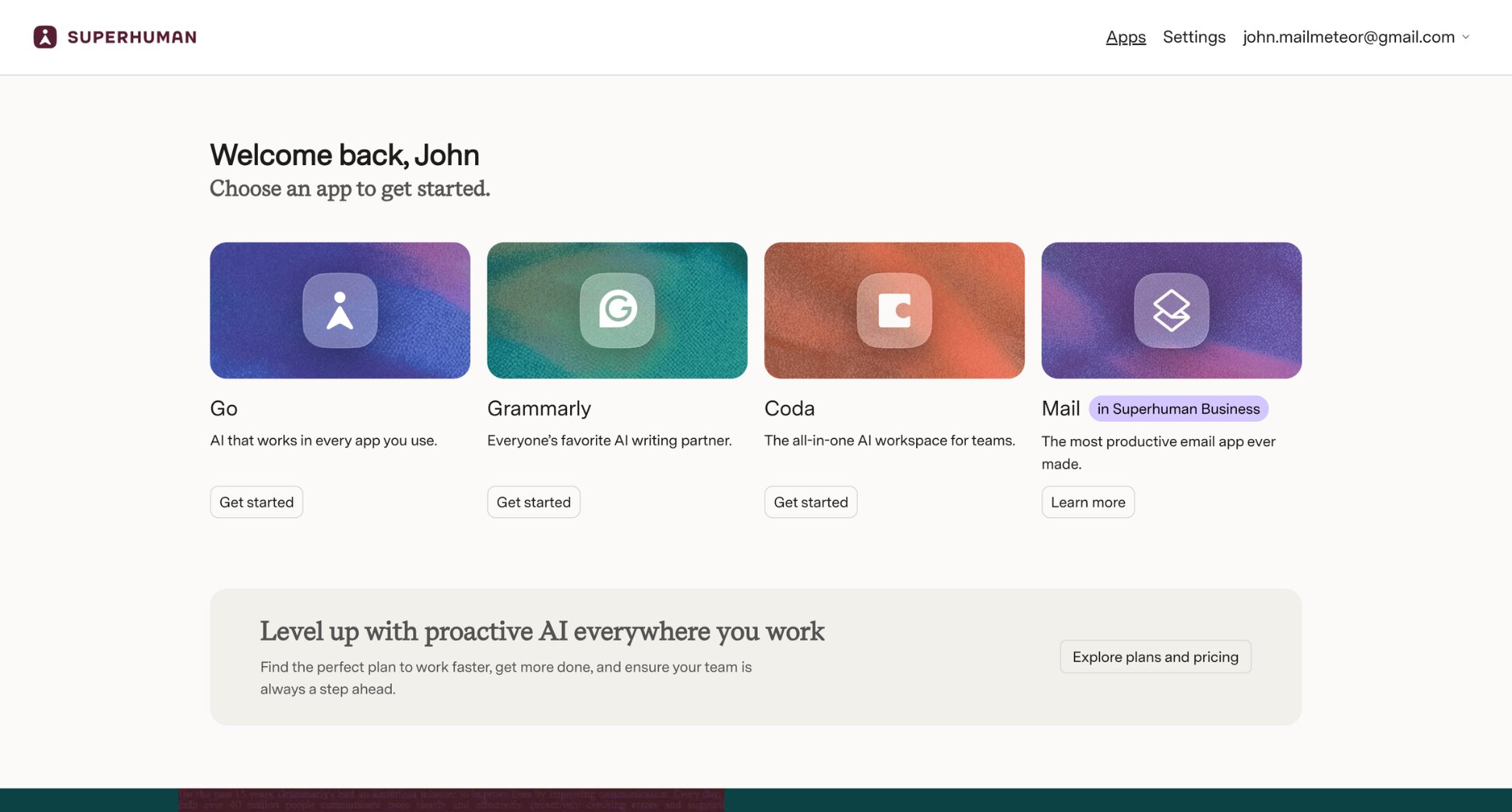
Superhuman is the fastest email client available. Every action is designed around keyboard shortcuts, and the result is an inbox experience that feels dramatically quicker than Gmail, Outlook, or Shortwave. Power users report processing hundreds of emails in minutes.
It works with both Gmail and Outlook, which immediately gives it an edge over Shortwave. The AI features — Auto Labels, AI summaries, Ask AI — are strong and improving rapidly. The trade-off is price: at $30/month with no free plan, it’s the most expensive option on this list by a significant margin.
Key features:
- Keyboard-driven inbox
- Split inbox and Auto Labels
- AI summaries and Ask AI
- Read receipts and send later
Pricing:
- No free plan — 7-day trial available
- Starter from $30/month
- Business from $40/month
Rating: 4.5/5 on G2
Limitation: Superhuman optimises speed, not workload. You’ll process email faster, but you’re still doing all the processing yourself. And at $30/month, it’s hard to justify unless email is a significant part of your working day.
3. Spark Mail — Best Free Option
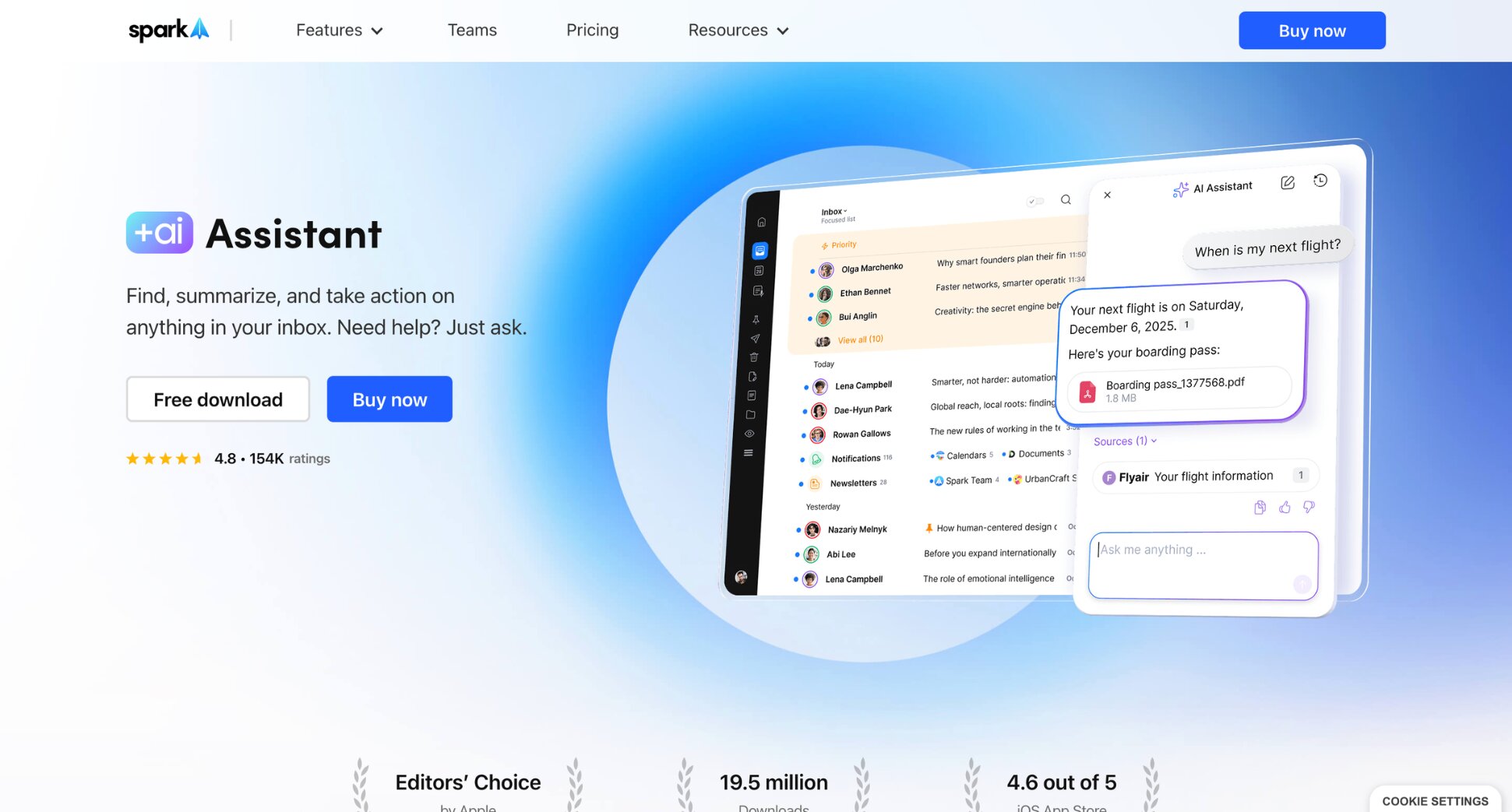
Spark Mail is the most practical free alternative to Shortwave. It works across Gmail, Outlook, Yahoo, iCloud, and IMAP — solving Shortwave’s biggest limitation immediately — and includes smart inbox sorting, AI writing, and thread summarisation without requiring a paid plan.
The free tier is genuinely useful, not a stripped-down teaser — you get smart inbox sorting, AI writing, and multi-account support without paying a cent. Most individual users never need to upgrade. For teams, collaborative features like shared drafts, email delegation, internal comments, and meeting notes are available on paid plans.
Key features:
- Smart inbox with automatic categorisation
- AI writing and thread summarisation
- Shared drafts and email delegation
- Internal comments on email threads
- AI meeting notes
Pricing:
- Free plan available
- Plus from €10/month per user
- Pro from €22/month per user
Rating: 4.4/5 on G2
Limitation: If you’re leaving Shortwave because the AI isn’t powerful enough, Spark won’t fix that — it’s built around collaboration first. Gmail labels can also behave unexpectedly when you switch between Spark and the native Gmail interface.
4. SaneBox — Best for a Quieter Inbox Without Switching Apps
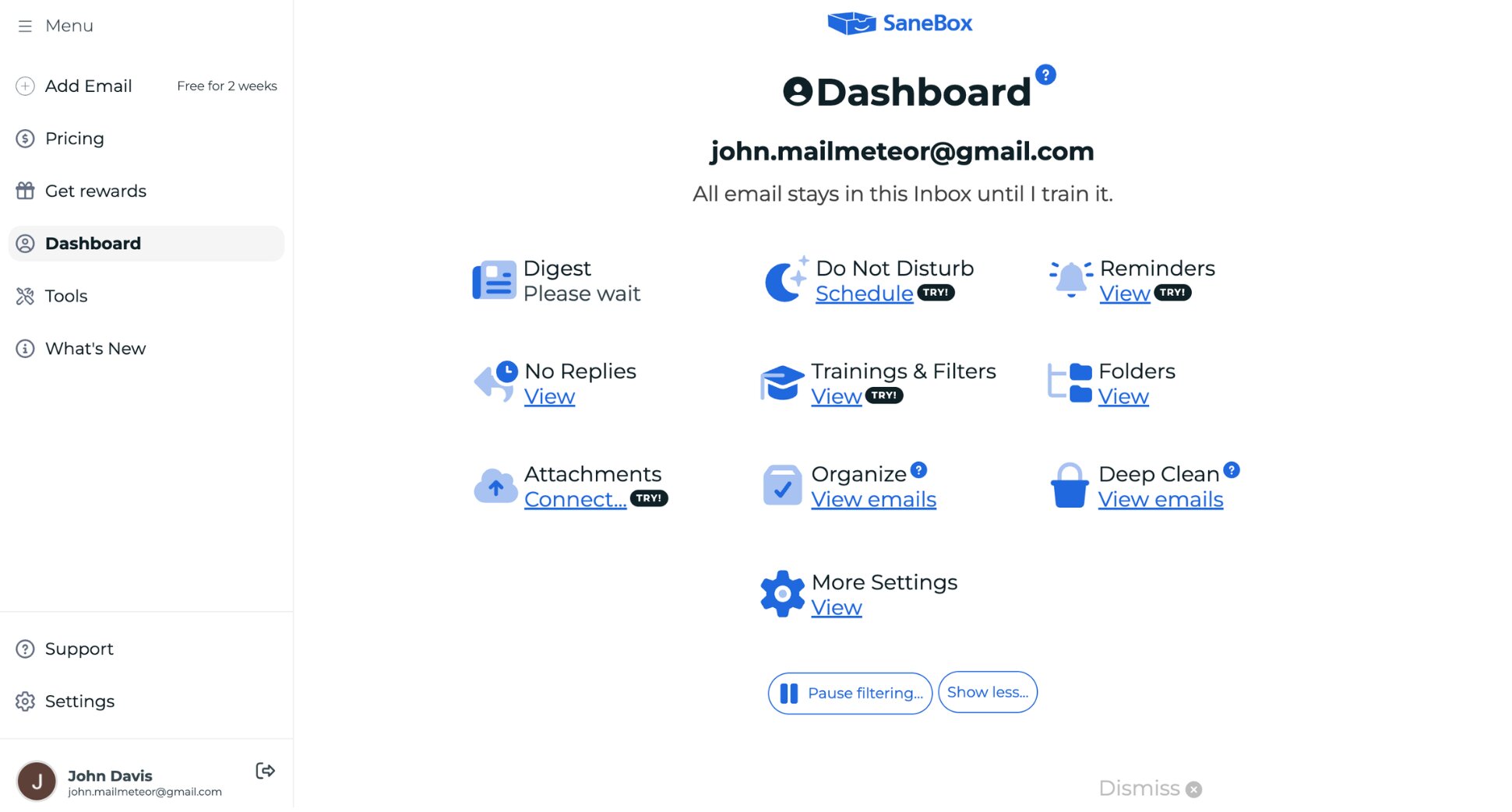
SaneBox works behind the scenes with whatever email client you already use. No new app, no interface to learn. It connects at the server level and sorts incoming emails into smart folders like SaneLater for non-urgent messages, SaneBlackHole for senders you never want to hear from again, and SaneNews for newsletters.
If you like Shortwave’s noise-reduction features but don’t want to commit to a new email client, SaneBox is the cleanest solution. It’s been around since 2011, which counts for something in a space full of tools that disappear after a year. It’s also one of the most affordable paid options on this list.
Key features:
- Server-side inbox filtering
- Automatic sorting into priority, newsletters, and notifications
- Block unwanted senders permanently
- Snooze emails and bring them back when you need them
- Daily digest of filtered emails
Pricing:
- No free plan — 14-day trial available
- Snack from $8.99/month (1 account and 2 features)
- Lunch from $14.99/month (2 accounts and 6 features)
- Dinner from $39.99/month (4 accounts and all features)
Rating: 4.4/5 on G2
Limitation: SaneBox only filters. It can’t draft replies, summarize a thread, or extract action items. If you want AI writing or inbox intelligence beyond sorting, you’ll need a different tool.
5. Missive — Best for Team Email Collaboration
Missive is what you choose when the problem isn’t personal inbox productivity but team email coordination. It combines shared inboxes, internal chat on email threads, real-time collaborative drafting, and assignment rules into one platform — purpose-built for teams that live in email together.
Where Shortwave focuses on individual AI-powered email management, Missive focuses on making sure no customer or client email falls through the cracks across a team. It also supports Gmail, Outlook, IMAP, SMS, and WhatsApp — all from a single interface.
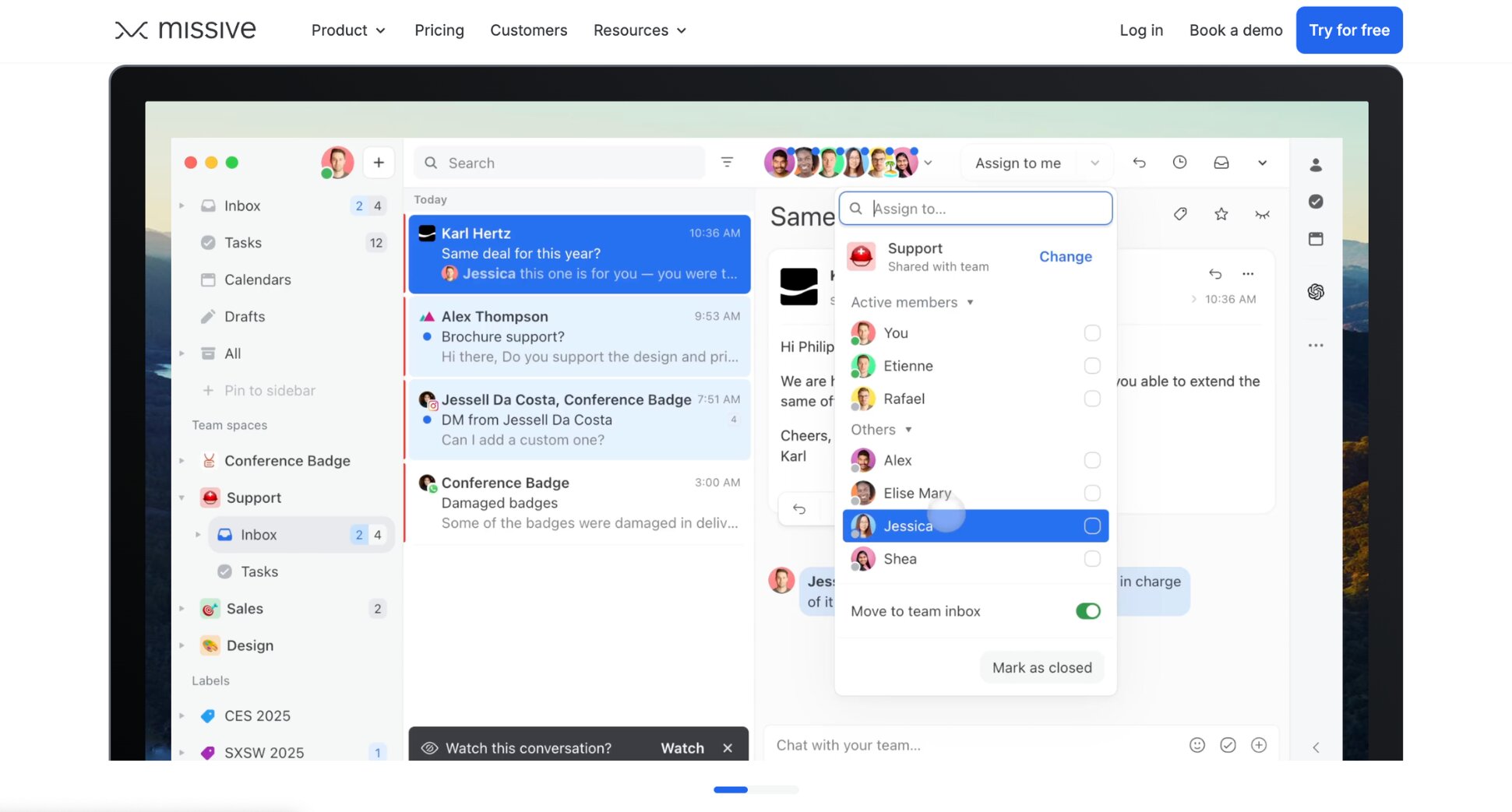
Key features:
- Shared inboxes with assignment and routing rules
- Internal chat on email threads
- Real-time collaborative drafting
- Multi-channel support (email, SMS, WhatsApp, live chat)
Pricing:
- Free plan available (limited)
- Starter from $18/user/month
- Productive from $30/user/month
- Business from $45/user/month
Rating: 4.6/5 on G2
Limitation: Missive is overkill for individual users. The per-seat pricing adds up quickly for larger teams, and the mobile app is notably less capable than the desktop version.
6. Hey — Best for Users Who Want a Completely Different Inbox Experience
Hey doesn’t just improve email — it redesigns it from scratch. The Screener forces you to approve new senders before they reach your inbox. The Imbox separates emails you actually want from everything else. Newsletters go to a separate Feed. Receipts and notifications go to Paper Trail. And tracking pixels are blocked by default.
The result is an inbox that feels genuinely calm — but it requires fully committing to Hey’s philosophy. Hey isn’t just a different email client, it’s a different email provider. You get a @hey.com address (or your own domain on the business plan), and that’s where your email lives. You can’t layer it on top of Gmail or Outlook.
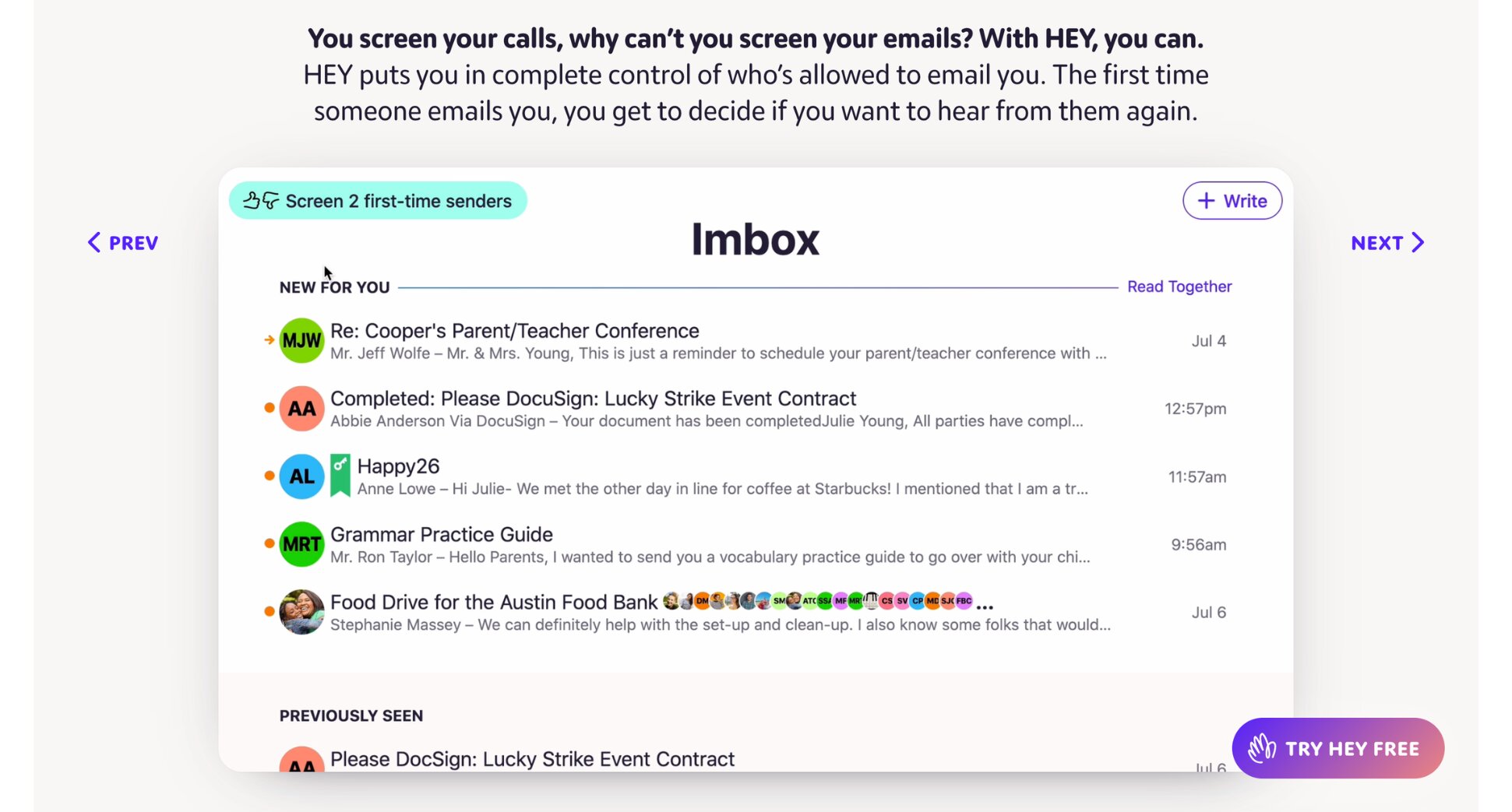
Key features:
- The Screener — approve senders before they reach you
- Feed for newsletters, Paper Trail for receipts
- Built-in tracking pixel blocking
- No ads, no data selling
Pricing:
- No free plan — free trial available
- Personal (hey.com address): $99/year
- Domains (custom domain): $12/user/month
Rating: 4.3/5 on G2
Limitation: Hey doesn’t connect to your existing Gmail or Outlook inbox. You’re starting fresh with a new email address. For anyone with an established inbox, that’s a significant commitment.
7. Unboxd — Best for AI-Powered Inbox Automation
Where Shortwave helps you process your inbox smarter, Unboxd processes it for you. It reads every incoming email, extracts action items with deadlines, categorises everything into buckets (Action Items, Highlights, FYIs), and delivers a structured daily briefing — so you review and approve instead of read and decide.
Unlike Shortwave, it works with Gmail, Outlook, and any IMAP provider. On the privacy side, Unboxd uses AES-256-GCM encryption with per-user keys, meaning your data is encrypted separately from every other user. You can also block specific keywords or email addresses from being processed by AI entirely.
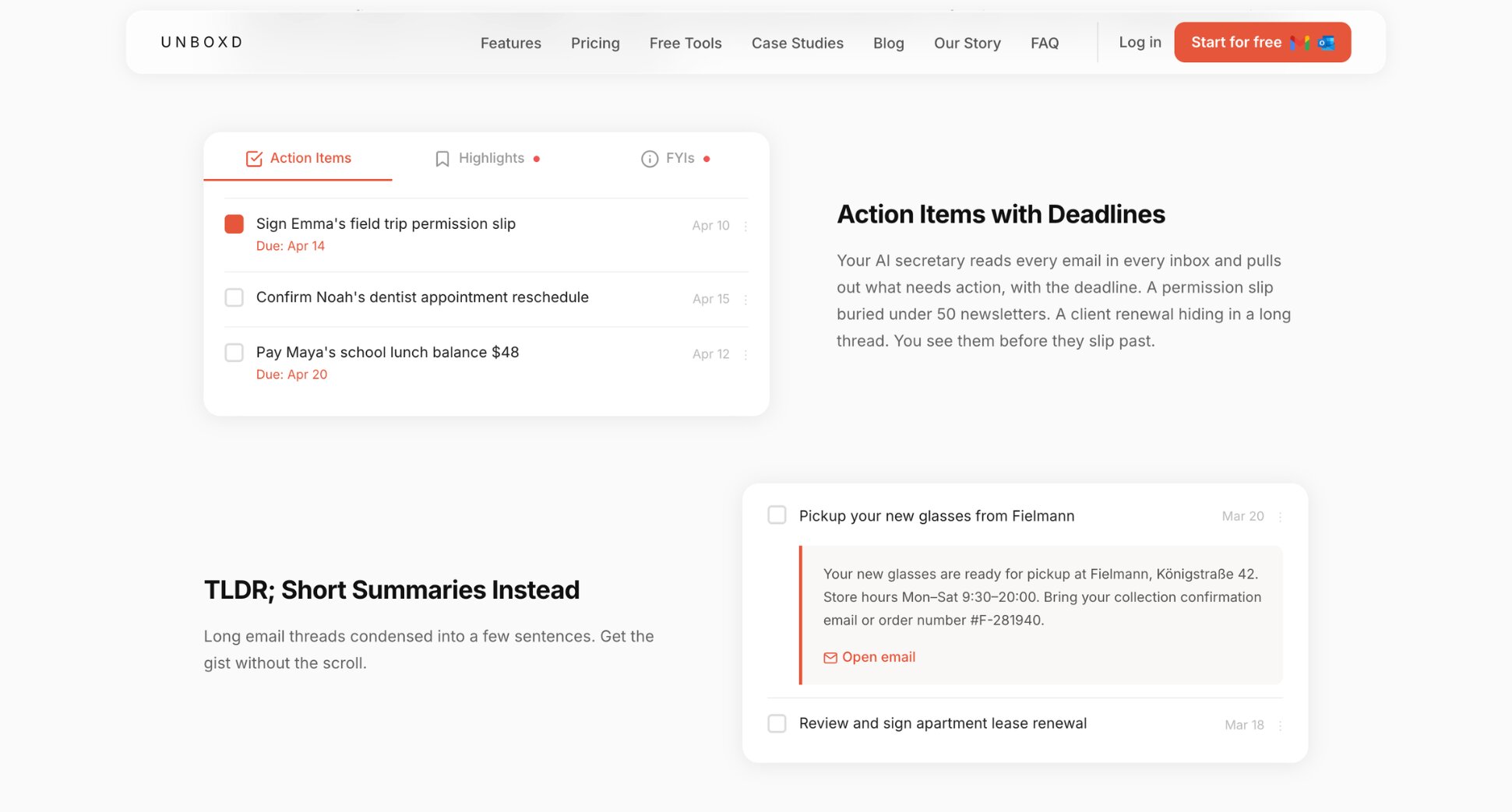
Key features:
- Autonomous email triage and categorisation
- Action item extraction with deadlines
- Daily briefing instead of an inbox to scroll through
- AI-generated summaries and draft replies
Pricing:
- No free plan — free trial available
- Plus from $9.99/month
- Pro from $19.99/month
- Ultra from $69.99/month
Rating: 4.8/5 on App Store
Limitation: Unboxd requires comfort with AI handling your email autonomously. If you prefer to personally read and process every message, the approach may feel like a loss of control rather than a productivity gain.
Which Shortwave Alternative Is Right for You?
The right tool depends on why you’re leaving Shortwave in the first place. Here’s a quick breakdown:
- If you want AI features inside Gmail alongside outreach capabilities, go with Mailmeteor. You get AI drafting, thread summaries, automatic categorisation, mail merge, tracking, and automated follow-ups — without leaving Gmail.
- If you want the fastest email experience possible, Superhuman is the answer. Keyboard-driven, polished, and now available for Outlook users too.
- If you want a free alternative that works beyond Gmail, Spark Mail is the strongest option. Free plan, solid AI features, and works across every major email provider and platform.
- If you want a quieter inbox without switching tools, SaneBox filters in the background without replacing your current email client.
- If you’re managing email as a team, Missive is purpose-built for shared inboxes, assignments, and real-time collaboration.
- If you’re frustrated with email itself, not just Shortwave, Hey is the most radical option on this list. Like Shortwave, it bundles emails by type — but it goes much further, giving you full control over who can reach your inbox in the first place.
- If you want AI to handle your inbox for you, Unboxd processes email autonomously — reading every message, extracting action items, and delivering a structured daily summary so you never have to open your inbox at all.
FAQs
What is the best free Shortwave alternative?
Mailmeteor has a free plan that includes AI email writing and tracking for Gmail users. Spark Mail is another strong option — it works across Gmail, Outlook, and IMAP, includes smart inbox sorting and AI writing, and doesn’t add promotional branding to your emails.
Does Shortwave work with Outlook?
No. Shortwave is Gmail and Google Workspace only. If you use Outlook or Microsoft 365, you’ll need a different tool. Mailmeteor, Spark Mail, SaneBox, and Superhuman all support Outlook alongside Gmail.
What is the best Shortwave alternative for Gmail?
Mailmeteor is the strongest option for Gmail users who want AI features alongside outreach and campaign capabilities. If you just want a better Gmail inbox experience, Superhuman or Spark Mail are closer alternatives to what Shortwave offers.
How much does Shortwave cost?
Shortwave has a free plan with limited AI features and 90 days of search history. Individual users can upgrade to Pro at $18/month for 3 years of AI search history and a higher usage quota. Business plans start at $30/seat/month, with Premier at $45/seat/month and Max at $120/seat/month for the most powerful AI models.
Is Shortwave worth paying for?
It depends on your setup. If you’re a Gmail power user who wants AI-powered inbox management and don’t mind paying $18–30/month, Shortwave is genuinely good. If you use Outlook, need outreach features, or want something more affordable, one of the alternatives in this guide will serve you better.
How does Shortwave compare to Superhuman?
Both are premium AI email clients built for Gmail. Shortwave is more affordable (free to $45/month vs. Superhuman’s $30/month minimum), easier to learn, and more customisable. Superhuman is faster for keyboard-driven workflows and now supports Outlook. For most users, Shortwave offers more value at a lower price.
Is there a Shortwave alternative for Android?
Yes. Shortwave itself has an Android app, and most alternatives on this list do too. Spark Mail, Superhuman, and HEY all have Android support. SaneBox works with any email client including Android apps, since it filters at the server level.
Does Shortwave read your emails?
Shortwave requires full access to your Gmail to power its AI features — summarisation, search, and drafting all require reading your email content. That said, Shortwave explicitly states your emails are never used to train their AI models.