You open your inbox and there’s a 34-message thread waiting for you. The client wants an answer in 20 minutes. You don’t have time to read every reply — you just need to know what was decided and what comes next.
That’s exactly what AI email summarizers are built for. In seconds, they pull out the key points, decisions, and action items from any thread, so you can get through your inbox in minutes, not hours.
In this guide, we’ve tested and compared the best AI email summarizer tools available in 2026 — with a focus on Gmail users who want something that works without switching apps or copying text into a separate tool.
TL;DR: Here's a quick overview of the best AI email summarizers in 2026:
- Mailmeteor — Best for Gmail users: summarizes threads natively inside Gmail, plus a free paste-and-go tool
- Gemini for Gmail — Best built-in Google option for Workspace users
- Superhuman — Best for executives and power users who live in their inbox
- SaneBox — Best for taming a cluttered inbox with digest-style summaries
- ChatGPT — Best for flexible, custom summaries with no setup required
- Shortwave — Best for users who want a full inbox redesign with AI built in
Here’s what we’ll cover:
Sounds good? Then let’s dive in.
What is an AI email summarizer?
An AI email summarizer is a tool that reads an email thread and condenses it into a short, clear summary. It uses large language models (LLMs) to understand context, identify the key points, and surface any decisions or action items — without you having to read every message.
Here’s where they actually save you time ⤵️
- Catching up on a long thread before a call
- Handing off a conversation to a colleague
- Reviewing a sales chain to find where things stand
- Getting back up to speed after a few days out of office
The best AI summarizers don’t just shorten text. They read the whole thread and surface what actually matters: who said what, what was agreed, and what needs your attention before you reply.
The 6 best AI email summarizer tools
We tested each tool on the same criteria: how well it summarizes a real multi-message thread, whether it works inside Gmail without requiring a separate app or copy-paste, what’s available on a free plan, and how much friction there is to get started.
| Tool | Works inside Gmail | Free option | Best for |
|---|---|---|---|
| Mailmeteor | ✅ Native extension | ✅ Free tool + free plan | In-inbox summaries |
| Gemini for Gmail | ✅ Native sidebar | ❌ Paid Workspace only | Google Workspace teams |
| Superhuman | ⚠️ Replaces Gmail UI | ❌ No free plan | Power users |
| SaneBox | ✅ Works with Gmail | ✅ 14-day trial | Inbox triage |
| ChatGPT | ❌ Copy-paste only | ✅ Free plan | Flexible, custom use |
| Shortwave | ⚠️ Replaces Gmail UI | ✅ Free plan (limited) | Gmail users wanting a full AI inbox |
1. Mailmeteor — Best for Gmail users who don’t want a new app
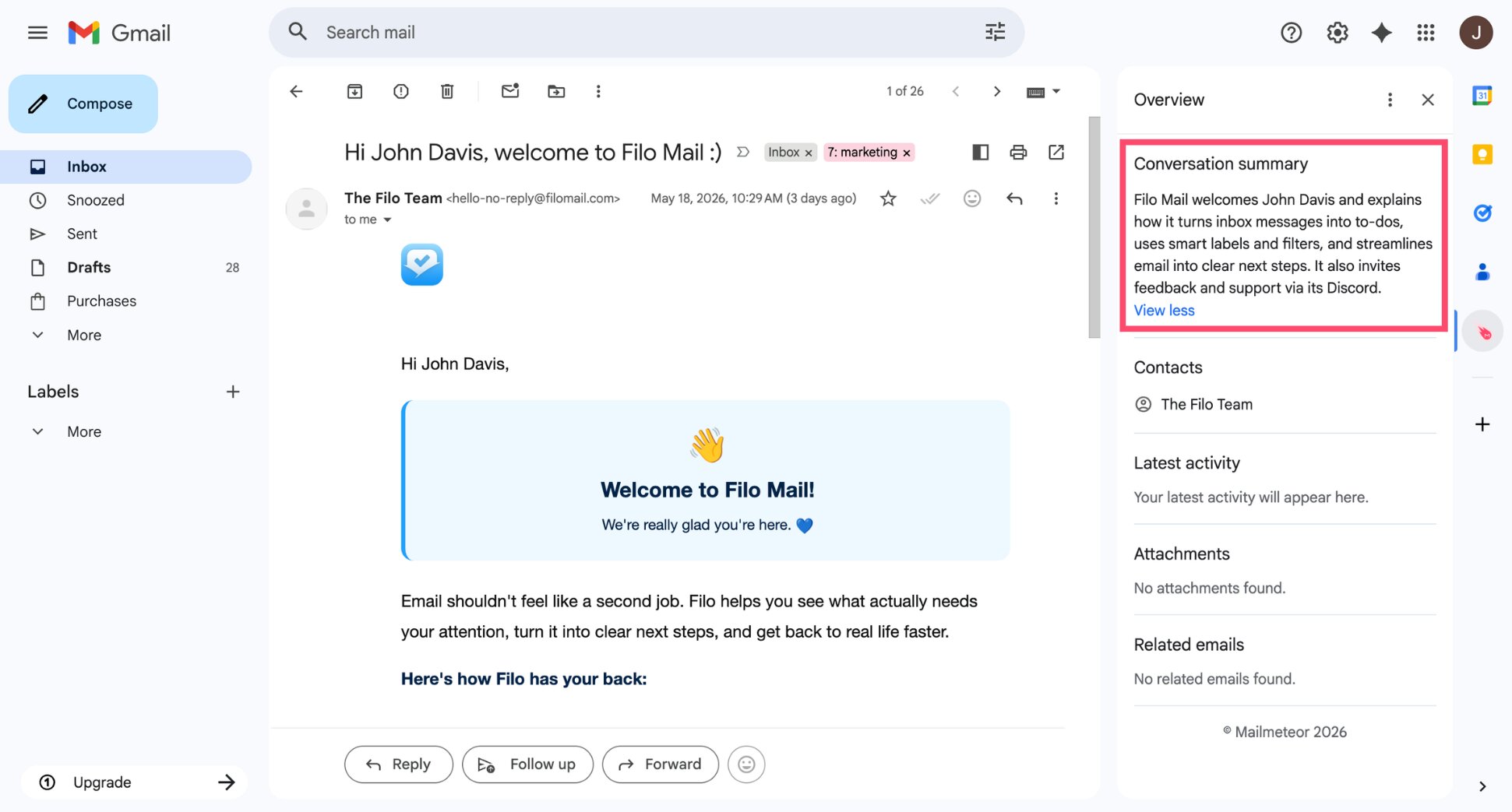
Mailmeteor’s Gmail AI assistant adds a conversation summary panel directly inside Gmail. Open any thread, and the sidebar shows you a clean summary of the conversation — no copying, no switching tabs, no extra tools — just install the extension and you’re done. It’s the only option on this list that gives you a native in-inbox experience without requiring a full inbox migration.
What it does well:
- Summarizes threads directly inside Gmail — no copy-paste required
- Free paste-and-go tool for one-off summaries
- Part of a broader Gmail toolkit: AI writing assistant, auto follow-ups, email tracking, mail merge, and personalized templates
- Trusted by 7 million users, recommended by Google for Google Workspace
Limitations:
- No native Outlook support
- Doesn’t work on mobile
Pricing: Free plan available. Paid plans start from $4.99/month.
Best for: Gmail users who want thread summaries built into their existing inbox, without switching tools.
2. Gemini for Gmail — Best built-in Google option
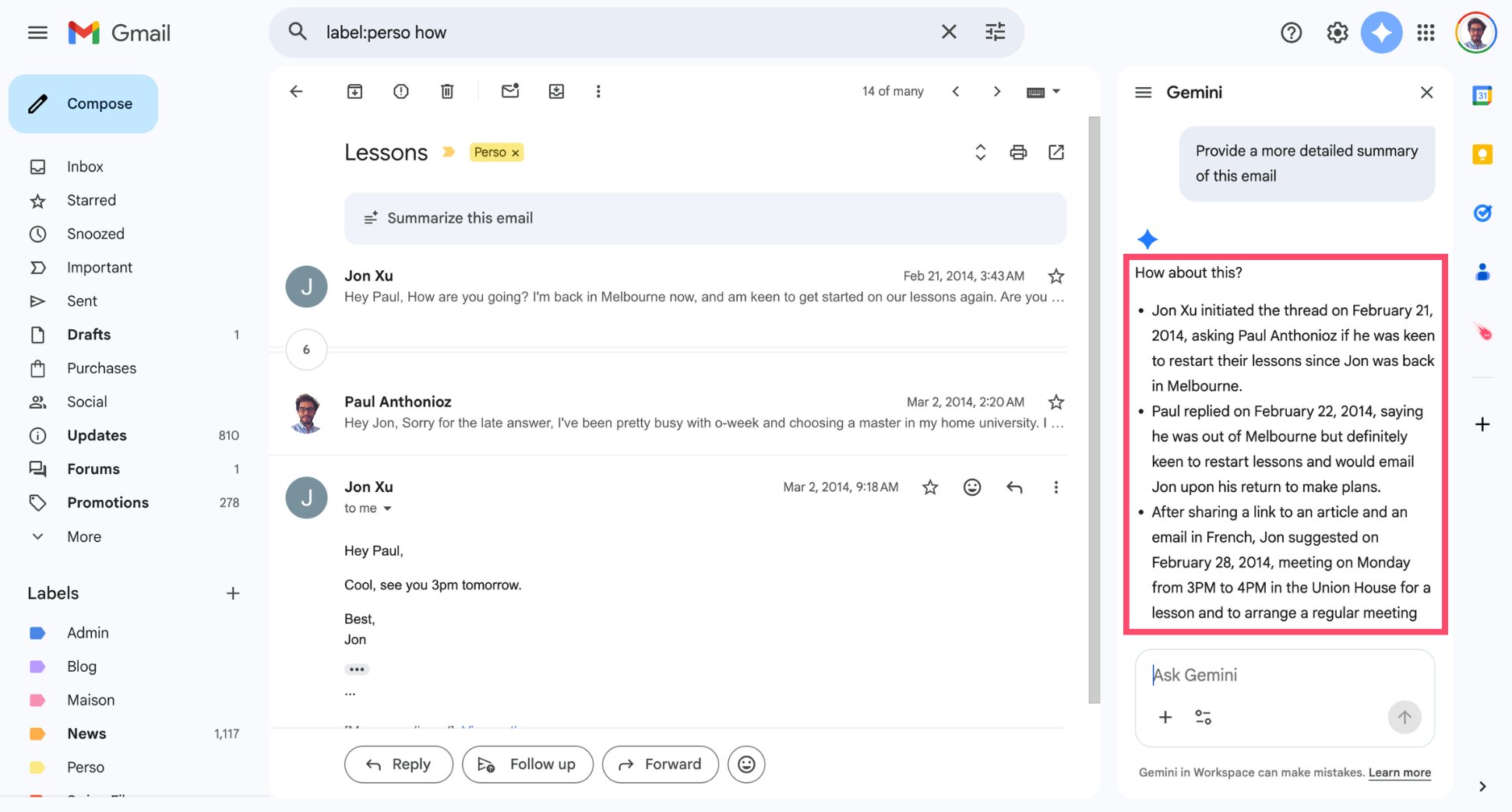
Gemini is Google’s AI assistant, and for Gmail users on a Google Workspace plan, it’s already available in the sidebar. Click the Gemini icon inside any thread and it generates a summary on the spot. You can also ask it follow-up questions, draft a reply based on the summary, or extract action items.
What it does well:
- Built into Gmail — nothing to install if you’re already on Workspace
- Can summarize and draft a reply in the same flow
- Handles action item extraction and deadline spotting
Limitations:
- Requires a paid Google AI Plus or Workspace subscription
- Limited customisation — you get what Google gives you
- Doesn’t work outside Gmail
Pricing: Included with Google AI Plus ($7.99/month) or Google Workspace Business plans.
Best for: Teams already deep in the Google Workspace ecosystem who want a native, no-setup option.
3. Superhuman — Best for power users
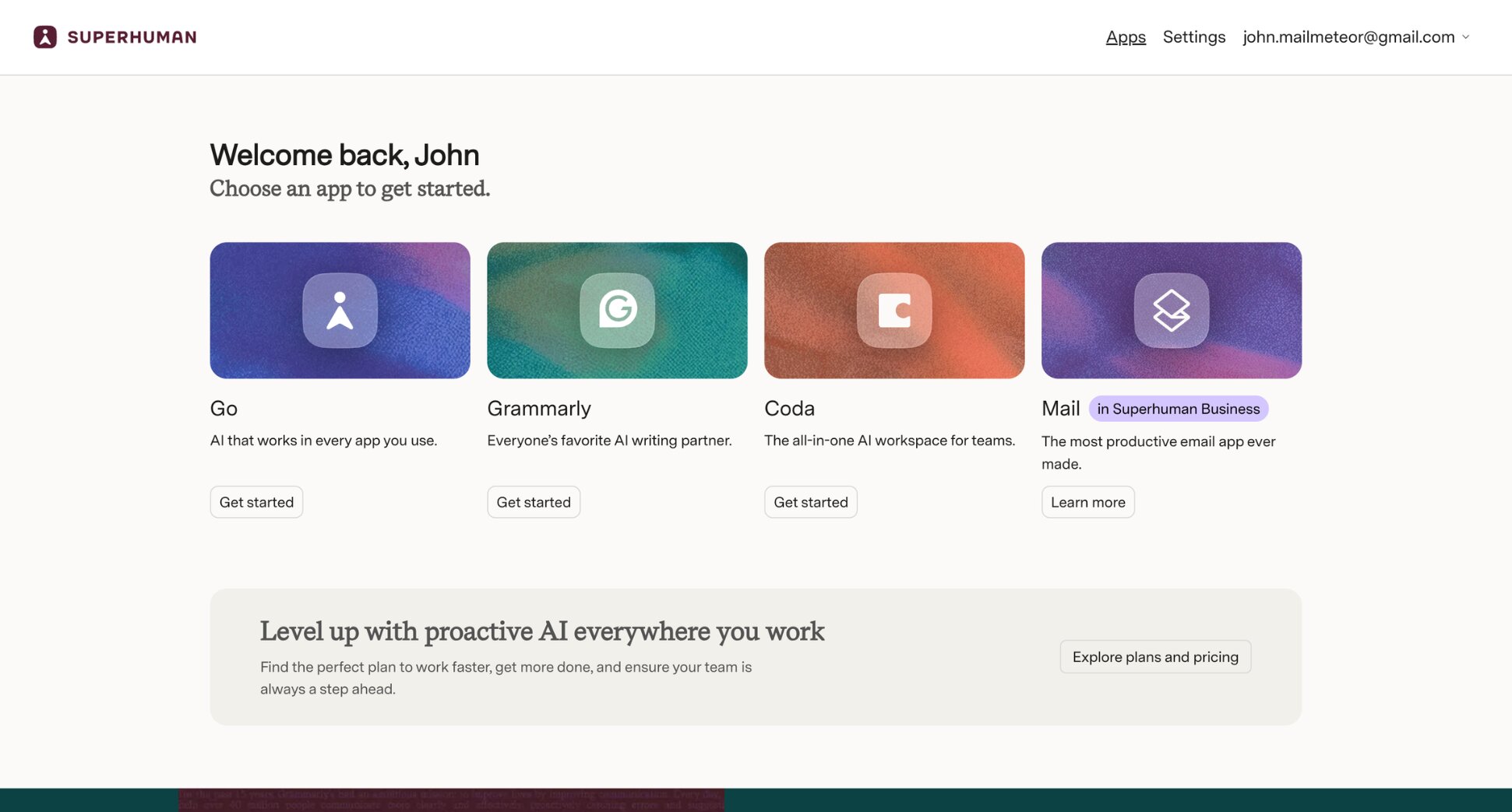
Superhuman is a premium email client built from the ground up for speed. It replaces Gmail’s interface entirely and adds AI summaries to every thread — a one-line recap at the top so you never have to scroll to catch up. It’s fast, minimal, and genuinely impressive if you live in your inbox.
What it does well:
- One-line AI summaries visible without opening a thread
- Ask AI feature lets you search your inbox in plain language
- Smart reply suggestions based on thread context
- Keyboard-first interface built for speed
Limitations:
- Expensive — starts at $40/user/month with no free tier
- Replaces Gmail’s interface entirely, which takes adjustment
- Overkill for occasional email users
Pricing: To get the Mail feature, you need a Business plan ($40/user/month) or Enterprise plan. No free plan available.
Best for: Founders, executives, and sales professionals who send and receive hundreds of emails a day and are willing to pay for speed.
4. SaneBox — Best for inbox triage
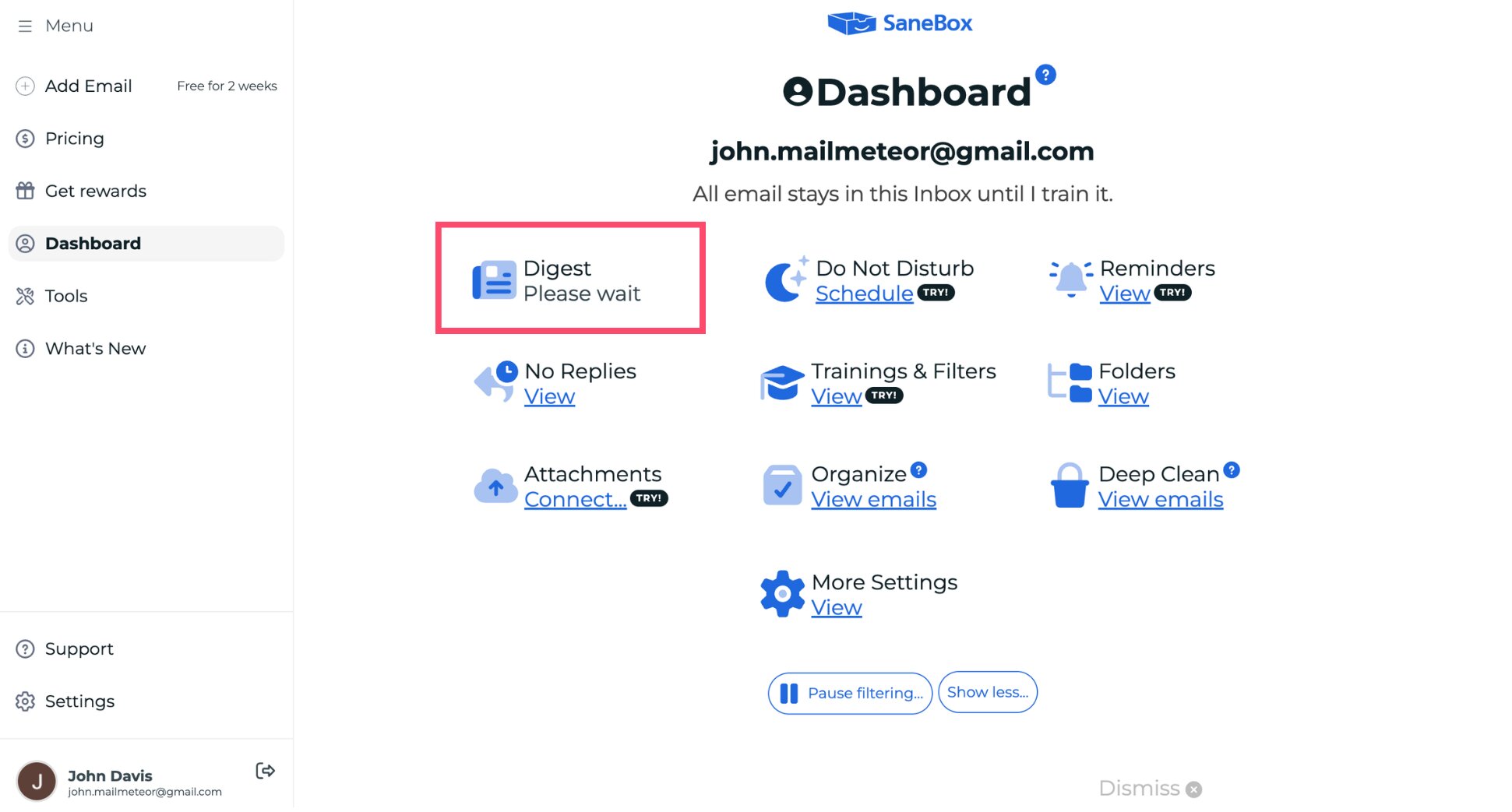
SaneBox takes a different approach. Rather than summarizing individual threads on demand, it automatically filters your inbox — moving low-priority emails into a SaneLater folder — and sends you a daily digest with AI-generated summaries of everything you haven’t read. It’s less about deep thread analysis and more about reducing noise.
What it does well:
- Daily digest summarises all low-priority emails in one place
- Works with Gmail, Outlook, iCloud, and most other email providers
- Smart filtering gets better over time
- Quick bulk actions directly from the digest (archive, delete, snooze)
Limitations:
- Doesn’t summarize individual long threads on demand
- Some filtering decisions require manual correction early on
- More of an inbox management tool than a summarizer
Pricing: From $8.99/month. 14-day free trial available.
Best for: Anyone drowning in newsletters, notifications, and low-signal emails who wants to process them in bulk rather than one by one.
5. ChatGPT — Best for flexible, custom summaries
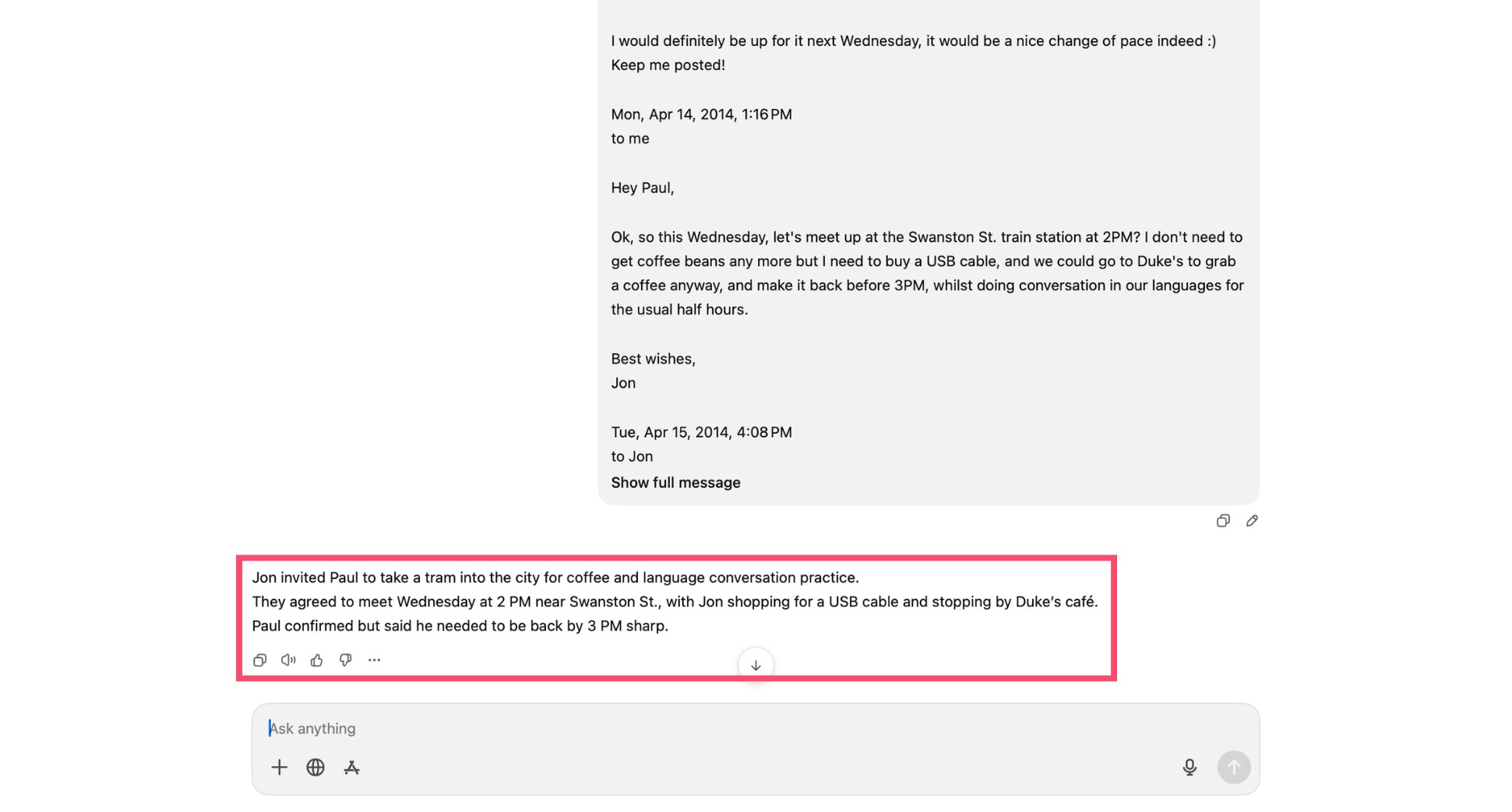
ChatGPT isn’t built for email, but it’s the most flexible summarization tool on this list. Copy a thread, paste it in, and ask for whatever format you need — bullet points, a one-sentence recap, a list of action items, a translation. There’s no setup, no subscription required for basic use, and it handles threads in any language.
What it does well:
- Total control over format, length, and tone
- Works with any email client — Gmail, Outlook, Apple Mail, anything
- Multilingual support
- Free to use for most summarization tasks
Limitations:
- No inbox integration — manual copy-paste every time
- No automatic prioritisation or thread detection
- Quality depends on how well you prompt it
Pricing: Free plan available. ChatGPT Plus at $20/month unlocks faster responses and GPT-4o.
Best for: People who want a flexible, no-commitment option and don’t mind a bit of manual effort.
6. Shortwave — Best for a full AI inbox experience
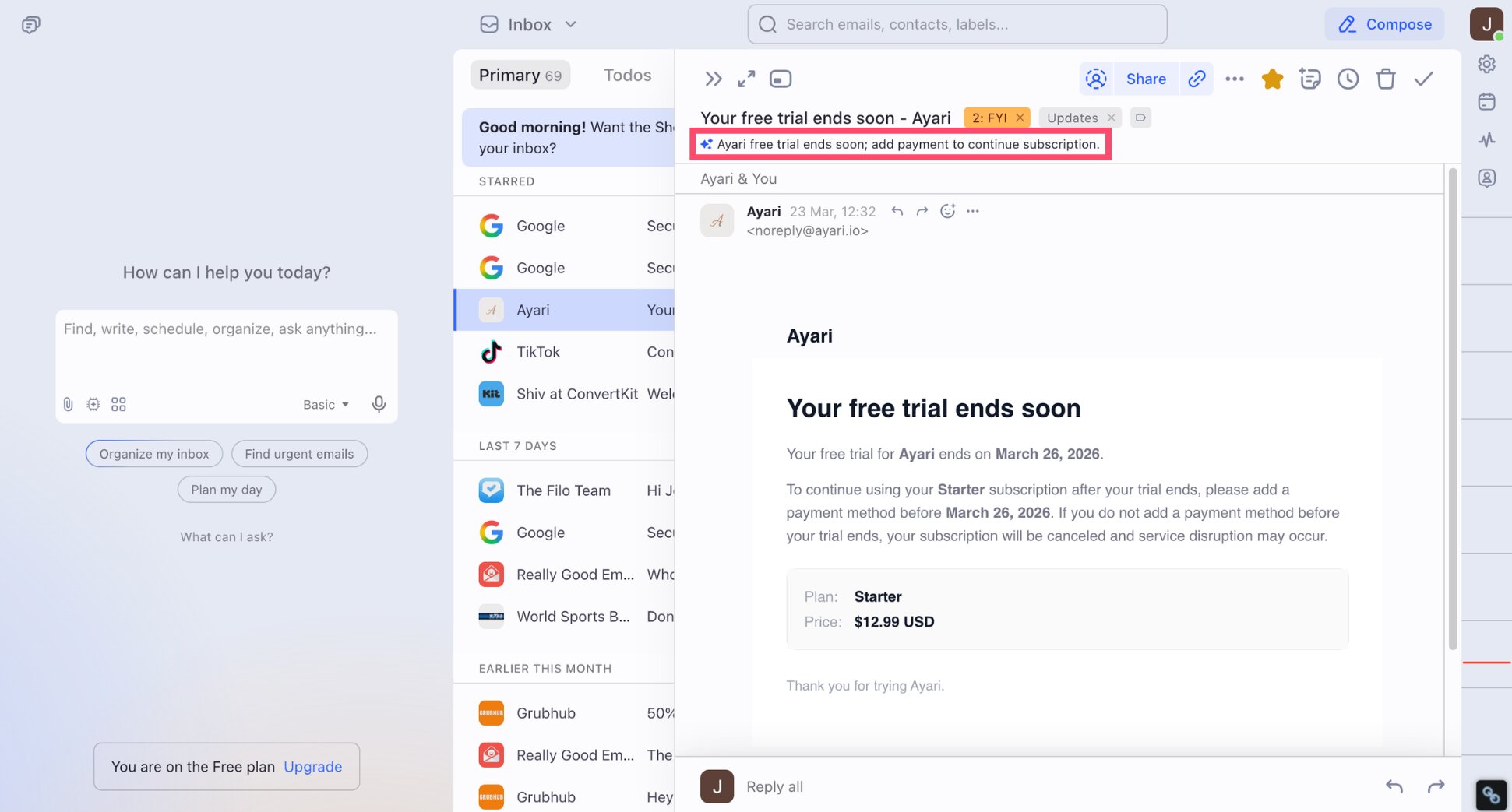
Shortwave is a Gmail client built by former Google engineers. It replaces Gmail’s interface with a faster, AI-first design. Threads are automatically bundled by topic, and every conversation gets an AI summary at the top so you can triage your inbox without opening each message. If you’re a Gmail power user who wants more than a single feature bolted on, it’s worth a look.
What it does well:
- AI thread summaries visible without opening each email
- Smart bundles group newsletters, notifications, and project threads automatically
- Natural language search across your full email history
- Free plan available for personal Gmail accounts
Limitations:
- Replaces Gmail’s interface entirely — takes adjustment
- AI features are capped on the free plan
- No Outlook support
Pricing: Free plan available (personal Gmail only). Individual plan from $18/user/month. Business Plan from $45/user/month.
Best for: Gmail users who want a full inbox redesign with AI summaries, smart bundling, and natural language search built in.
How to choose the right AI email summarizer for Gmail
Every tool on this list summarizes emails — but they solve different problems ⤵️
- If you want it inside Gmail without touching your setup, Mailmeteor is the only option that delivers a native thread summary in the sidebar — no new interface, no migration, no copy-paste.
- If you’re already paying for Google Workspace, Gemini is the logical starting point. It’s already there.
- If you get hundreds of emails a day and speed is everything, Superhuman is worth the cost. It’s a different product category — a full inbox replacement — but the AI summaries are fast and well-designed.
- If your main problem is newsletter and notification clutter rather than long threads, SaneBox’s digest approach will serve you better than an on-demand summarizer.
- If you want a full inbox redesign with AI summaries baked in from the ground up, an AI email client like Shortwave is your best option.
- If you just want to try something right now for free, paste a thread into Mailmeteor’s free AI summarizer or ChatGPT. Both work without an account.
Take Back Your Inbox With AI Email Summaries
AI email summarizers have gone from a nice-to-have to a genuine time-saver — especially for anyone managing long client threads, sales conversations, or high-volume inboxes.
For Gmail users, Mailmeteor gives you the shortest route: summaries directly inside Gmail, plus a free tool you can use right now without signing up. Here’s what you get with the extension:
🔍 AI thread summaries to understand any conversation in seconds
🏷️ Smart labels to automatically organise your inbox
✍️ AI assistant to draft emails in the right tone inside Gmail
🔁 Auto follow-ups so important emails never slip through
📊 Email tracking to see when your messages are opened
📬 Mail merge to send personalised campaigns from Gmail
Try Mailmeteor for Gmail today (it’s free!) and spend less time reading emails, more time acting on them.
FAQs
What is the best free AI email summarizer?
Mailmeteor offers a free AI email summarizer — no sign-up required. Paste any email or thread and get a clean summary in seconds. ChatGPT’s free plan also works well for on-demand summarisation, though it requires manual copy-paste and a bit of prompting.
Does Gmail have a built-in AI email summarizer?
Not by default. Gmail itself doesn’t summarize emails natively. Gemini for Gmail adds this capability if you’re on a paid Google Workspace or Google AI Pro plan. Mailmeteor’s Gmail extension also adds conversation summaries directly inside Gmail, with a free plan available.
Is it safe to paste emails into an AI summarizer?
For most everyday emails, yes. Mailmeteor’s free tool and the Gmail extension don’t store your email content. That said, for anything covered by an NDA, legal matters, medical records, or sensitive business information, check your organisation’s data-handling policy before using any AI tool.
Can AI summarize a long email thread accurately?
Yes, for most real-world threads. Modern LLMs handle back-and-forth conversations well and are good at identifying decisions, open questions, and action items. Very long threads (50+ messages) or ones with attachments and embedded content may need a quick manual scan to catch nuances the AI might miss.
Do AI email summarizers work with Outlook?
Some do. SaneBox works across most email providers including Outlook. ChatGPT works with any email client since you just copy and paste. For a native Outlook experience, Microsoft Copilot is the built-in option, available with a Microsoft 365 Copilot licence.
How much does an AI email summarizer cost?
It varies widely. Mailmeteor’s tool is completely free, no account needed. The Gmail extension has a free plan and paid plans from $4.99/month. Gemini for Gmail starts at $7.99/month. Superhuman Mail starts at $40/user/month. SaneBox from $8.99/month. Shortwave from $18/user/month.
Can AI email summarizers handle emails in languages other than English?
Yes. Most tools based on modern LLMs handle the major European and Asian languages well. Mailmeteor’s free summarizer supports multiple languages and lets you translate the summary into a different language from the original email. ChatGPT also has strong multilingual support.