How to Snooze Emails in Gmail (Desktop, Android & iPhone)
Your inbox probably contains emails you can’t act on yet — meeting reminders, travel confirmations, or messages you need to follow up on later....
How to Mute Emails in Gmail (Desktop, Android & iPhone)
Ever been trapped in a never-ending reply-all thread? Or stuck receiving notifications from a conversation you no longer care about? Gmail’s mute feature lets...
How to Use AI in Gmail (Gemini, Help Me Write, Smart Reply & More)
AI is slowly transforming how Gmail works. Today, your inbox can do more than just send and receive messages — it can draft emails...
How to Pin Emails in Gmail (And Keep Important Messages at the Top)
Looking for a way to pin emails in Gmail so important messages stay at the top of your inbox? You’ve probably noticed there’s no...
How to Remove Ads in Gmail (What You Can & Can’t Do)
If you use Gmail for free, you’ve probably noticed the ads. They show up at the top of your inbox, blend in with real...
How to Automatically Move Emails to a Folder in Gmail
Gmail can get messy fast. Newsletters, notifications, receipts, client emails — everything lands in the same inbox, and before you know it, important messages...
How to Unsubscribe from Emails in Gmail (4 Easy Ways)
Is your Gmail inbox flooded with newsletters, promotions, and emails you don’t remember signing up for? Most inbox clutter comes from subscriptions — and...
How to Enable Gmail Dark Mode (Desktop, Android & iPhone)
Your Gmail inbox is where a lot of workdays begin and end. Knowledge workers spend 2.6 hours per day on email on average —...
New and Noteworthy
Get to know the latest features that have been released into Mailmeteor, to help you do more with your emails. Read all our product announcements →
-
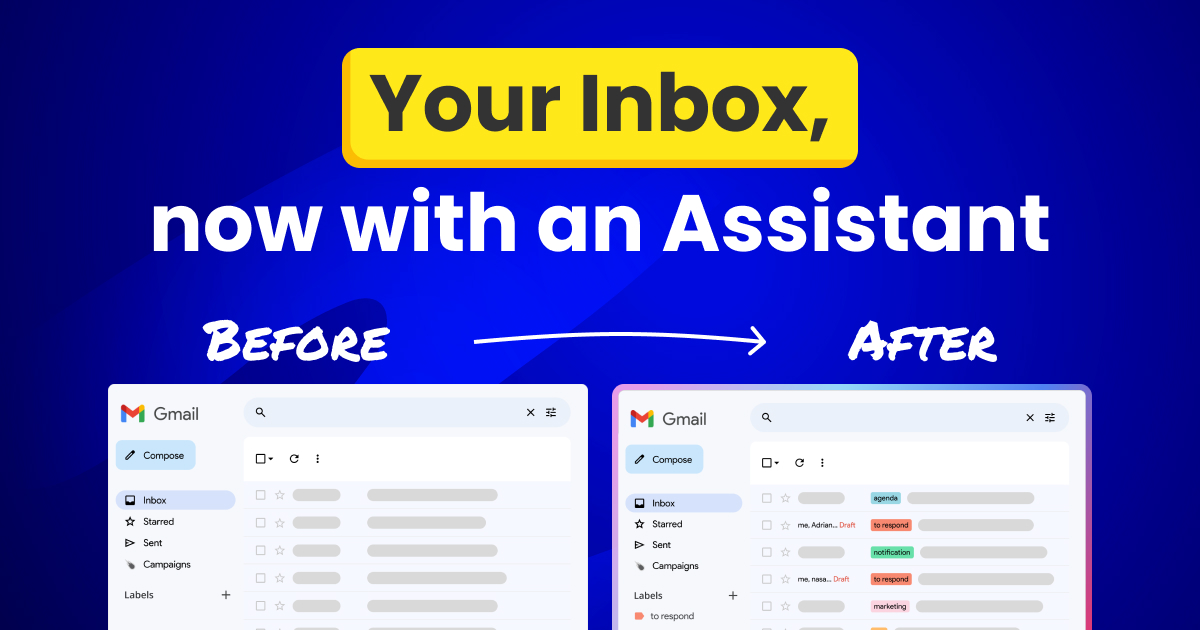
Your Gmail inbox, now with an assistant
At Mailmeteor, we've helped thousands send personalized emails. But we noticed a gap. Once the campaign is sent, the replies start rolling in. And that's where the chaos returns. That's exaclty where our AI email assistant works for you. -
Mail merge with Zoho and Mailmeteor
Today marks a big step for all our Pro users. Our warm-up solution is now generally available and included inside the Pro plan – at no extra cost! -
Bringing warm-up to all our Pro users
Today marks a big step for all our Pro users. Our warm-up solution is now generally available and included inside the Pro plan – at no extra cost! -
Write with AI from within Google Sheets, Gmail and the Dashboard
Generate complete emails from Google Sheets, Gmail and the Dashboard. Draft, tweak, and regenerate as many times as you like without ever touching a blank page. -
Sending from a different email address is now easier than ever
Easily send emails from multiple addresses (work, personal, or client accounts) in Mailmeteor with the new Senders feature. Perfect for freelancers, teams, and power users.

Use Gmail like a Pro
Aliases, labels, follow-up, learn about everything you can do in Gmail to x100 your productivity. Read all articles about Gmail →
-
The Beginner's Guide to Mail Merge (With Examples)
Want to create personalized documents in minutes? This beginner’s guide to mail merge will show you step-by-step instructions, essential tips, and the best tools to streamline your mailing process. -
What are Gmail’s email sending limits per day? (2026)
Discover the email sending limits for Gmail and Google Workspace so you can send mass emails without getting blocked. -
Best Regards Email: Meaning, Examples & 20 Polished Alternatives
What does “Best regards” mean in an email? Learn when to use it and discover 20 better sign-offs with examples. -
Everything You Need to Know About Archiving Emails in Gmail
Gmail archive is a dimension you need to explore. Find out everything you need to navigate it, and take your email management a step forward. -
Introducing Mailmeteor for Gmail: One giant leap for your inbox
Now send mass emails directly from your Gmail inbox. With our seamless browser extension, manage campaigns effortlessly without leaving Gmail. Try it today for free
Get to know Outlook
Mail merge, settings, SMTP configuration, shortcuts, dive into Outlook and its ecosystem. Read all articles about Outlook →
-
How to Block Emails in Outlook (2026)
Guide to blocking emails on Outlook: banish unwanted emails and reclaim your inbox tranquility. -
5 Easy Ways to Delay Send in Outlook
Want to delay the delivery of an email in Microsoft Outlook? Here’s a quick guide to help you send emails at the best time. -
How to Create Email Templates in Outlook (A Step-by-Step Guide)
Want to save an email so that you can use it again and save time? In this quick guide, we’ll show you how to create an Outlook email template and increase your... -
How to Change Your Outlook Password (On Web, Desktop, or Mobile)
Want to protect your inbox from hackers? In this quick guide, we’ll show you how to change your Outlook password on web, desktop, and mobile. So that you can ensure your privacy... -
5 Outlook for Web Alternatives You Can Consider
If you're scanning for a new email service provider or moving away from your Outlook, here are our 5 suggestions.