Since we launched our Gmail AI Email Assistant, thousands of new users have joined every month. That’s been a big motivation for the team to keep building. This month, we have a few updates we’re excited to share.
Here’s what’s new:
- Know everything before you reply
- It works like an app, not just a tooltip
- Bulk actions right from your inbox
Know everything before you reply
You open an email from a prospect. To understand the full picture, you’d normally switch to your CRM, search for previous threads, track down attachments. That’s a lot of tabs.
We added a sidepanel to the extension that puts all of that right next to the email you’re reading. You get:
- The contact’s profile
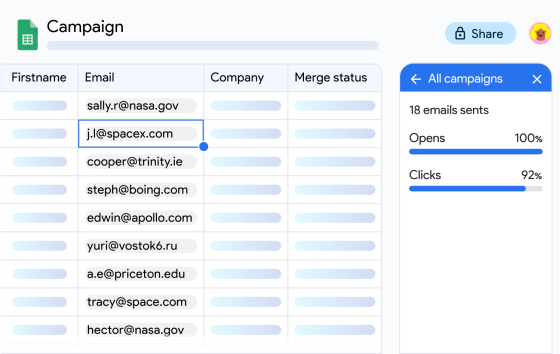
- Email activity (aka opens and links clicks)
- Related emails with that contact
- Attachments shared across the thread
The practical difference is real. Instead of piecing context together from three different places before you reply, it’s all there before you’ve even started typing. Did they open your last email? Did they click the link you sent? You know that before you write a single word.
It works for any email in your inbox, including replies to campaigns you’ve sent with Mailmeteor. So when someone responds to one of your campaigns, you get the full picture right there: their profile, the thread history, what they interacted with.
If you already use our auto-labeling or AI drafts, the sidepanel fits right in. The labels help you prioritize what to open first. The AI summary helps you catch up fast. And the draft picks up from there. It all connects.
Works like an app, not just a tooltip
The sidepanel is fully interactive. As you move through your emails, it brings up relevant information right away.
Click a contact’s name and you see their full profile. Click a related email and get a preview without leaving your current thread. Click “View attachments” and browse every file you’ve exchanged with that contact.
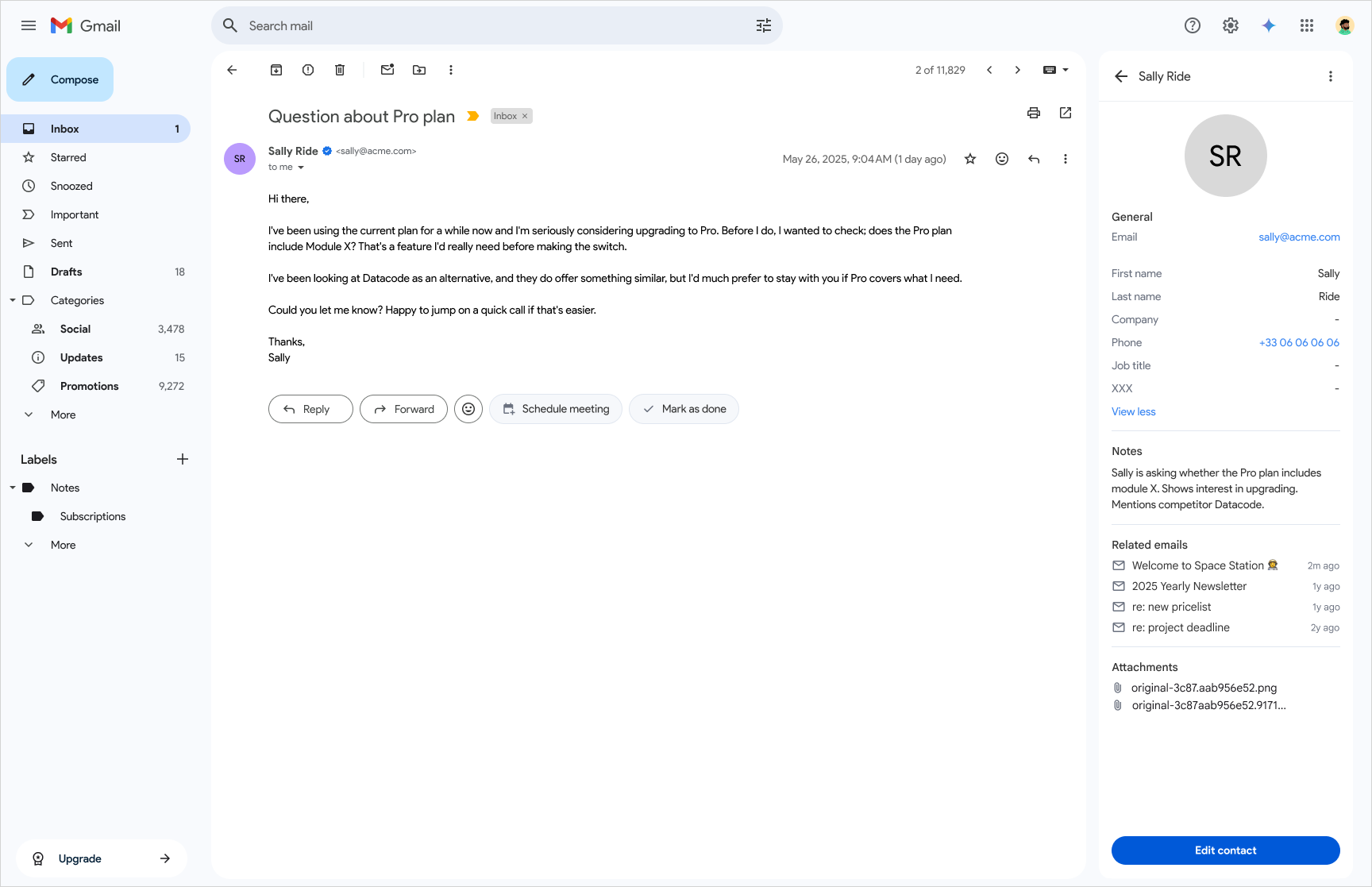
This matters more than it sounds. A lot of inbox tools show you a snapshot of information but then force you to leave to do anything with it. Here, you stay in Gmail the whole time. You can review a previous conversation, check what files you’ve already shared, look at a contact’s history, and then reply. Without ever switching tabs.
Bulk actions right from your inbox
Sometimes you come back to your inbox after a campaign and have a whole batch of replies to handle. Opening them one by one isn’t great.
With bulk actions, you select the emails you want to act on and handle them together. Send a follow-up to each thread, kick off a new campaign from those contacts, or export them all. It takes a few clicks instead of thirty.
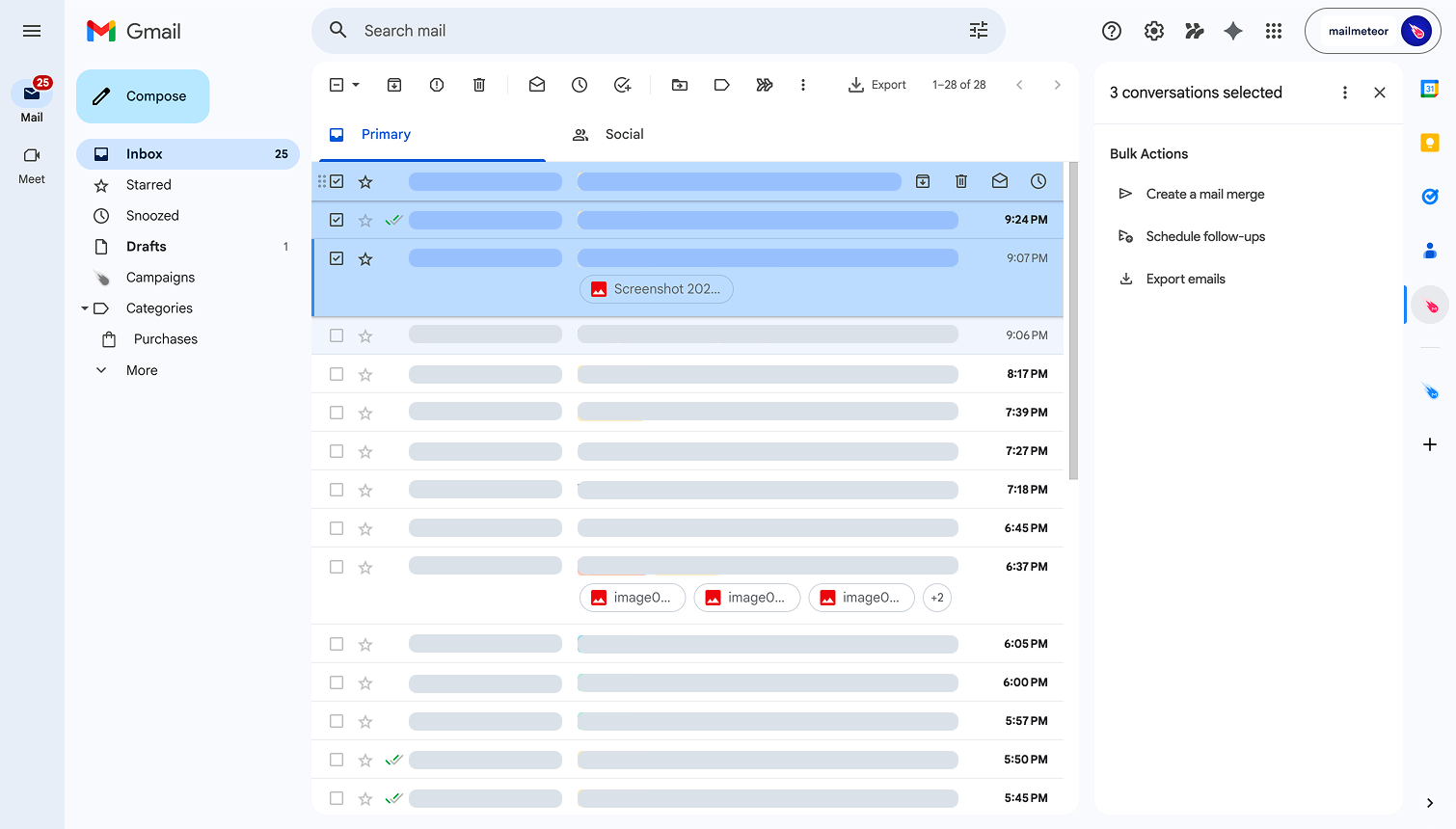
This is particularly useful after you’ve sent a campaign with Mailmeteor and replies start coming in. Rather than triaging them individually, you can select the ones that need a follow-up and send it in one shot. Or, if you spot a group of cold leads that never responded, you can turn them into a new campaign without any copy-pasting.
Learn more about bulk actions →
What’s next?
Most of what’s described here is available on the free plan. Some features, like email tracking activity and bulk follow-ups, require a paid plan.
The sidepanel is the start of something bigger. There’s more we want to bring into it soon, and we’ll share updates as we go. In the meantime, if you haven’t tried the extension yet, give it a go.

This article was written by Corentin Brossault, Mailmeteor's CEO. Mailmeteor is a simple & privacy-focused email marketing software. Trusted by millions of users worldwide, it is often considered as the best Gmail mail merge to send mass personalized emails.