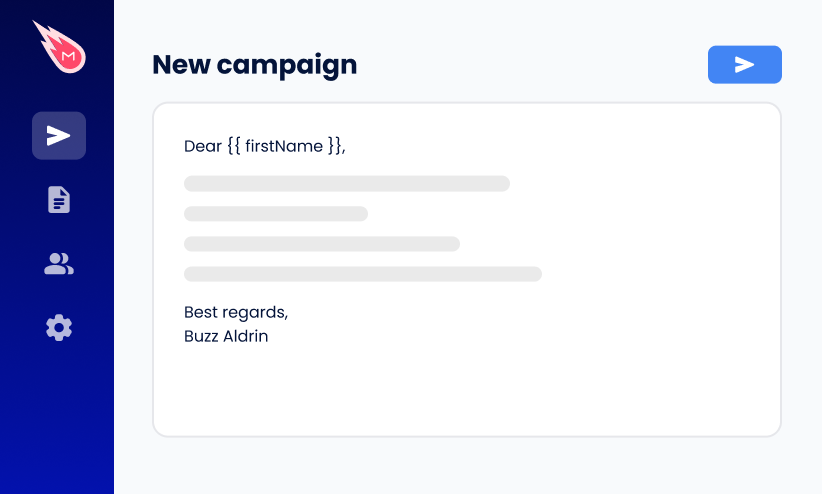
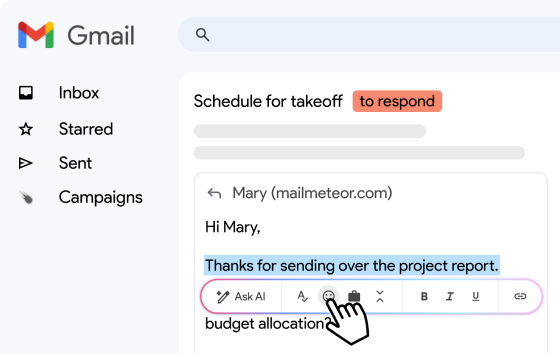
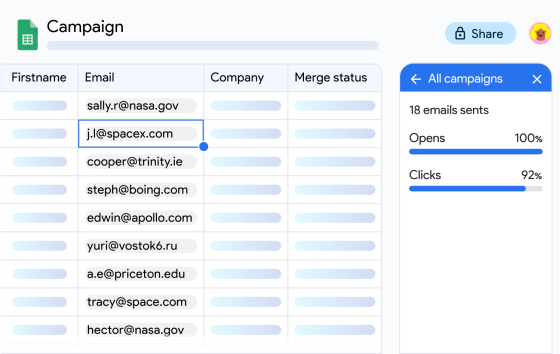
Your domain, your website, and your email address all live at Gandi, and now you’d like to send 70 customers an update that greets each of them by name. Gandi’s webmail can’t do it. Neither Roundcube nor SOGo has a mail merge feature, and an email sent from an app can carry 40 recipients at most.
The good news? You don’t need to change providers for that. You can plug your Gandi mailbox into Mailmeteor, a mail merge tool trusted by 7 million users, through SMTP, the standard protocol for sending email. Every customer then gets their own message from your Gandi address, with their details filled in.
Below, you’ll find the Gandi SMTP settings, Gandi’s sending limits and usage rules, and every setup step. The short version: mail.gandi.net handles both sending (port 465) and receiving (port 993), and you sign in with your mailbox password.
- Use your mailbox password – Gandi keeps it separate from your Gandi account password.
- Add your Gandi address as a sender – It's a one-time step in the Mailmeteor Dashboard.
- Enter one server for everything –
mail.gandi.nethandles both sending and replies. - Keep your volumes modest – Gandi mailboxes are meant for standard email use, and mass campaigns can get a mailbox suspended.
Here’s what we’ll cover:
- Can you mail merge in Gandi webmail?
- Why send personalized emails from Gandi Mail?
- What you need to mail merge with Gandi Mail
- How to mail merge with Gandi Mail and Mailmeteor
- Gandi Mail SMTP and IMAP settings
- Gandi Mail sending limits and usage rules
- How to keep your Gandi emails out of spam
- How to fix Gandi SMTP errors
Sounds good? Then let’s dive in.
Can You Mail Merge in Gandi Webmail?
No. Gandi offers two webmail interfaces, Roundcube and SOGo, and both can only send one identical message to everyone in To, Cc, or Bcc. Gandi also caps webmail emails at 15 recipients.
To send a personalized email to each contact, you need a tool that connects to your Gandi mailbox and sends one message per person, filling in each recipient’s details from a list. Mailmeteor does exactly that, using Gandi’s mail server.
Why Send Personalized Emails From Gandi Mail?
You already chose Gandi for your domain and your email. Keeping your outreach there means one less provider and one less sender for your customers to learn. Here’s what you get by connecting Gandi to Mailmeteor ⤵️
Send From the Domain You Built
Your emails come from your usual address, like marie@yourshop.fr, and go out through Gandi’s servers. Replies land in the Gandi mailbox you already read in Roundcube, SOGo, or your email app.
Fill the Gaps in Gandi’s Webmail
Gandi’s webmail covers day-to-day email well. But with Mailmeteor connected, your Gandi address can also:
- Send personalized emails to each customer.
- Import recipients from Google Sheets or a CSV file.
- Filter out invalid addresses before you hit send.
- Include an unsubscribe link, and automatically leave out anyone who opts out.
- See who opened your email, clicked a link, or replied.
- Send follow-ups automatically to the people who haven’t answered yet.
Stay Within Gandi’s Rules
Gandi states that its mailboxes are designed for standard email use, and that mass email campaigns may result in a suspended mailbox. That rules out newsletters to thousands of subscribers. But it leaves room for personalized emails to people who know you, at modest daily volumes.
| Option | What each recipient gets | Tracking | Best for |
|---|---|---|---|
| Gandi webmail | One shared message, with 15 recipients per email | None | A note to a handful of people |
| Mailmeteor + Gandi Mail | A message of their own from your Gandi address, with their details merged in | Opens and clicks, plus replies and bounces through IMAP | Customer and partner emails at modest daily volumes |
| Email marketing service | A newsletter sent from the service’s servers, once your domain is authenticated there | Opens, clicks, and bounces | Newsletters to large subscriber lists |
What You Need to Mail Merge With Gandi Mail
To mail merge with Gandi Mail and Mailmeteor, you need:
- A Gandi Mail mailbox, Standard or Premium, on your own domain.
- The password of that mailbox, which is separate from your Gandi account password.
- A Mailmeteor Premium plan or above, which you need to add a custom sender like your Gandi address.
How to Mail Merge With Gandi Mail and Mailmeteor
The setup takes about 5 minutes. You register your Gandi address once, then pick it for each campaign.
Step 1: Register Your Gandi Mailbox as a Sender
- Log in at dashboard.mailmeteor.com.
- Under Products, expand More and click Senders.
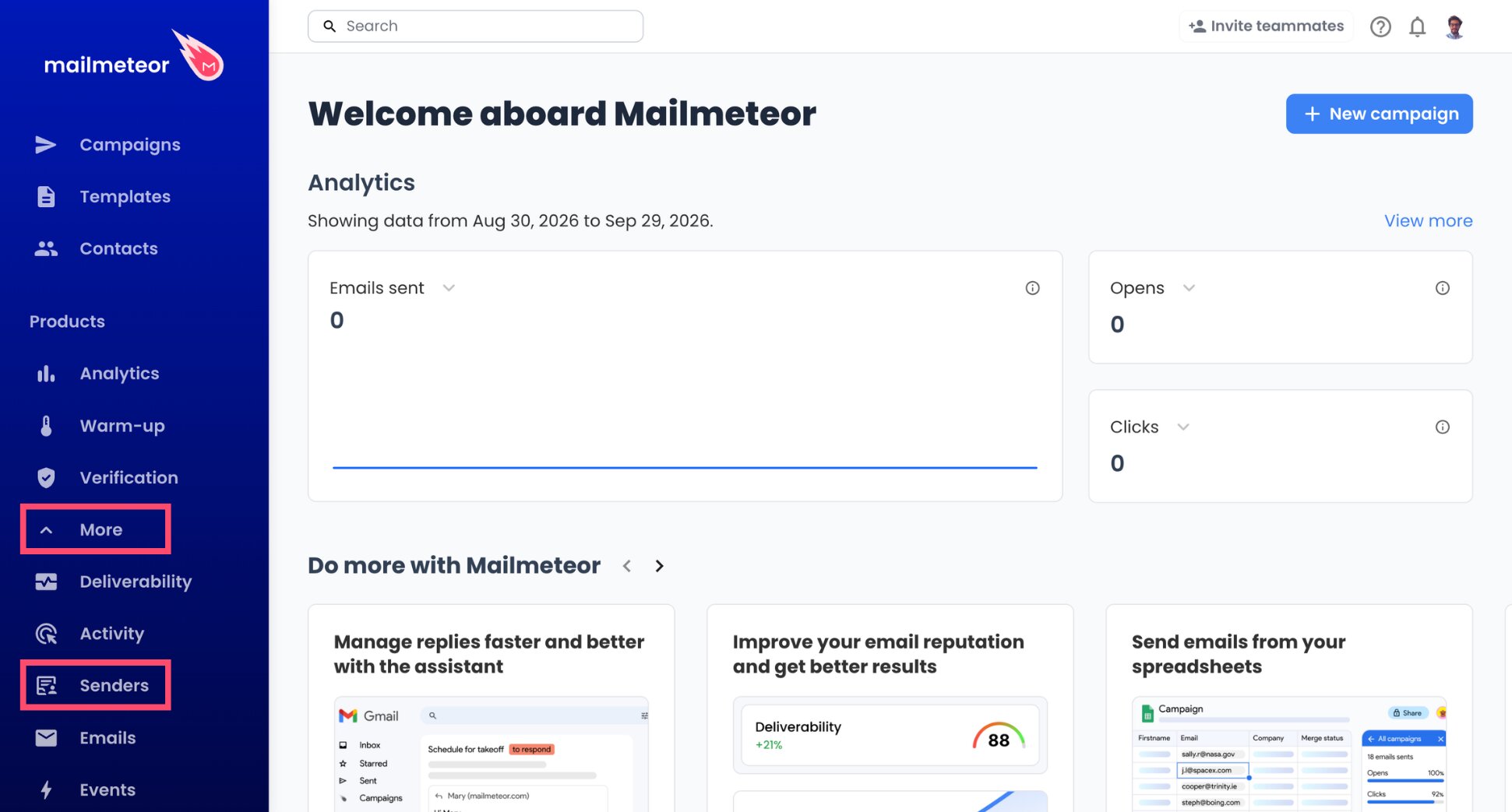
- Use the Add sender button.
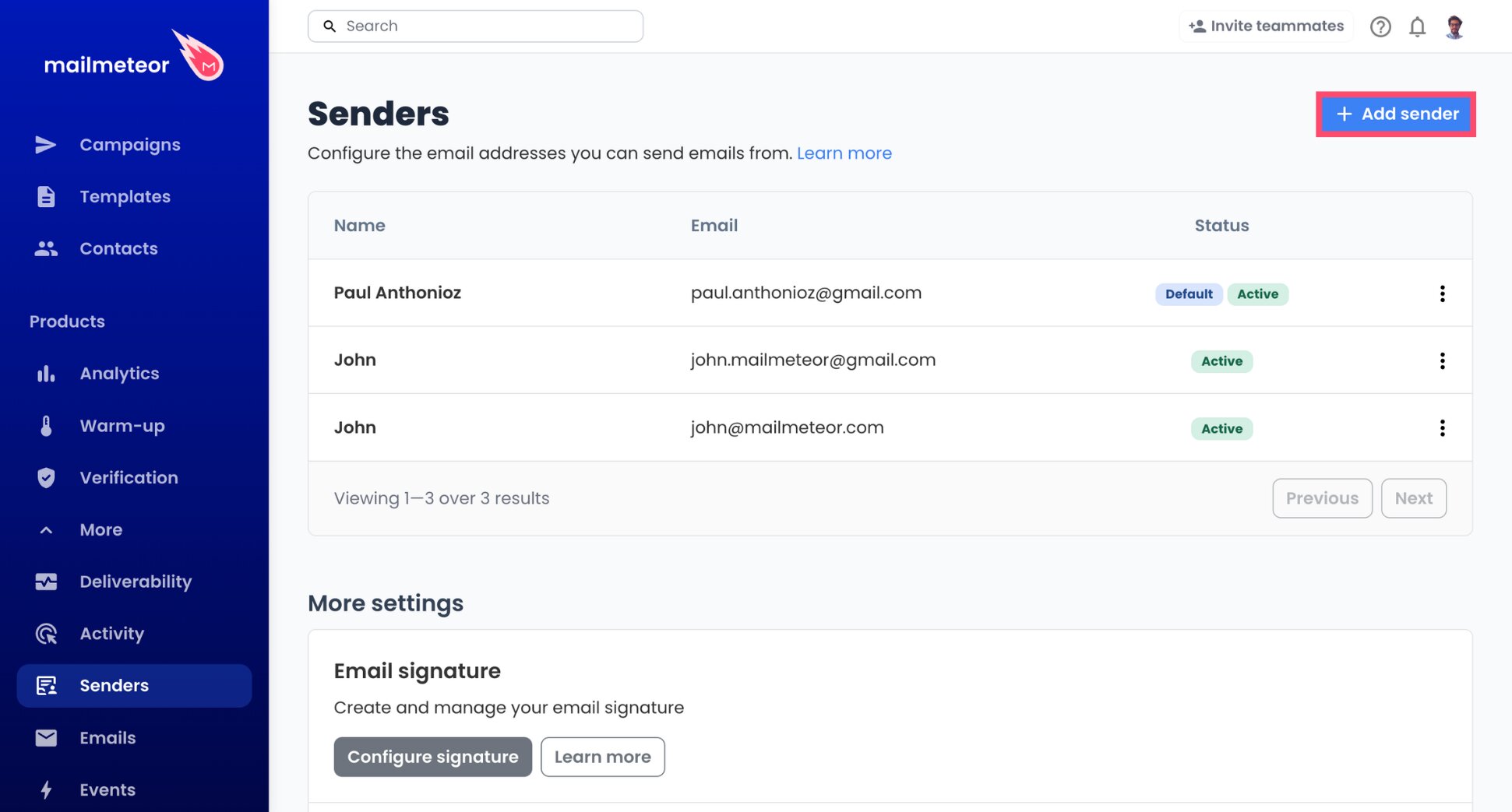
- Fill in your name as recipients should see it, along with your Gandi email address.
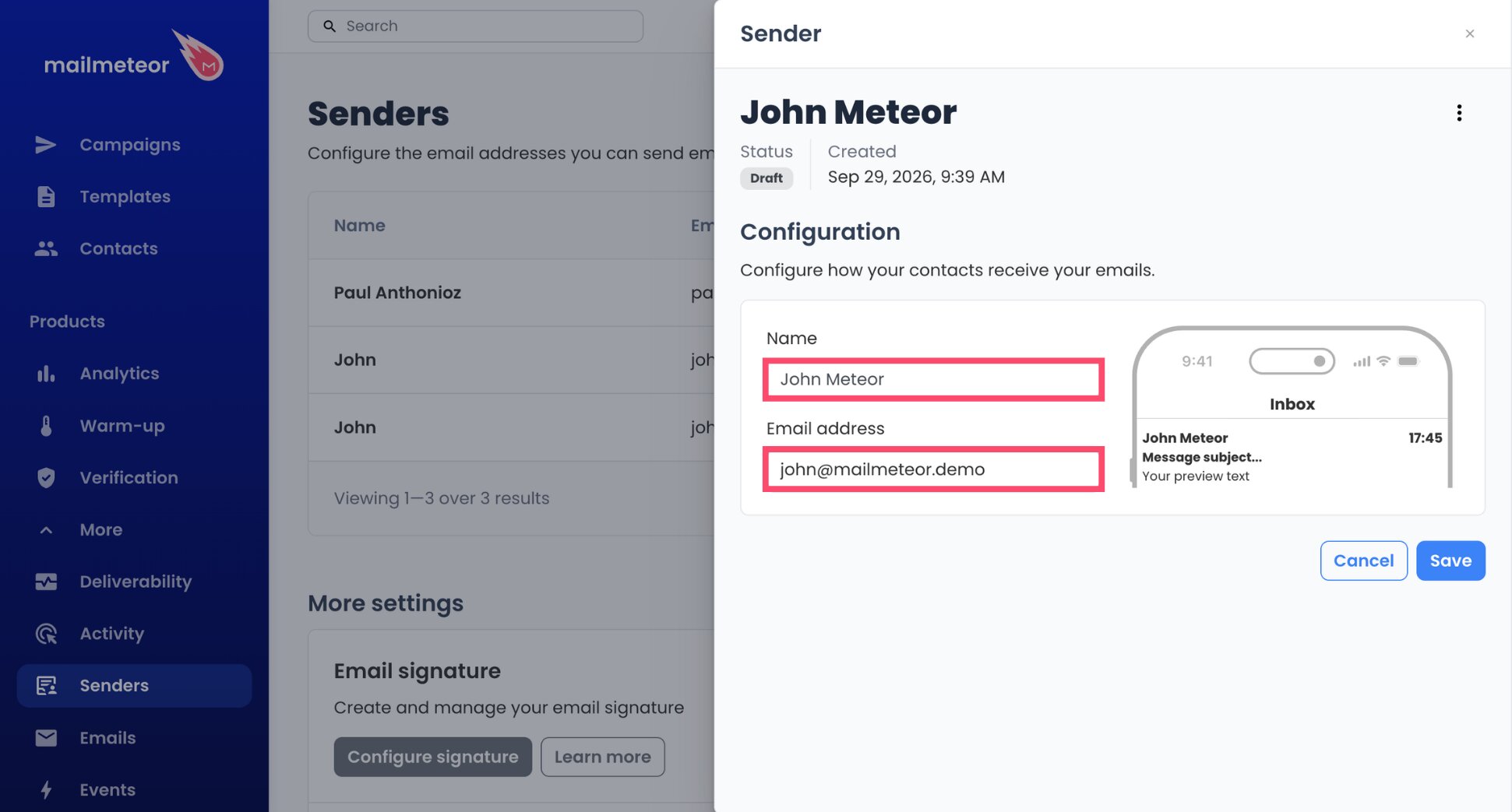
- Store the sender by clicking Save.
Step 2: Point the Sending Server to Gandi
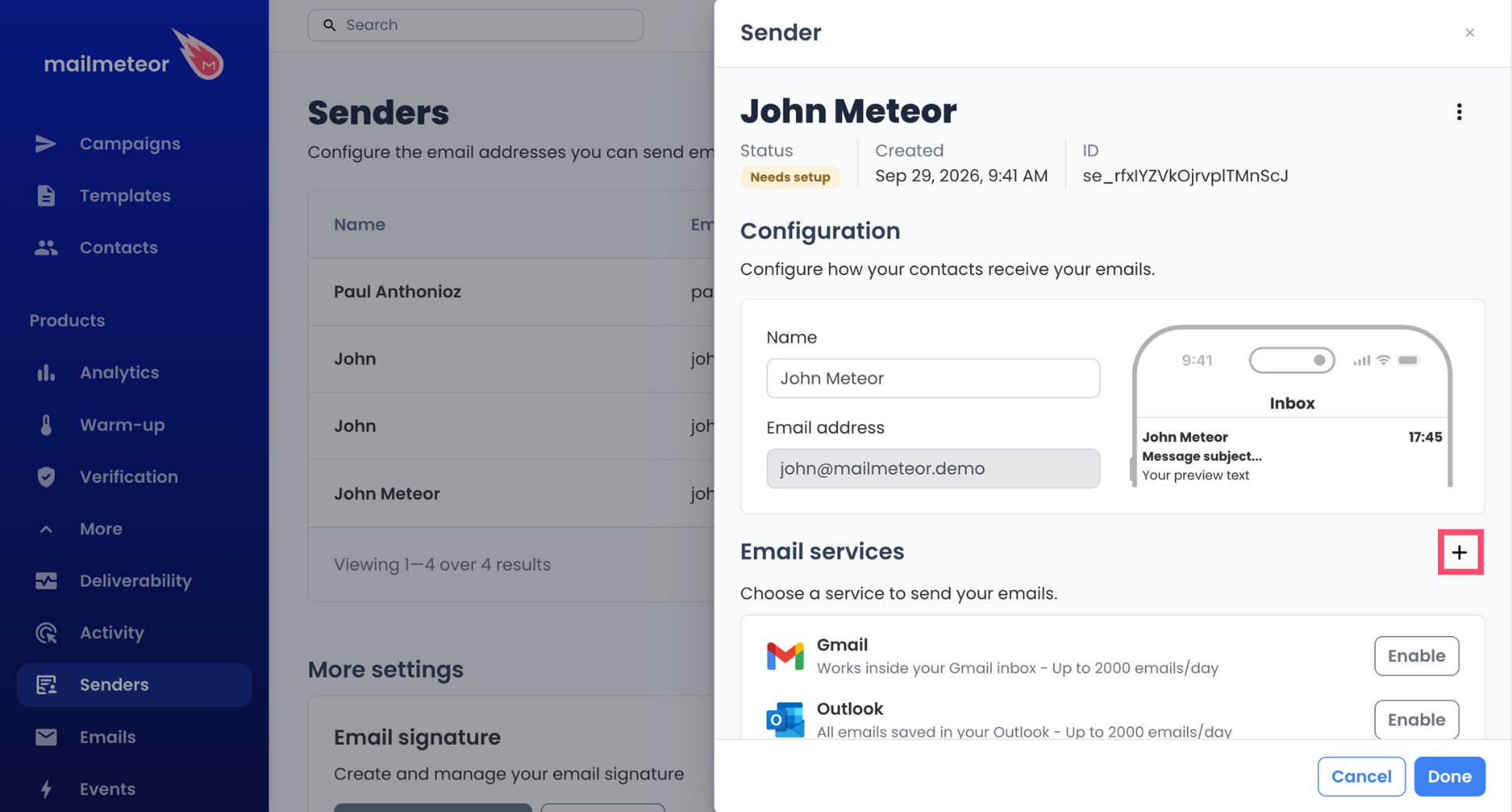
- Add an email service with the + button in Email services.
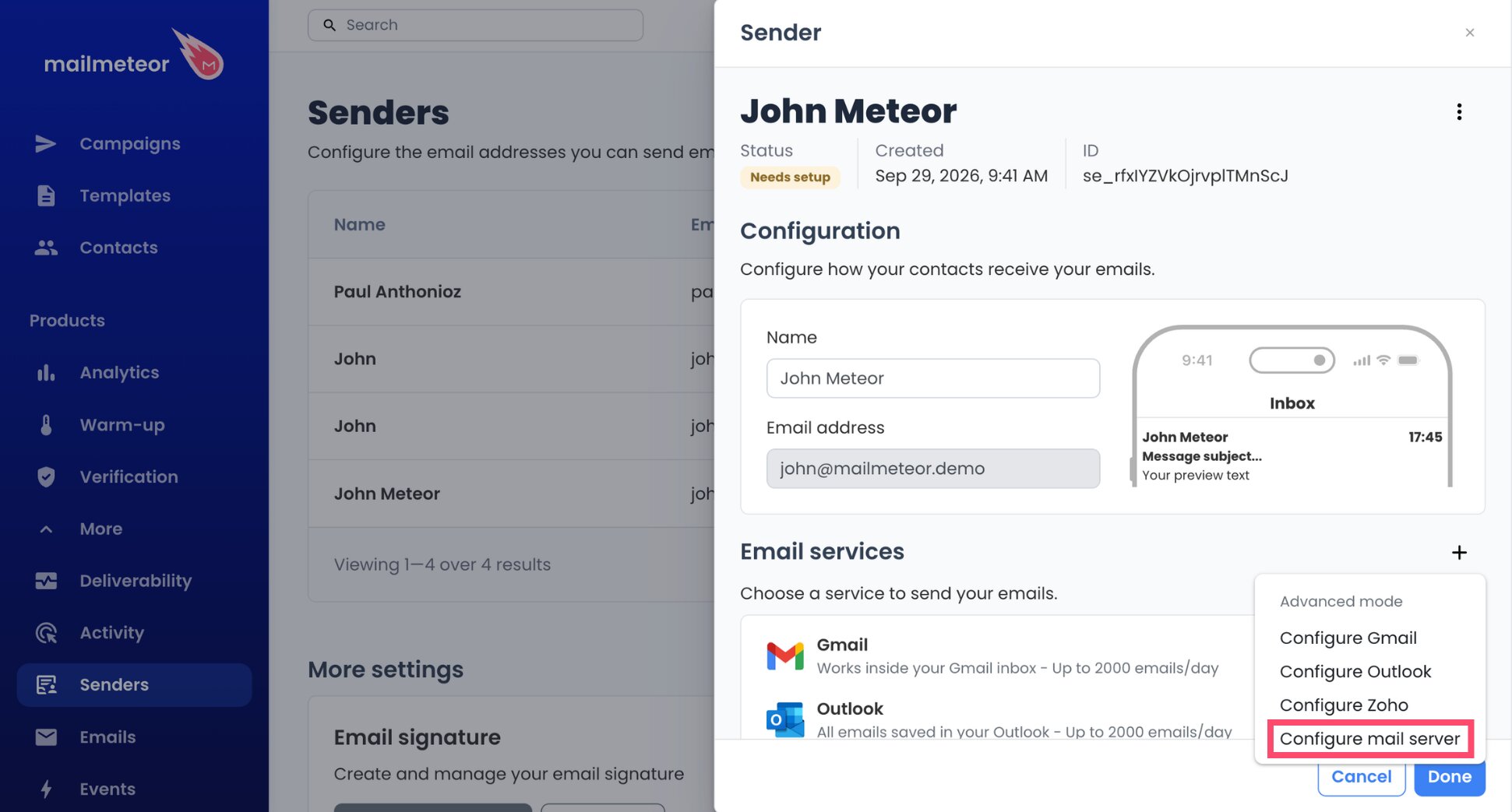
- Select Configure mail server.
- Type
mail.gandi.netin the Server name field under Sending server.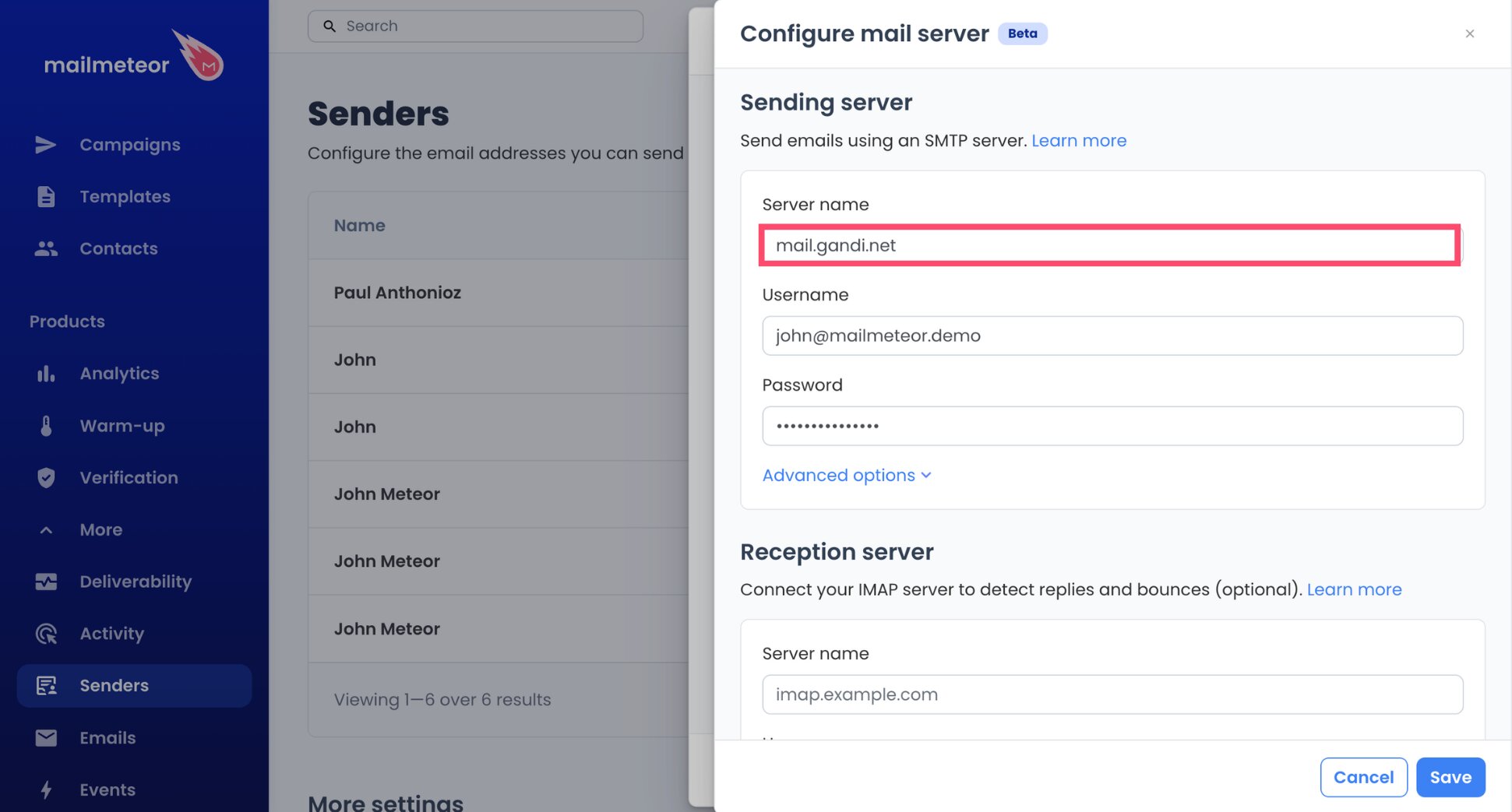
- Use your full Gandi address, such as
marie@yourshop.fr, as the Username.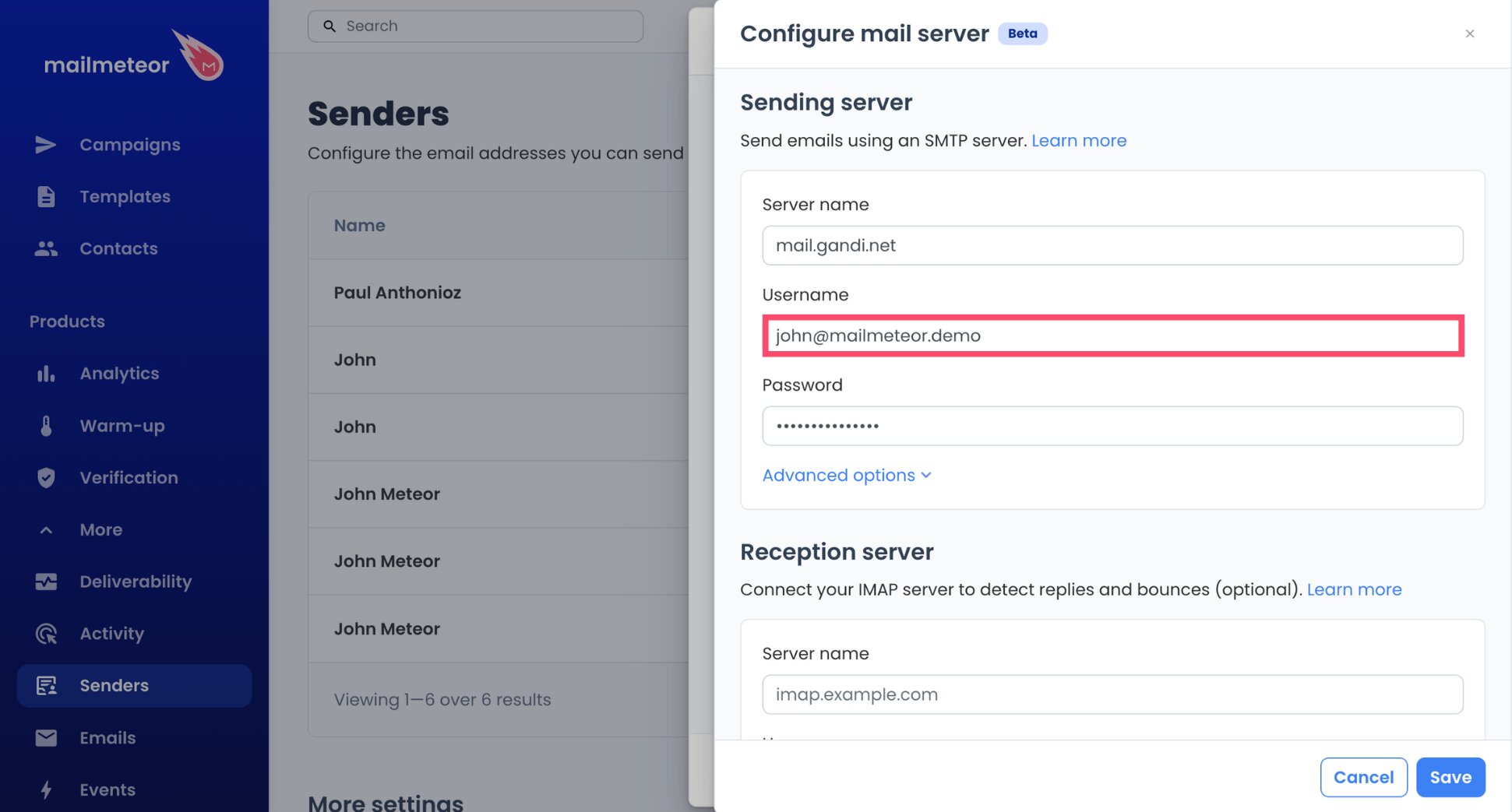
- Type your mailbox password in Password.
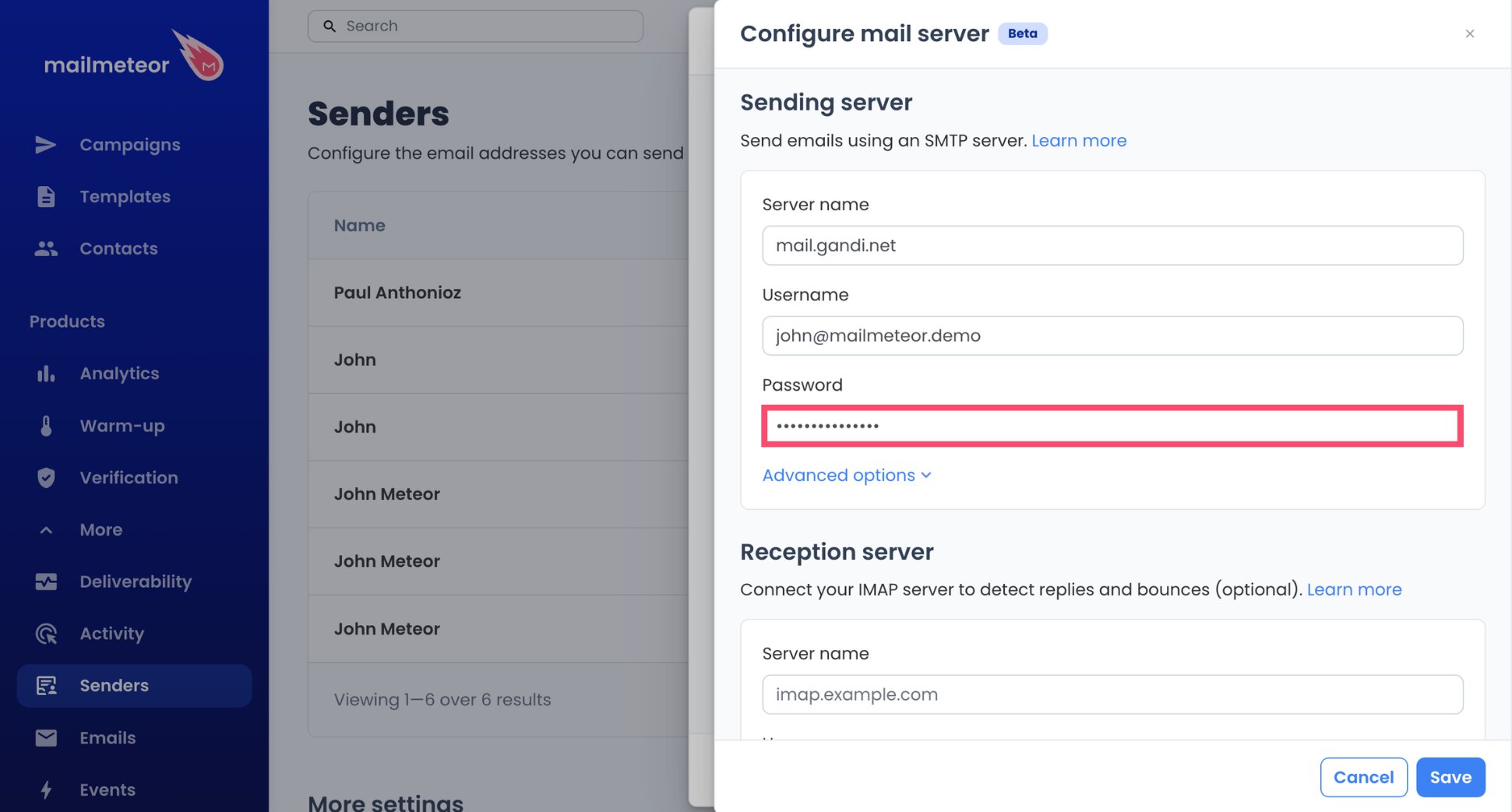
That’s the outgoing side configured. Mailmeteor picks the port and encryption itself, and both of the ports Gandi supports for apps (465 and 587) work.
Step 3: Point the Reception Server to Gandi
Without this step, your campaigns still go out, but Mailmeteor won’t know who answered, and an automatic follow-up could land in the inbox of someone who already replied.
- In Reception server, set the Server name to
mail.gandi.netas well. At Gandi, one server handles both directions.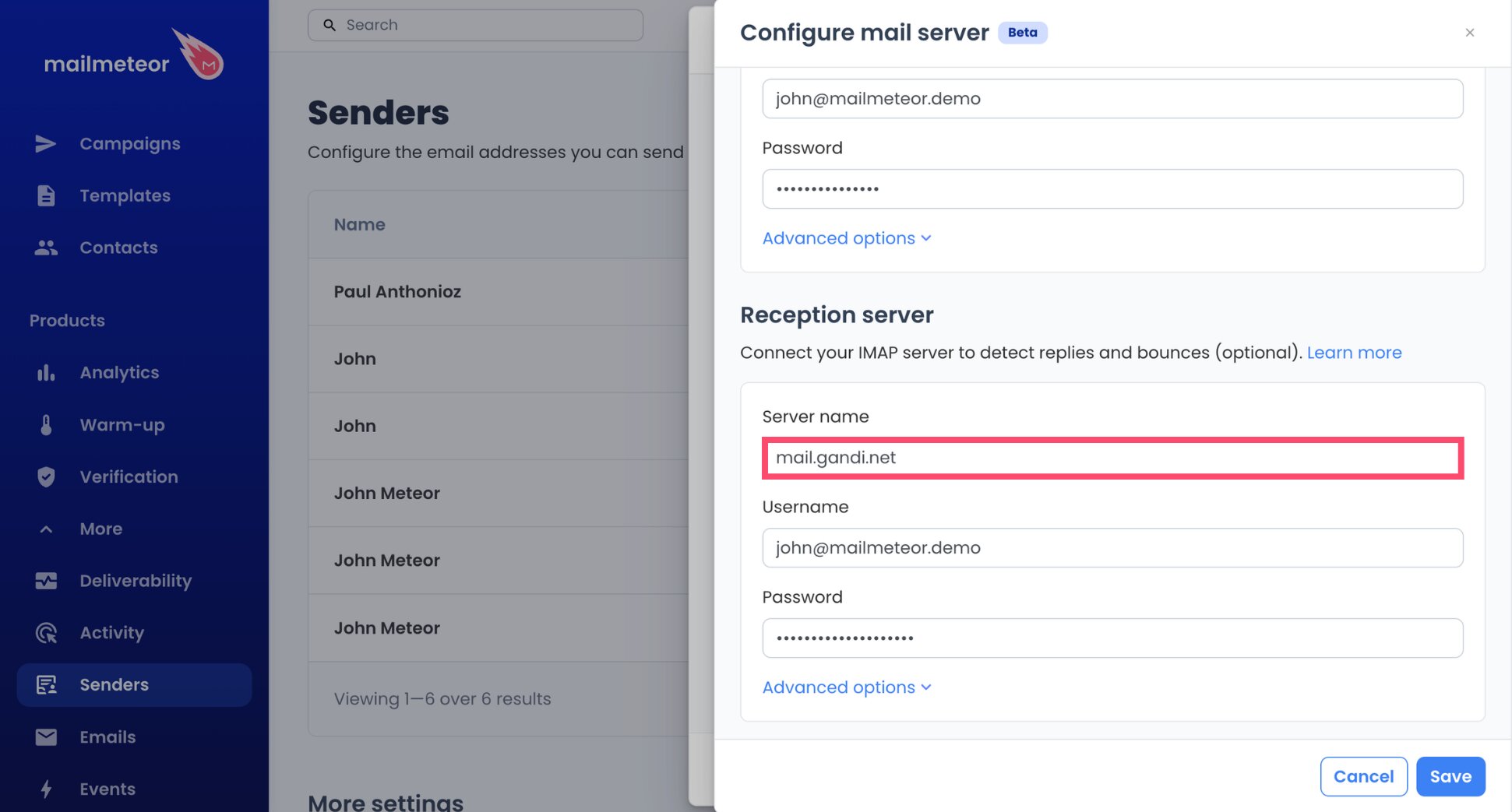
- Repeat your full Gandi address in Username.
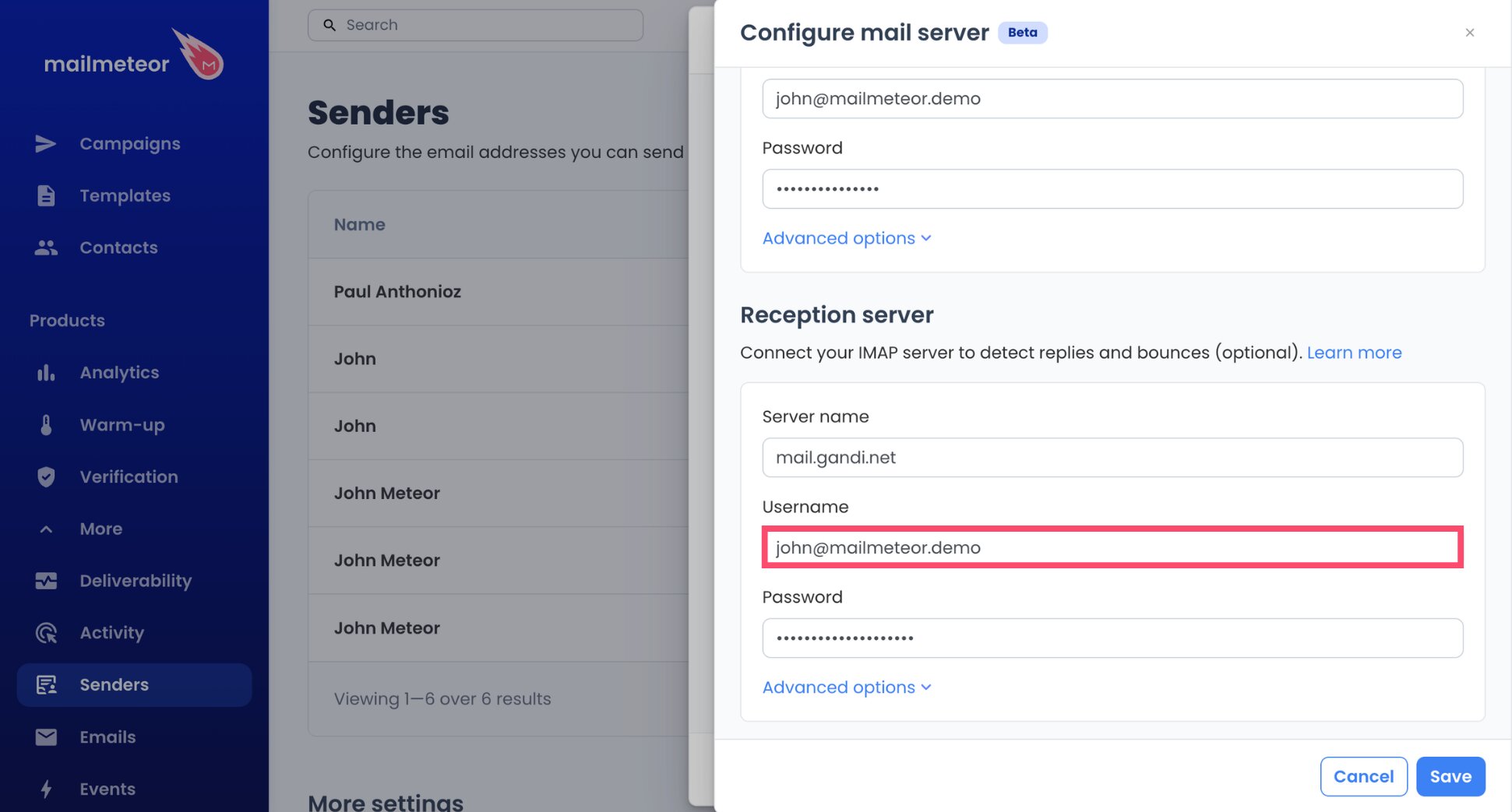
- Repeat your mailbox password in Password.
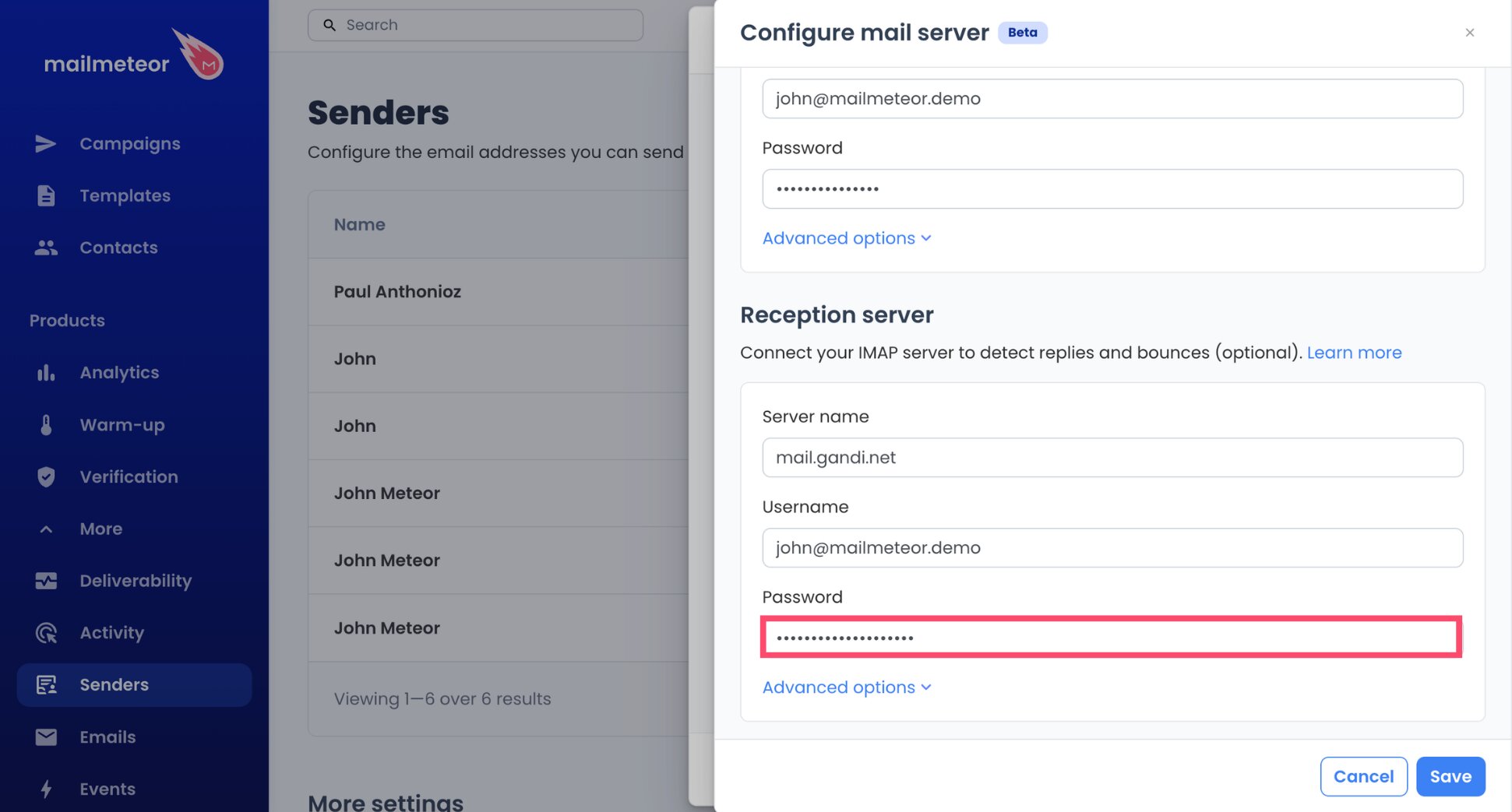
- Click Save, followed by Done.
And voilà. Your Gandi mailbox is connected both ways, and Mailmeteor has filled in IMAP port 993 for you automatically.
Step 4: Prepare Your Personalized Emails
- Kick off a campaign with New campaign.
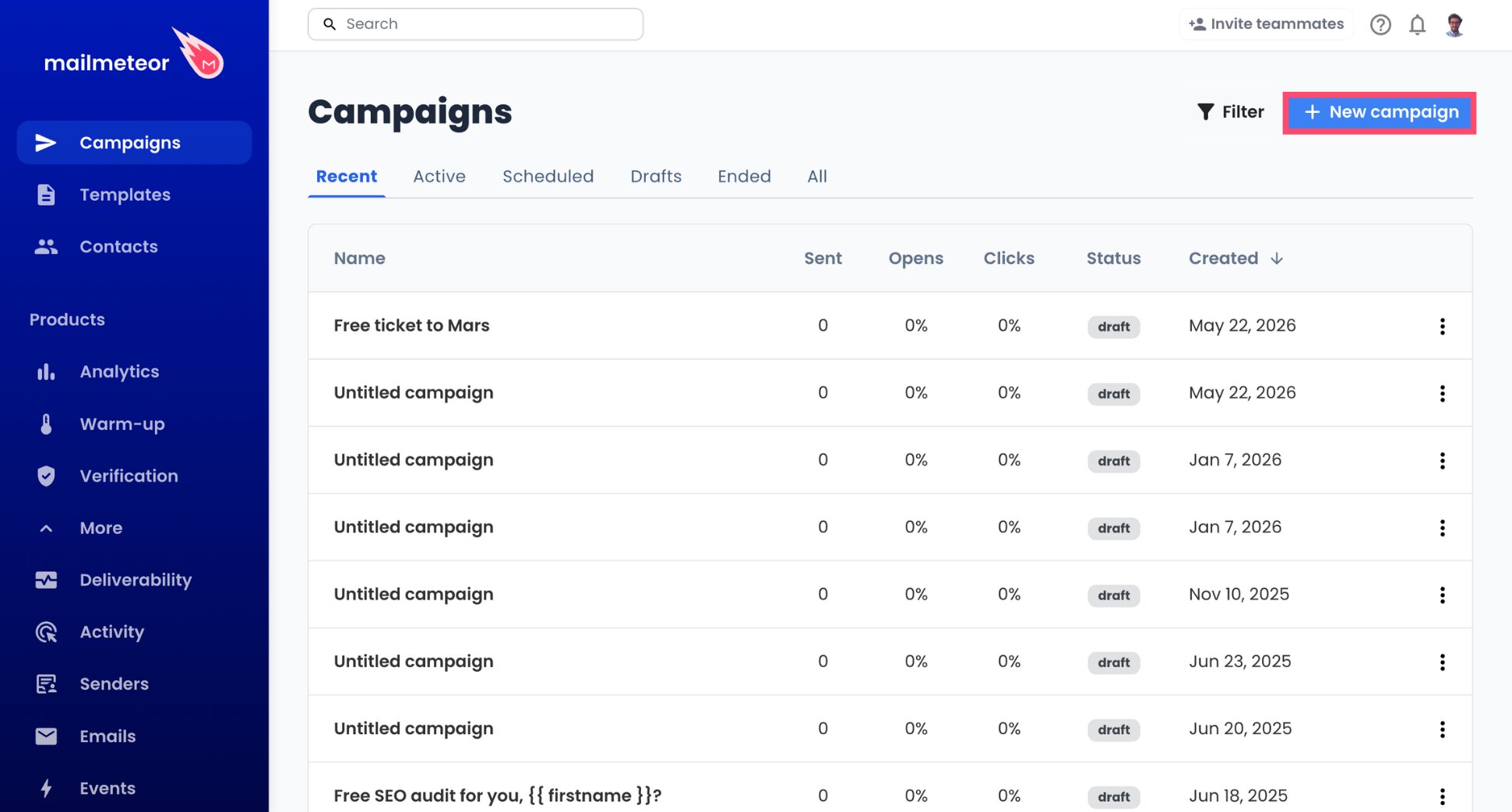
- Choose your Gandi address in the From menu (▼).
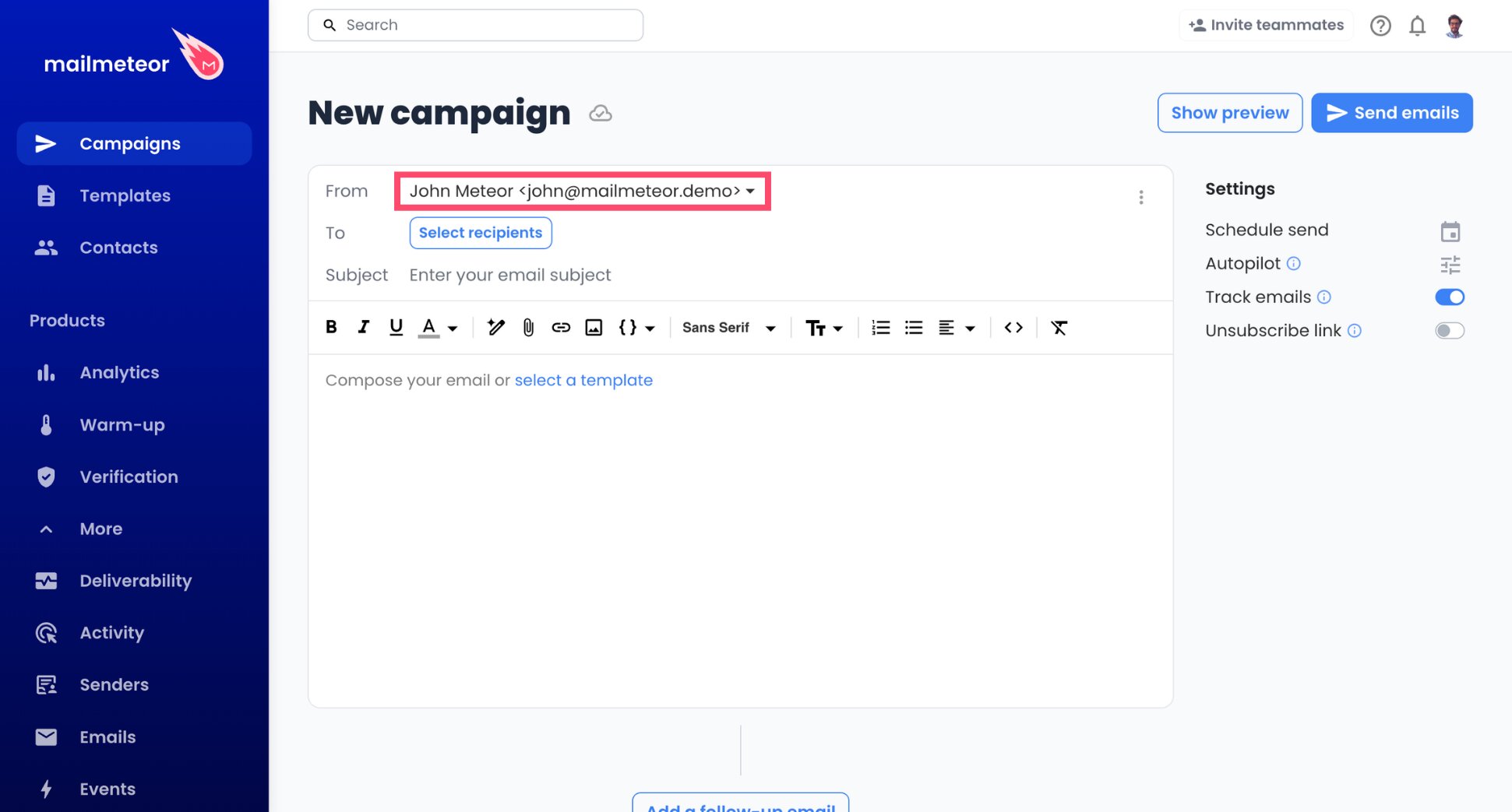
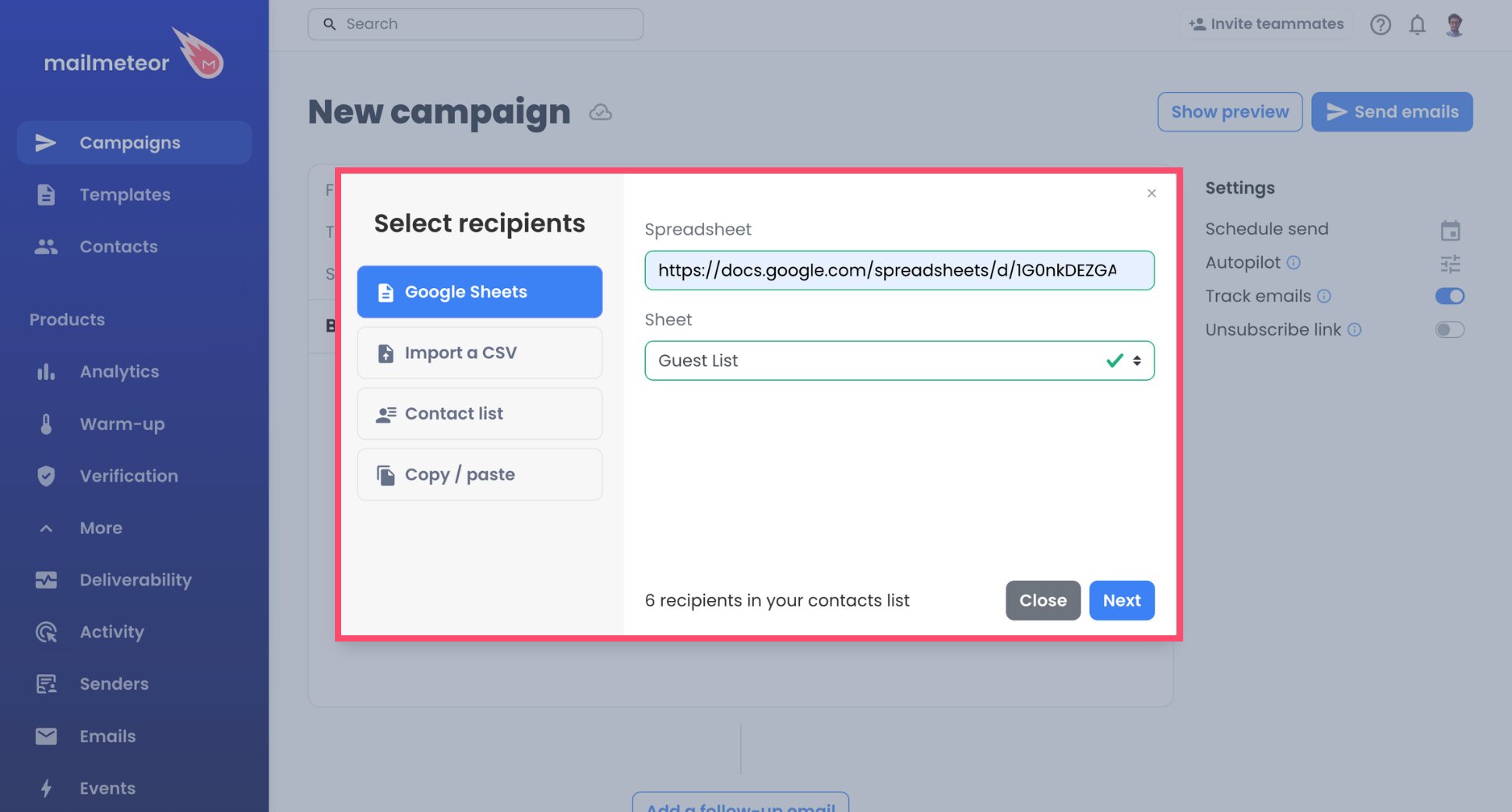
- Click Select recipients and import your contacts from Google Sheets, a CSV file, an existing list, or by pasting addresses.
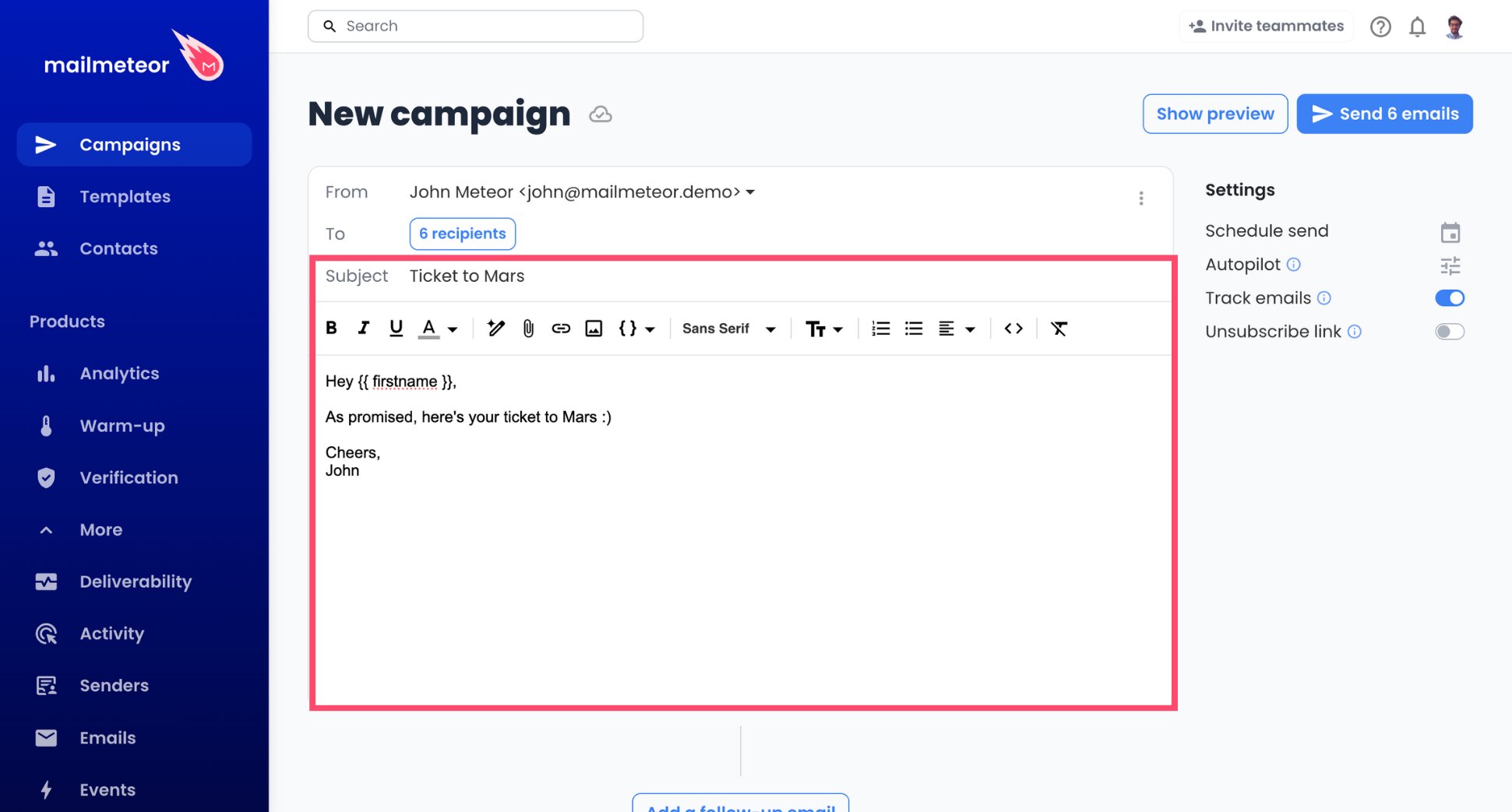
- Compose the subject line and the body.
- Add variables, for instance
{{ firstname }}, wherever the email should change from one recipient to the next.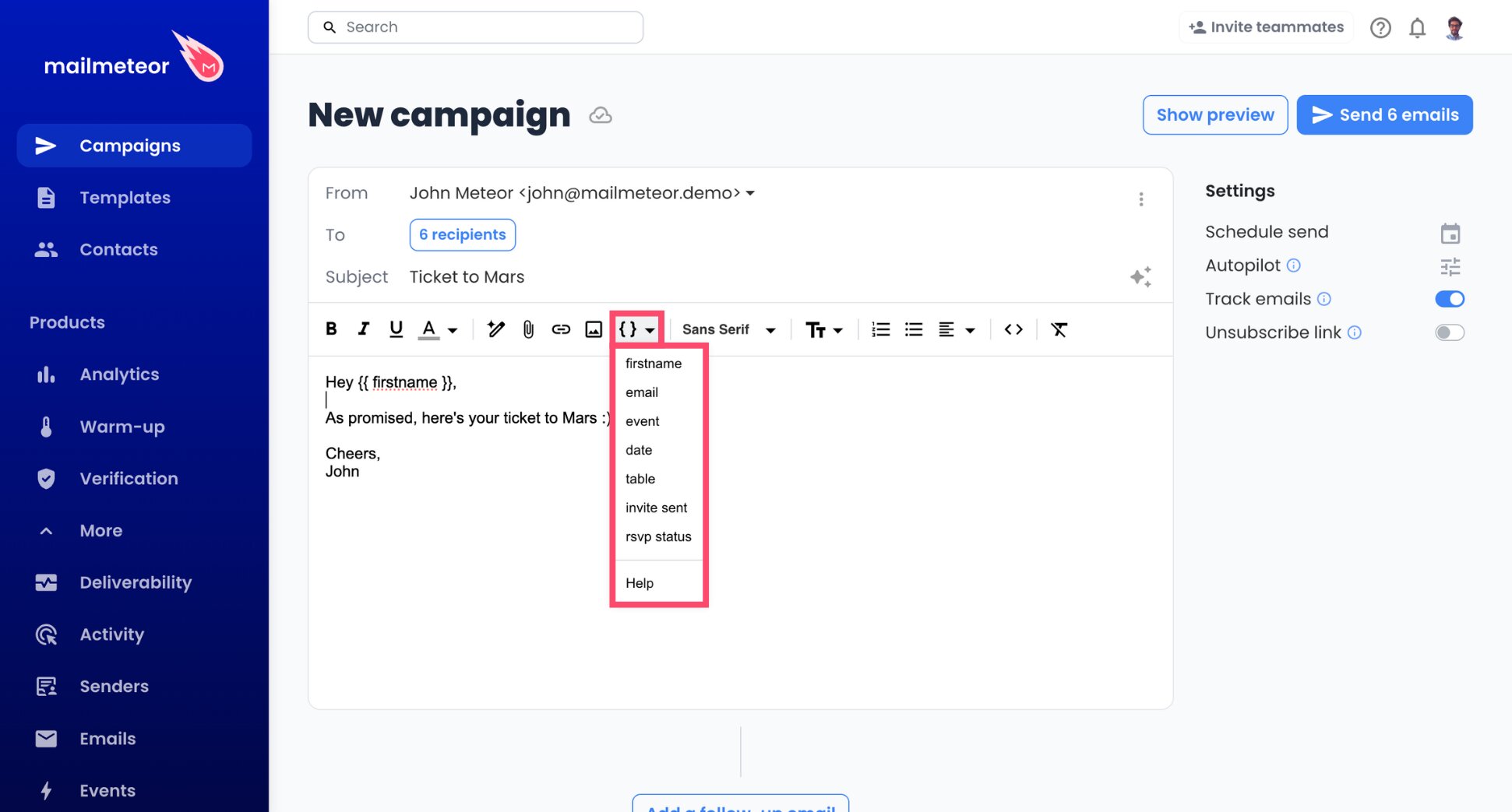
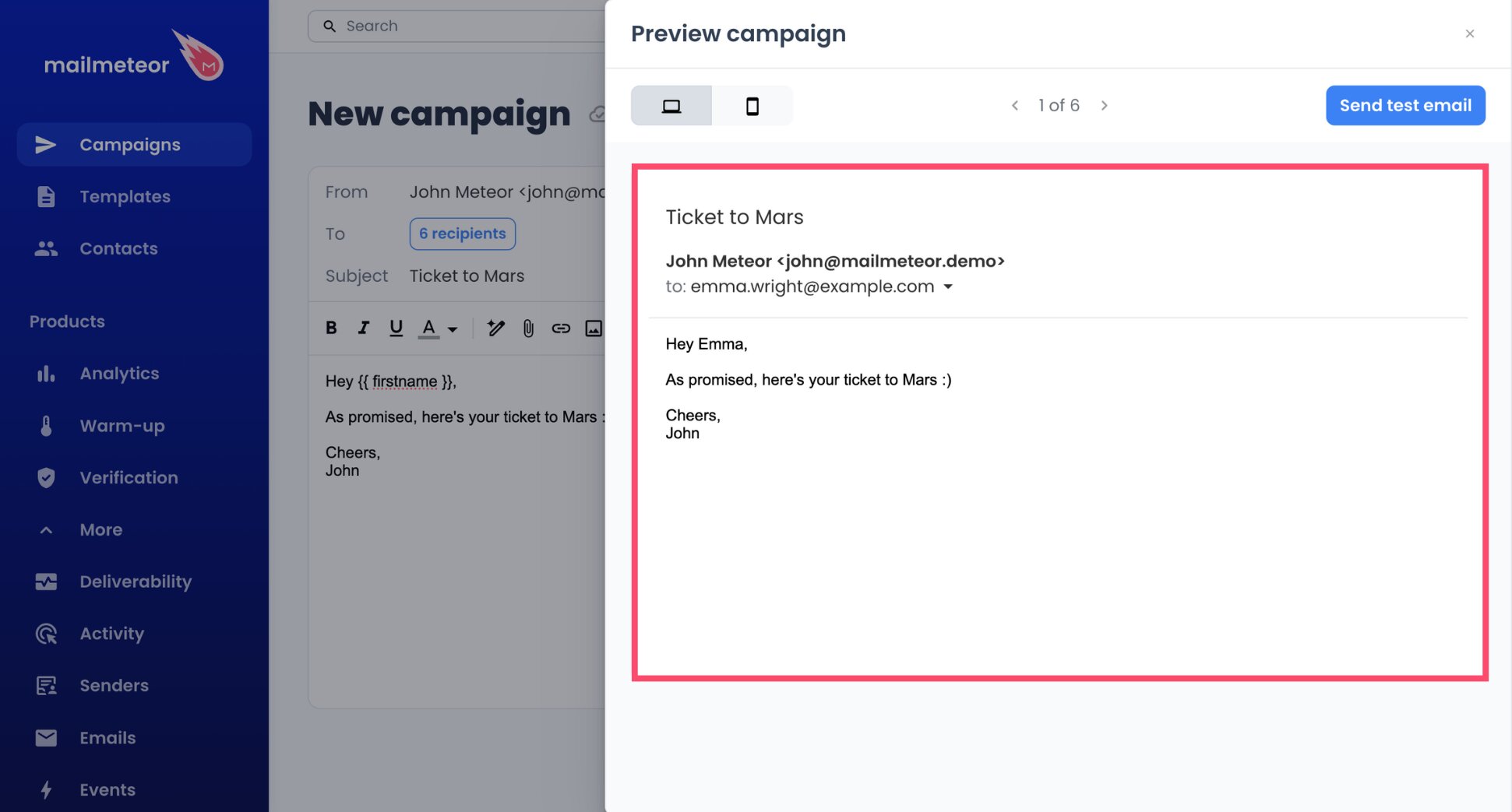
- Flip through Preview to see several recipients’ versions and make sure each variable is filled in correctly.
Gandi caps a message at 40 recipients when it’s sent from an app like Mailmeteor, and at 15 from its webmail, which rules out Bcc for any real list. A mail merge avoids the problem, because every contact gets a message addressed to them alone.
Step 5: Spread Out the Sending With Autopilot
Gandi publishes generous technical limits, but it can suspend mailboxes used for mass campaigns. Autopilot keeps your pace closer to a person’s than a mailing tool’s.
- Go to the Autopilot option of your campaign.
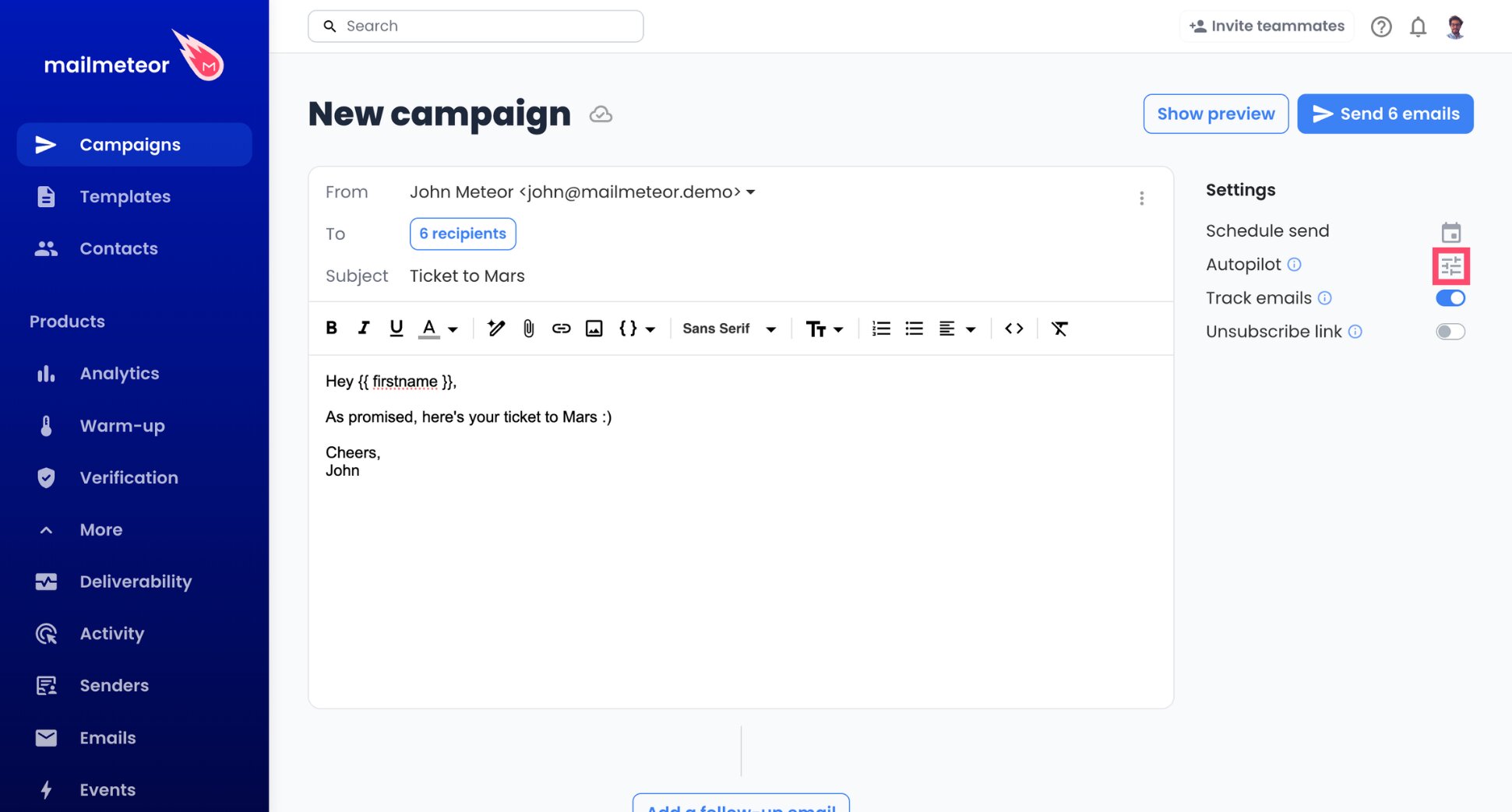
- Restrict sending to working hours, such as Monday to Friday, 9 AM to 5 PM.
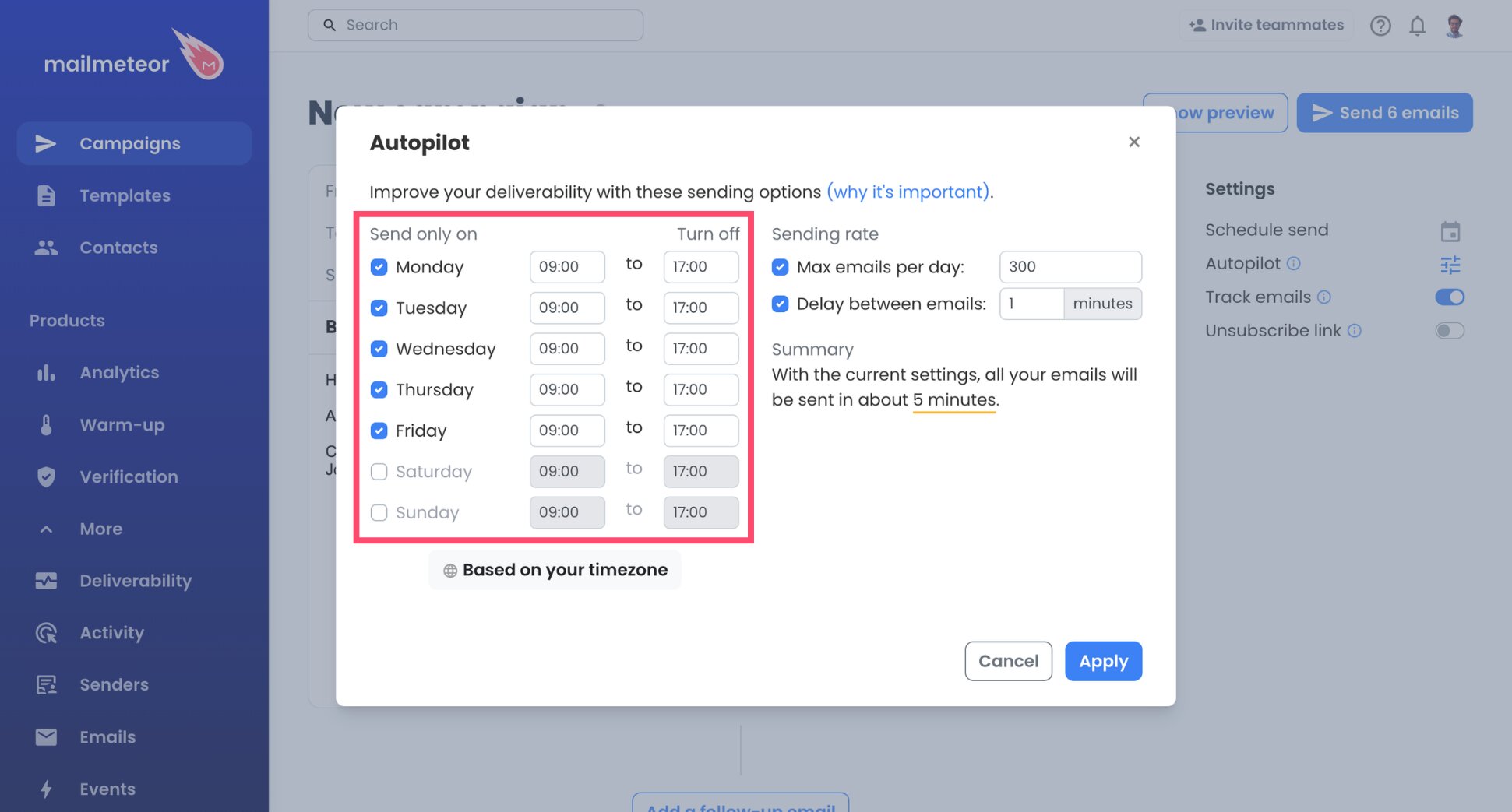
- Pick the spacing between two emails. The minimum is one minute, and slower is safer.
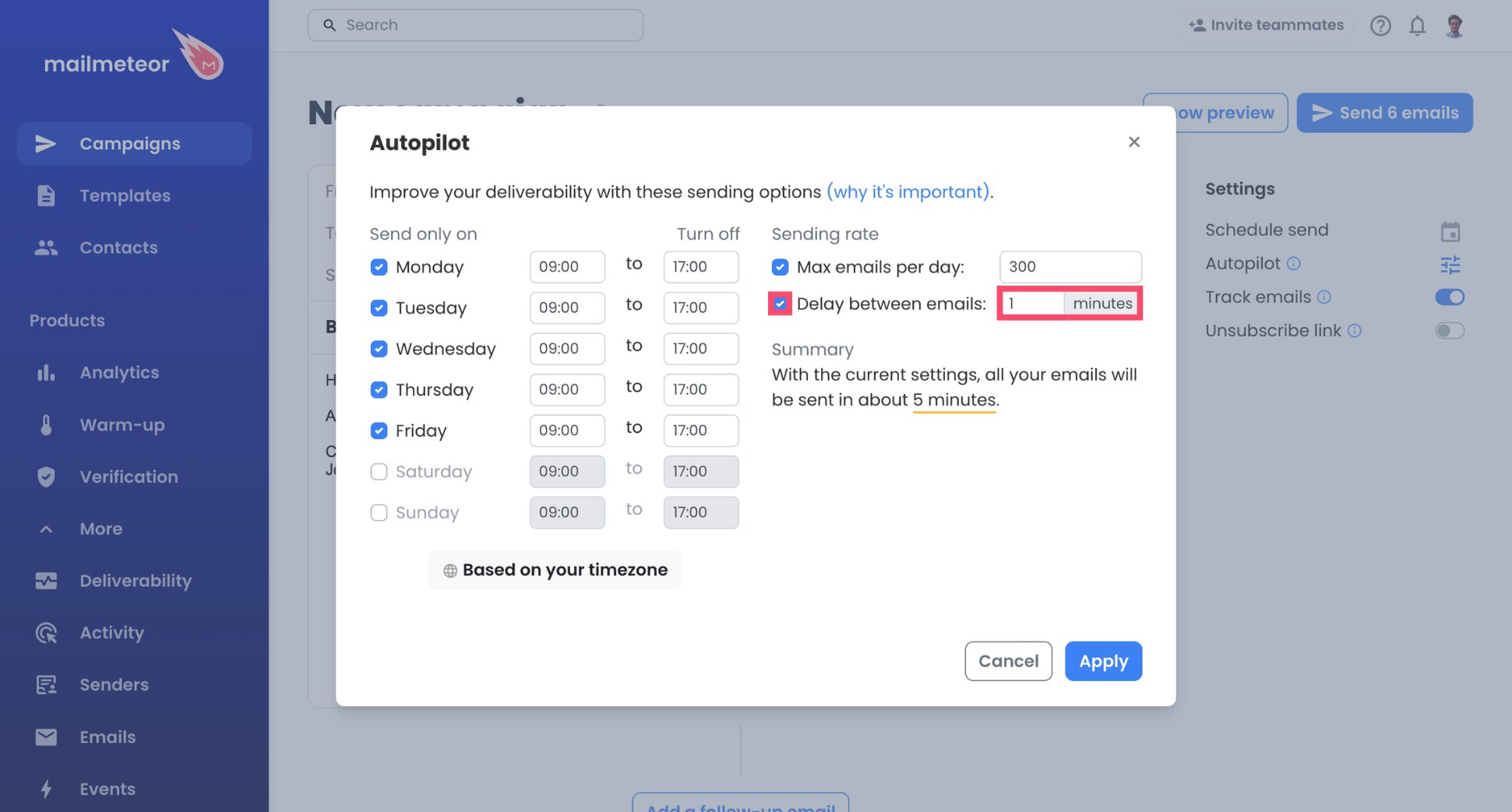
- Choose a daily cap. Around 50 is a reasonable start.
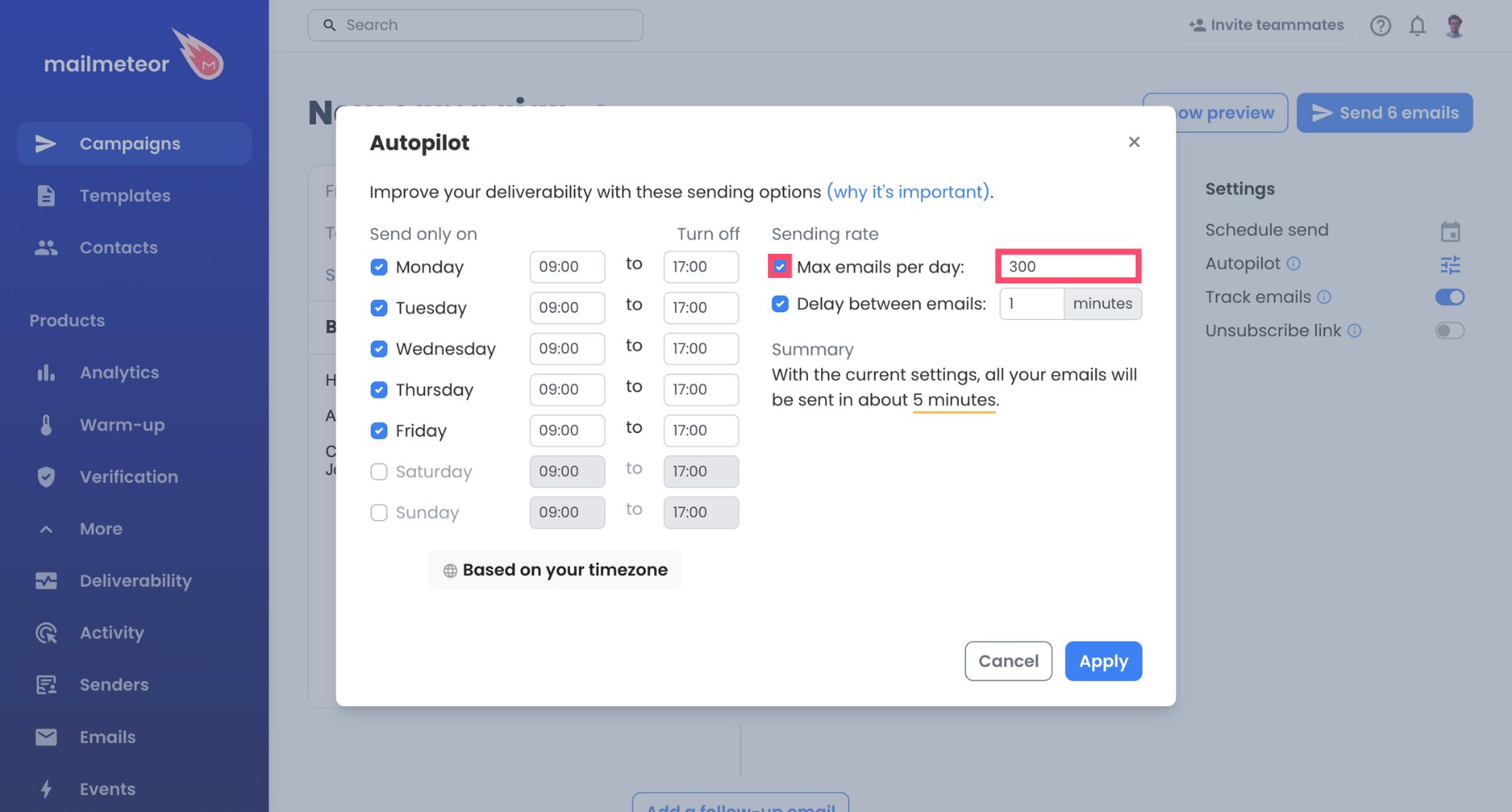
- Hit Apply to save.
Before you confirm, Autopilot shows how long the campaign will take, so you can adjust the cap if a list would take longer than you’d like.
Step 6: Send Yourself a Test First
- Send a test to your own address.
- Check how it looks, and that every link and variable is right.
- Click Send emails when you’re ready.
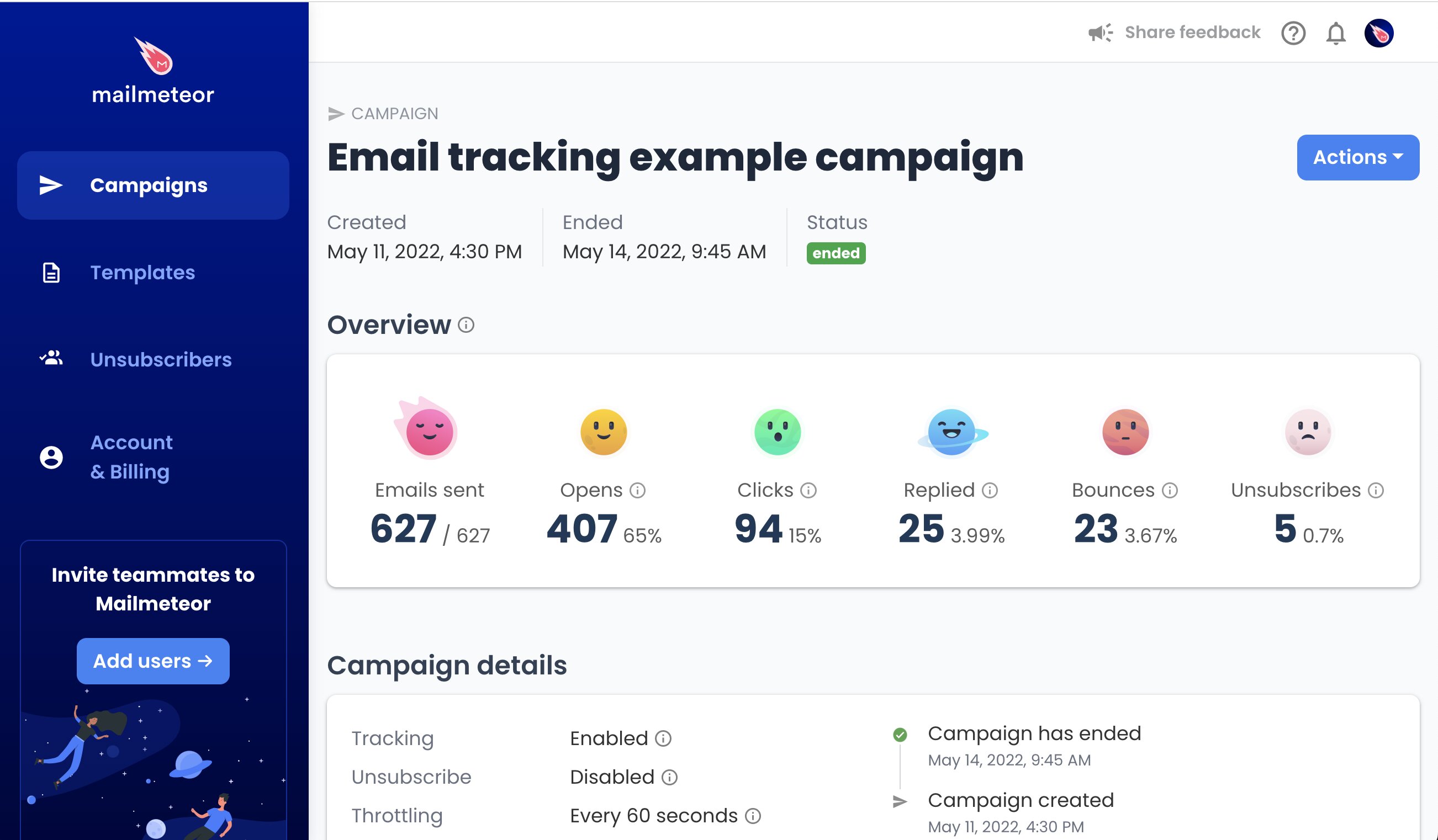
And that’s it. Your Gandi mailbox now sends each email in turn, and your Mailmeteor Dashboard keeps count of opens, clicks, and replies in real time.
Gandi Mail SMTP and IMAP Settings
Gandi uses the same server name for everything, which keeps the configuration simple:
| Setting | Sending server (SMTP) | Reception server (IMAP) |
|---|---|---|
| Server name | mail.gandi.net |
mail.gandi.net |
| Port | 465 (or 587) | 993 |
| Username | Your full email address | Your full email address |
| Password | Your mailbox password | Your mailbox password |
Mailmeteor handles the security setting, so keep Security on Auto. For reference, Gandi uses SSL on port 465, and STARTTLS on port 587.
Gandi Mail Sending Limits and Usage Rules
Gandi publishes its limits, noting that the sending rates may vary:
| Limit | Value |
|---|---|
| Messages per day | 8,000 |
| Messages per hour | 1,000 |
| Messages per minute | 200 |
| Recipients per email, from an email app | 40 |
| Recipients per email, from Gandi’s webmail | 15 |
| Maximum email size | 25 MB |
Those numbers look high, but they’re not the real constraint. Gandi states that its mailboxes are designed for standard email use, and that mass email campaigns may lead to suspension. Its documentation also advises against using its SMTP server for larger mailings such as newsletters. So plan for personal outreach, like customer follow-ups, partner updates, or event invitations, at a few dozen emails a day.
Mailmeteor’s own plan limits cap your sending too.
How to Keep Your Gandi Emails Out of Spam
Gandi watches how its mailboxes are used, and inbox providers judge every email you send. Here’s how to stay on the right side of both ⤵️
Write Only to People Who Expect You
Gandi’s usage rules make this the most important habit. Email customers, partners, and contacts who gave you their address, and never a purchased or scraped list. Expected emails get opened and answered, instead of reported.
Remove Dead Addresses Before Each Send
Bounces signal a careless list to inbox providers, and to Gandi. Run your contacts through our free Email Checker before each campaign, or let Mailmeteor’s email verification filter out invalid addresses for you.
Make Each Email Read One-to-One
The closer your email looks to a message written for a single person, the more likely it is to reach the inbox:
- Mention something specific to each contact, not only their first name.
- Avoid spam words like “free”, “guaranteed”, or “act now”, especially in the subject line.
- Keep the layout simple, with a few short paragraphs and only the links that matter.
- Add an unsubscribe link to promotional emails, so uninterested contacts can opt out without reporting you.
Once your draft is ready, our free Spam Checker points out risky wording. Mail-Tester also shows whether your SPF, DKIM, and DMARC records pass and what in your content could trigger spam filters.
How to Fix Gandi SMTP Errors
Most Gandi connection problems come from the password, the type of address, or the port. Look for your situation below ⤵️
| Problem | Likely cause | Fix |
|---|---|---|
| Mailmeteor says authentication failed | You entered your Gandi account password | Use your mailbox password, or reset it in your domain’s Email tab |
| The connection times out | The port was changed | Open Advanced options, set the port back to 465 (or 587), and keep Security on Auto |
| Your mailbox stops sending | Gandi flagged the activity as mass mailing | Contact Gandi support, then lower your Autopilot daily cap and email only people who expect you |
| Replies don’t show up in Mailmeteor | The reception server isn’t set up | Add mail.gandi.net under Reception server with your mailbox password |
Still stuck? Check your settings with our SMTP Test Tool, or read Mailmeteor’s mail server documentation.
Get More Out of Your Gandi Mailbox
Your Gandi address already carries your brand and your customers’ trust. With the right password and a gentle sending pace, it can handle personalized outreach too. Gandi delivers your mail, and Mailmeteor adds what its webmail lacks:
📬 Greet every customer by name and tailor each email, from your Gandi address
⏰ Keep a gentle sending pace automatically, with Autopilot
🔁 Follow up on your own schedule, and leave anyone who replied alone
📊 Find out who opened, clicked, or replied in real time
✅ Clean your list before sending to protect your sender reputation
Try Mailmeteor for Gandi Mail today (it’s free!) and send personal emails to all your customers, from the address they already know.
Frequently asked questions
What is the Gandi SMTP server?
The Gandi SMTP server is mail.gandi.net, on port 465 with SSL or port 587 with STARTTLS. The IMAP server uses the same name, on port 993. Sign in with your full email address and your mailbox password.
How many emails can I send per day with Gandi Mail?
Gandi lists 8,000 messages per day, 1,000 per hour, and 200 per minute, and notes that these rates may vary. In practice, its usage rules matter more: Gandi mailboxes are meant for standard email use, so keep your campaigns to modest volumes.
Can Gandi suspend my mailbox for sending campaigns?
Yes. Gandi states that using a mailbox outside standard email use, especially for mass email campaigns, may lead to its suspension. Personalized emails to people who know you, sent at a gentle pace, are much closer to standard use. For newsletters to large lists, use an email marketing service instead.
How many recipients can I add to one Gandi email?
Up to 40 recipients per email when sending from an email app, and 15 from Gandi’s webmail. A mail merge sends a separate email to each contact, so these caps don’t affect your campaign. Each email still counts toward Gandi’s sending limits.