Gmail decides where your email lands before it even reads your subject line. It looks at your sending history, your engagement patterns, and how recipients have treated your previous emails. If it doesn’t like what it sees, you go to spam — no matter how good your copy is.
This is why sending cold emails from a brand new Gmail account almost never works. The account has no history, no signal that it’s trustworthy. So Gmail plays it safe and filters it out.
Warm up fixes that. The idea is to build your reputation first, then send at scale. You start small, gradually increase your sending, and give Gmail enough positive signals to treat your emails as legitimate.
Done right, email warm up is the difference between landing in the inbox and disappearing into spam. Skip this step, and no amount of A/B testing your subject lines will save you from junk folders.
In this guide, we cover everything you need to get it right:
- How Gmail actually evaluates your sender reputation
- Whether email warm up genuinely works (and when it doesn’t)
- Manual vs tool-based warm up — and how to choose
- A step-by-step 4-week protocol you can follow today
- The best Gmail warm up tools in 2026
- How to verify your warm up is actually working
Sounds good? Then let’s dive in.
How Gmail Evaluates Sender Reputation
Most people assume Gmail filters emails based on content — spammy words, dodgy links, suspicious attachments, that kind of thing. And yes, content matters.
But it’s not what gets most cold email senders into trouble. Before your email reaches anyone’s inbox, Gmail runs a reputation check on you as a sender.
It looks at three things:
- Domain reputation — how trustworthy your sending domain appears based on its history. A brand new domain has no history, which Gmail treats as a risk.
- IP reputation — the track record of the server your emails are sent from. Shared IPs (common with email tools) can carry baggage from other senders on the same infrastructure.
- Engagement signals — how recipients have interacted with your previous emails. Opens, replies, and moving emails out of spam are positive signals. Deletions without opening, spam reports, and ignored emails are negative ones.
Gmail weighs these signals together to decide where your email lands. A strong domain reputation can offset a weak IP. But if all three are poor — as they will be for any new account — you go to spam by default.
Does Gmail Warm Up Actually Work?
Spend five minutes in any cold email subreddit and you’ll find senders who ran warm-up for weeks and saw zero improvement. The skepticism is legitimate. But it almost always traces back to the same two problems:
- Bad pool quality — most warm-up tools run on closed networks of recycled inboxes. Gmail’s filters are sophisticated enough to detect artificial engagement, and interactions within a small pool of a few thousand accounts don’t carry the same weight as genuine activity across millions of real inboxes.
- Measuring the wrong thing — most warm-up tools show a health score based on activity inside their own network, not actual inbox placement. It’s possible to have a perfect score while still landing in spam.
So when does warm-up actually work?
Yes, when three conditions are met:
- The engagement pool is large and diverse — tens of millions of active inboxes, not a recycled pool of a few thousand accounts.
- Engagement patterns look genuinely human — varied timing, realistic reply rates, natural behaviour.
- Success is measured by external inbox placement tests, not just dashboard health scores.
Get those three things right, and warm-up works. Your domain and IP reputation improve, Gmail starts trusting your account, and your emails land in the inbox instead of the spam folder.
The data backs this up. In one controlled test across 10,000 emails, Litemail found that pre-warmed inboxes achieved 94% primary inbox placement vs 61% for fresh inboxes — moving reply rates from 1.7% to 4.2% with identical copy and lists.
Manual Warm Up vs Tool-Based: Which Should You Use?
Before you start warming up, you need to make one decision: are you doing this manually, or with a tool? The protocol is the same either way — but how you execute it is very different.
Manual warm up
Manual warm up means sending real emails to real contacts and gradually increasing volume over time. You write to colleagues or friends, start genuine conversations, and generate authentic engagement.
When it makes sense:
- You’re sending fewer than 50 emails per day
- You have an existing network you can engage with naturally
- You want zero cost and full control
The limitation: It’s slow and difficult to scale. You’re personally responsible for hitting send every day, maintaining consistent volume, and tracking your own progress. Most people lose discipline within a week.
Tool-based warm up
A warm-up tool automates the process by connecting your inbox to a network of other inboxes. It sends and receives emails on your behalf, generates engagement signals, and gradually increases volume according to a schedule — without you having to think about it.
When it makes sense:
- You’re planning to send at scale (50+ emails per day)
- You’re warming up multiple inboxes simultaneously
- You want a consistent, measurable process
The limitation: not all tools are equal. Pool size and diversity determine whether warm-up actually moves the needle. A tool running on a small, recycled network can show perfect scores while your emails keep landing in spam.
Which Gmail Warm Up Method Is Right for You?
| Manual | Tool-based | |
|---|---|---|
| Best for | Low volume, existing network | Scale, multiple inboxes |
| Cost | Free | $15–$50/month per inbox |
| Effort | High | Low |
| Consistency | Depends on you | Automated |
| Pool quality risk | None | Varies by tool |
If you’re just getting started with one inbox at low volume, manual warm-up is a perfectly valid approach. If you’re building a cold email operation at scale, a tool saves time. Just make sure you pick one with a large, diverse pool and verify results externally. Whichever path you choose, the protocol is the same.
The 4-Week Gmail Warm Up Protocol to Improve Deliverability
Gmail’s trust is built through consistent, gradual sending. The protocol below works for both manual and tool-based warm-up. If you’re using a tool, it handles the sending automatically. Your job is to monitor progress and keep your spam rate in check.
Week 1: Establish a Baseline
Start slow. The goal this week isn’t reach — it’s signalling to Gmail that your account behaves like a normal, human sender.
- Send 8 to 10 emails per day
- Keep content conversational — short, personal emails to real contacts or colleagues
- Avoid links, images, spam words and attachments in every email you send this week
- Make sure your SPF, DKIM, and DMARC records are correctly configured before you send a single email
By the end of week one, your account has a baseline sending history — enough for Gmail to start building a picture of who you are as a sender.
Week 2–3: Build Momentum
This is where your reputation starts to take shape. Gradually increase your daily sending volume and introduce more variety into your content.
- Increase to 20–30 emails per day in week two, then 30–50 by week three
- Mix up email length, subject lines, and content type
- Start generating positive engagement signals — replies, forwards, emails marked as important
- Monitor the progress of your domain reputation, inbox placement, and spam rate at the end of each week.
If your domain reputation shows Medium or higher and your placement tests are above 80% inbox, you’re on track. If you’re seeing Low or significant spam placement, slow down and investigate before continuing.
Week 4: Final Ramp and Validation Gate
The last week of warm-up is about pushing volume toward your target sending level — and confirming your reputation has held before you go live.
- Increase sending to your intended daily volume — or close to it
- Run a placement test at the start and end of the week
- Check that your spam rate has stayed below 0.10% throughout
Don’t go live until you’ve confirmed your reputation has held. One day of sending at full volume too soon can undo four weeks of progress.
The “Never Stop Warming” Principle
Warm-up isn’t a one-time task. Once your account is established, keep a low level of warm-up activity running in the background — especially during periods when you’re not sending campaigns. Going dark for weeks and then sending at high volume is one of the fastest ways to damage a reputation you spent a month building.
Best Gmail Warm Up Tools in 2026
If you’ve decided to go the tool-based route, here’s a quick overview of the most reliable options available. For a full breakdown of features, pricing, and pool quality, see our dedicated comparison of the best email warm-up tools.
| Tool | Best for | Starting price | Free option |
|---|---|---|---|
| Mailmeteor | Built into Gmail, no extra tool needed | ~$14.99/month | Yes |
| Warmy | Large pool, detailed reporting | ~$49/month | Limited free plan |
| MailReach | B2B cold email | ~$25/month | No |
| Lemwarm | Lemlist users | ~$29/month | No |
| Warmup Inbox | Budget option | ~$15/month | No |
| TrulyInbox | Free plan, multiple inboxes | Free / $29/month | Yes |
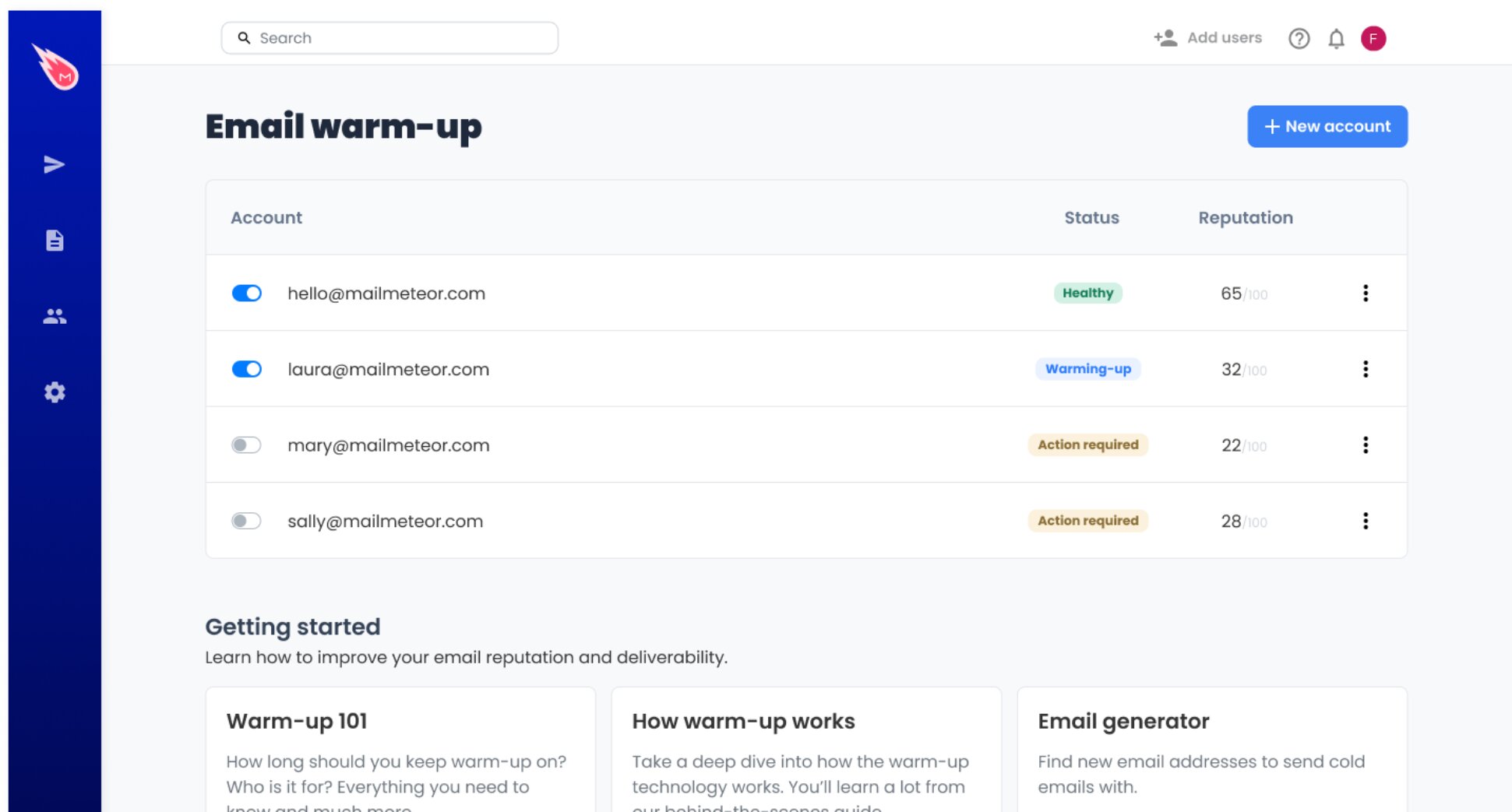
Mailmeteor is the most seamless option for Gmail users — warm-up is built into the Dashboard and works alongside your campaigns at no extra cost. For standalone warm-up with a large dedicated pool, Warmy or MailReach are reliable alternatives.
How to Verify Your Warm Up Is Working
A healthy dashboard score is not proof your warm-up is working. Most tools measure activity within their own network — not how Gmail actually sees your domain. To know whether your sender reputation has genuinely improved, you need to measure it independently. Here’s how.
Check Your Domain Reputation in Gmail Postmaster Tools
Gmail Postmaster Tools is a free dashboard from Google that shows how Gmail sees your sending domain. It’s the closest thing to a direct line into Gmail’s reputation system.
To get started ⤵️
- Go to postmaster.google.com and sign in with your Google account.
- Click Add a domain and enter your sending domain.
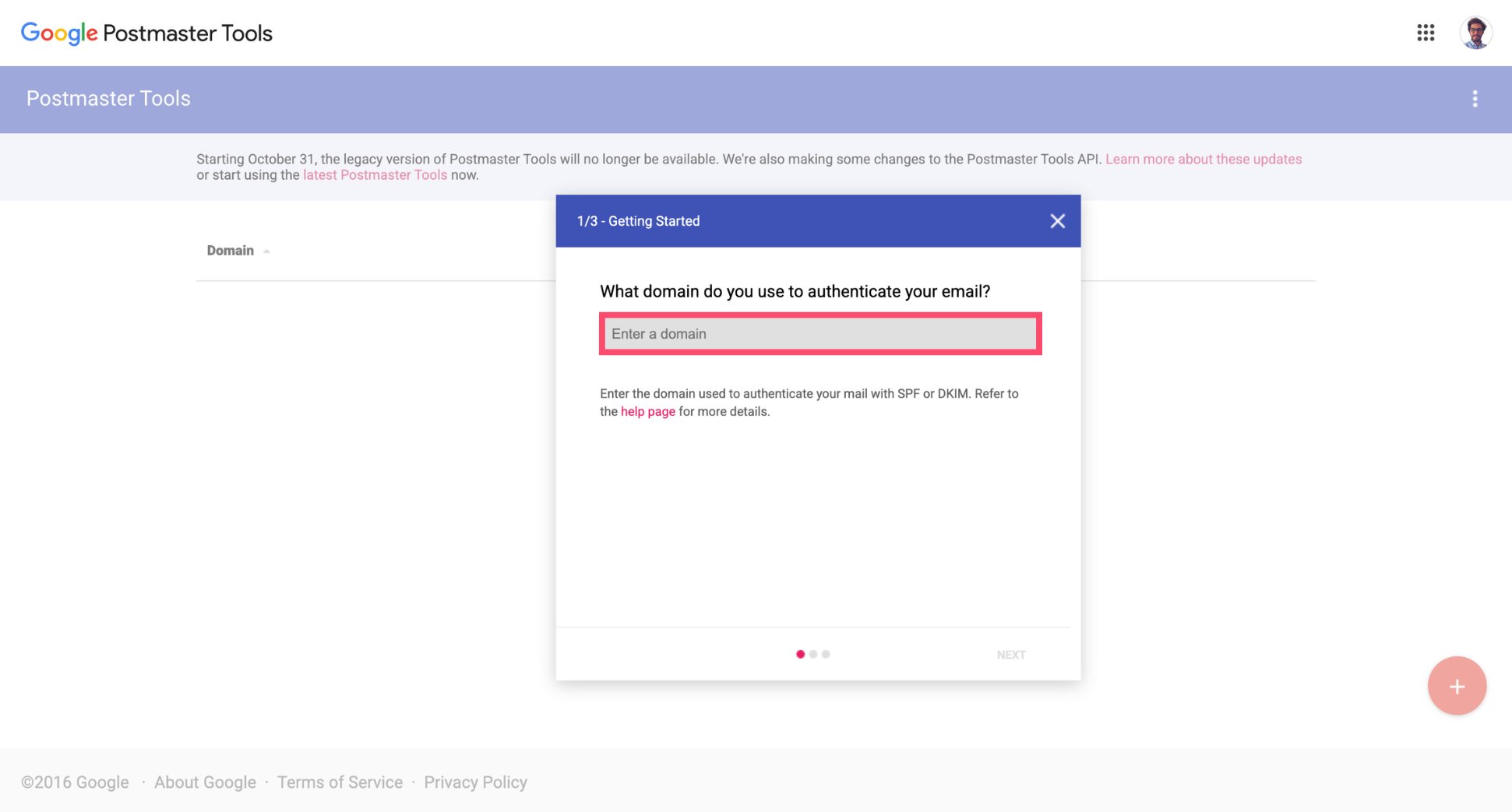
- Verify ownership by adding a DNS TXT record — your domain registrar’s help docs will walk you through this.
- Once verified, navigate to Domain Reputation in the left sidebar.
You’re looking for a High rating. If it shows Medium, your warm-up is in progress. Low or Bad means something has gone wrong — usually a spam rate spike or a sudden jump in sending volume.
Three other metrics worth monitoring while you’re there ⤵️
| Metric | What to look for |
|---|---|
| Spam rate | Below 0.10% at all times. Above 0.30% is a serious problem. |
| Delivery errors | Should be close to zero. A spike here signals authentication issues. |
| IP reputation | Should be High — especially important if you’re on a dedicated IP. |
Run an External Placement Test
Postmaster Tools tells you what Gmail thinks of your domain. An external placement test tells you where your emails actually land — inbox, spam, or promotions tab — across multiple providers at once.
Here are the best email deliverability test tools to use ⤵️
- GlockApps — sends a test email to a seed list of real inboxes and reports placement by provider. One of the most accurate options available.
- Mail-Tester — free, quick, and useful for spotting authentication issues and content flags before you send at scale.
Run a placement test at the end of each week during warm-up. If your inbox placement on Gmail is consistently above 90%, you’re on track.
3 Signs Your Gmail Account Is Fully Warmed Up
Don’t declare your account fully warmed up until all three of these check out:
- Domain reputation shows High in Gmail Postmaster Tools.
- Inbox placement is above 90% on external seed tests across Gmail and other major providers.
- Spam rate is below 0.10% and stable — not just for one send, but consistently over the final week of warm-up.
If all three are green after four weeks, your account is ready for full-scale sending.
Why Are Your Emails Still Landing in Spam After Warm-Up?
This is the most common warm-up complaint, and it almost always comes down to one of three things:
- Bad pool quality — your tool’s engagement network is too small or too recycled to generate real reputation signals with Gmail. Switch to a tool with a larger, more diverse pool and restart.
- Authentication issues — missing or misconfigured SPF, DKIM, or DMARC records will send you to spam regardless of how well your warm-up goes. Check your DNS records before anything else.
- Spam rate creep — if your spam rate climbed above 0.10% during warm-up, Gmail may have already downgraded your domain reputation. Check Postmaster Tools and pause sending until it recovers.
Improve Your Gmail Deliverability
Warming up your Gmail account is the foundation of any successful cold email strategy. Without it, even the best-written emails get filtered out before anyone reads them. With it, Gmail starts treating your account as a trusted sender.
But warm-up is just the first step. Getting your email campaigns to hit the inbox consistently also means keeping your list clean, following up at the right time, and tracking what happens after you hit send.
Mailmeteor handles all of it — directly inside Gmail:
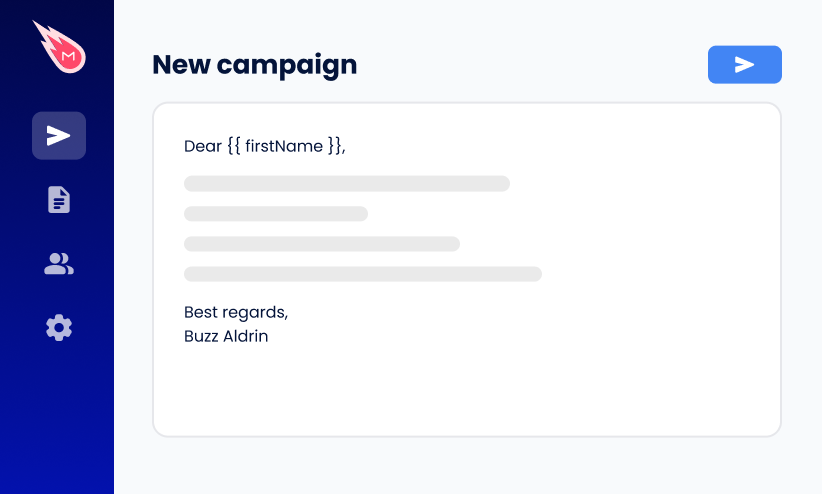
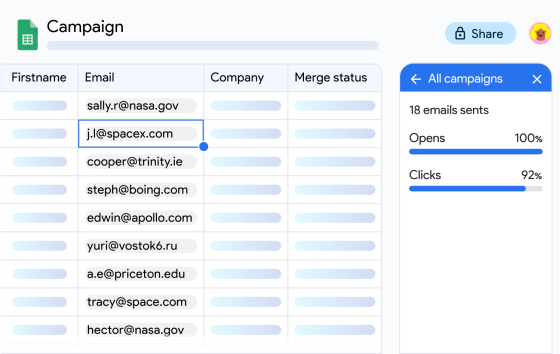
📬 Mail merge — send personalized campaigns to hundreds of contacts at once, straight from Gmail or Google Sheets.
✅ Email verification — check your list before sending to remove invalid addresses and protect your sender reputation.
🔁 Automated follow-ups — set follow-up sequences that send automatically if a contact doesn’t reply.
📊 Email tracking — see exactly who opened your emails, clicked your links, and when.
🤖 Autopilot — control exactly when and how your emails are sent, with throttling, daily sending limits, and scheduled delivery to maximise inbox placement.
⚠️ Spam checker — scan your emails for content that could trigger spam filters before you send.
Try Mailmeteor today (it’s free!) and turn a warmed-up inbox into a fully optimized cold email machine.
FAQs
How long does it take to warm up a Gmail account?
Most Gmail accounts need 3 to 4 weeks of consistent warm-up before they’re ready for high-volume sending. The exact timeline depends on your target volume — the higher you want to go, the longer the ramp. Rushing the process is one of the most common reasons warm-up fails.
Can you warm up a free Gmail account or only Google Workspace?
You can warm up both, but they have different sending limits. Free Gmail accounts are capped at 500 emails per day, while Google Workspace accounts can send up to 2,000. For serious cold email outreach, Google Workspace is the better foundation — but the warm-up process is the same for both.
What happens if I don’t warm up my Gmail account?
Gmail will flag your account as a potential spam source. Your emails will land in spam folders, your open rates will collapse, and if you keep sending at volume, your account risks being suspended. Skipping warm-up doesn’t save time — it guarantees you’ll lose it later.
How many emails per day should you send during warm-up?
Start at 8 to 10 emails per day in week one. Increase gradually — targeting 30 to 50 by week two or three, then up to your intended sending volume by week four. The key is consistency. Sudden spikes in volume are a red flag to Gmail’s filters, even during warm-up.
Can you run cold email campaigns while warming up?
It’s not recommended during the first two weeks. Once you’ve passed the midpoint of your warm-up and inbox placement tests look healthy, you can start sending cautiously — but keep volume low and monitor your spam rate closely in Gmail Postmaster Tools. Don’t go full scale until the warm-up period is complete.
How do you know when your Gmail account is fully warmed up?
Three signals tell you you’re ready:
- Your domain reputation shows “High” in Gmail Postmaster Tools
- External placement tests (GlockApps or Mail-Tester) show consistent inbox delivery
- Your spam rate stays below 0.1%
If all three check out after four weeks, you’re good to go.
Why is my email still going to spam after warm-up?
Warm-up helps build sender reputation, but it won’t fix deliverability issues on its own. If your emails still go to spam, the problem is often spammy email copy, poor targeting, bad list hygiene, or missing SPF, DKIM, and DMARC records.