Access blocked: not approved by Advanced Protection
If your organization uses Google’s Advanced Protection Program (APP), you might see this message when connecting your Google account to Mailmeteor:
Access blocked: Mailmeteor is not approved by Advanced Protection Error 400: policy_enforced
This can happen even after a Workspace admin has already marked Mailmeteor as Trusted in the Admin console. When that’s the case, the Trusted setting itself usually isn’t the issue, something else is getting in the way.
Why am I seeing this message?
Advanced Protection blocks any third-party app that requests sensitive scopes (Gmail, Drive, Calendar…) unless that specific app is on your organization’s trusted apps list. Your Workspace admin manages this list from:
Admin console → Security → Access and data control → API controls → App Access Control
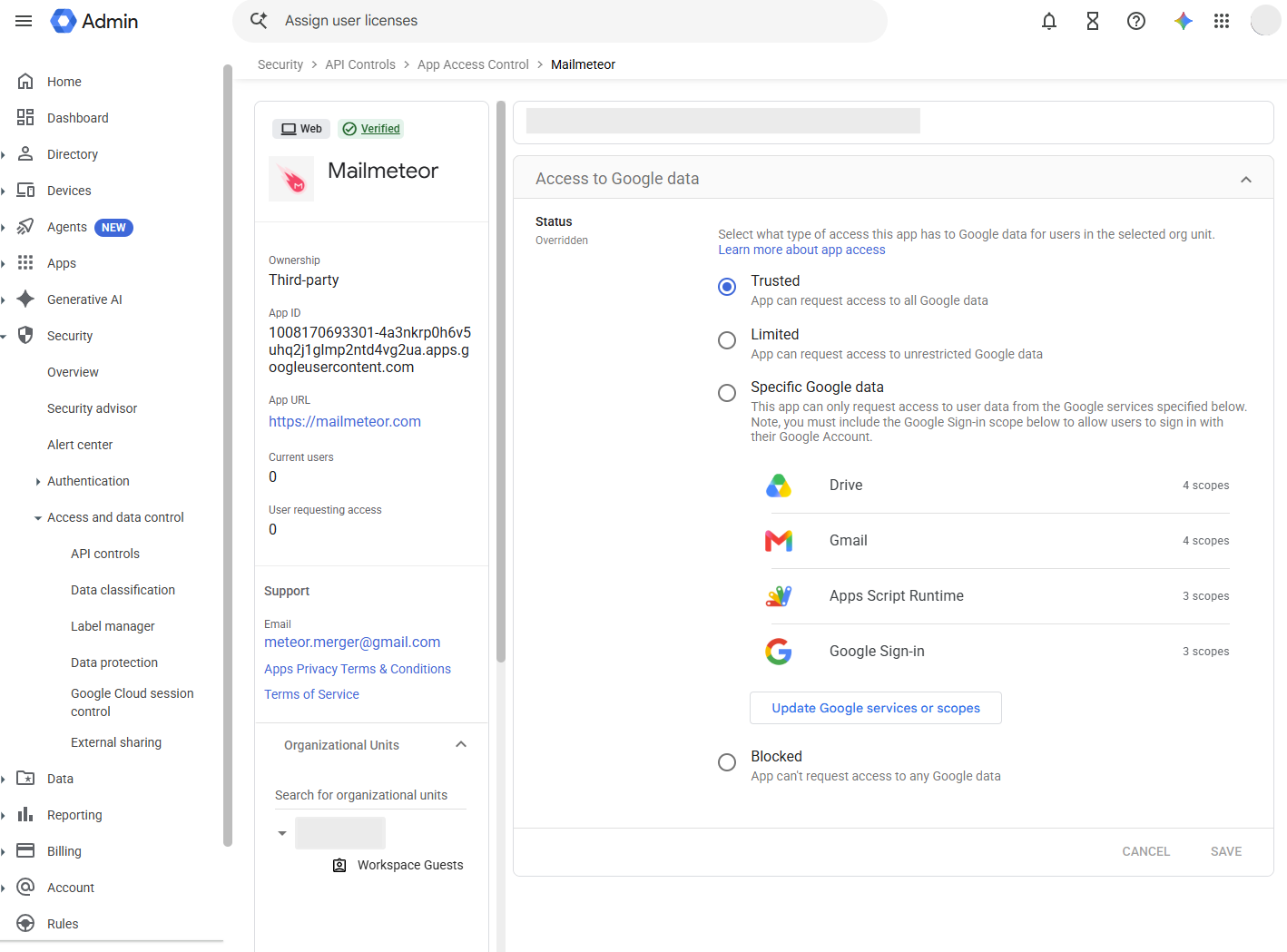
How to resolve the issue
-
Trust the right app entry. When searching for Mailmeteor in App Access Control, make sure you select the entry with this exact App ID (OAuth client ID):
1008170693301-4a3nkrp0h6v5uhq2j1glmp2ntd4vg2ua.apps.googleusercontent.comor
1008170693301-n54offf5058sf5hm3lsos2brnk78diev.apps.googleusercontent.comIf a name search surfaces a different or duplicate entry, that’s the one that needs to be marked Trusted.
-
Give it time to propagate. Changes to App Access Control aren’t instant — Google can take up to 24 hours to apply them, though it’s usually much faster. If you just updated the setting, wait an hour or two and try again before troubleshooting further.
-
Revoke Mailmeteor’s access and reconnect. A blocked authorization can stay on record even after you mark the app Trusted. Go to myaccount.google.com/permissions, remove Mailmeteor’s access, then go back to Mailmeteor and start the Google connection flow again so Google issues a fresh authorization request.
-
Try a clean browser session. Google’s sign-in page can cache the previous “blocked” result. Retry in an incognito window, or clear cookies for
accounts.google.com. -
Check for an organizational unit override. If your Workspace has sub-organizational units with their own settings, the Trusted status might not apply to the user who’s blocked. In App Access Control, check whether Mailmeteor’s status shows Overridden, and confirm which organizational unit that override covers.
Still blocked?
Contact our support team with a screenshot of the error message and your Google Workspace domain, and we’ll help you sort it out.